Open API Specification 2.0 (OAS) for Zoho Analytics APIs
Table of Contents
- Overview
- GitHub Repository Details
- How to Use the Zoho Analytics Open API Specification 2.0.0
- Integrating with Third-party Applications
Overview
The Open API Specification (OAS) offers a standardized approach to documenting REST APIs, detailing endpoints, request/response structures, and authentication mechanisms. This repository provides OAS files for Zoho Analytics APIs, enabling developers to:
Explore and understand Zoho Analytics API endpoints and their functionality. Generate SDKs in various programming languages for faster integrationStreamline integration with third-party applications. Standardized request formats for GET, POST, PUT, and DELETE operations, detailed response schemas to explain returned data structures, and error handling guidelines to help developers debug API requests.
GitHub Repository Details
The Zoho Analytics Open API Specification is available on GitHub, where you can access the latest OAS files in JSON format.
- The repository hosts all OAS files, categorized by functionality.
- Each file describes the standard API structure, including endpoints, HTTP methods, and response schemas.
Note:
- The OAS files are designed to be generic, covering common API operations. They do not include business-specific logic.
- For example, in workspace-specific use cases, some APIs may require additional input parameters or configurations. Developers should adapt the OAS definitions to match their specific application needs.
- Each OAS file includes its corresponding OAuth scope. Replace any placeholder values (e.g., workspace or view IDs) with actual identifiers.
- Refer to the OAuth Scopes documentation for details on available Zoho Analytics scopes.
How to Use the Zoho Analytics Open API Specification 2.0
You can visualize and interact with the Zoho Analytics OAS files using tools like Swagger API Hub or Readme.
This guide uses Swagger’s API Hub as an example.
Using Swagger API Hub
All Zoho Analytics APIs are defined in standardized OAS format and hosted on GitHub. Follow the steps below to import and explore them using Swagger:
Step 1: Access the GitHub Repository
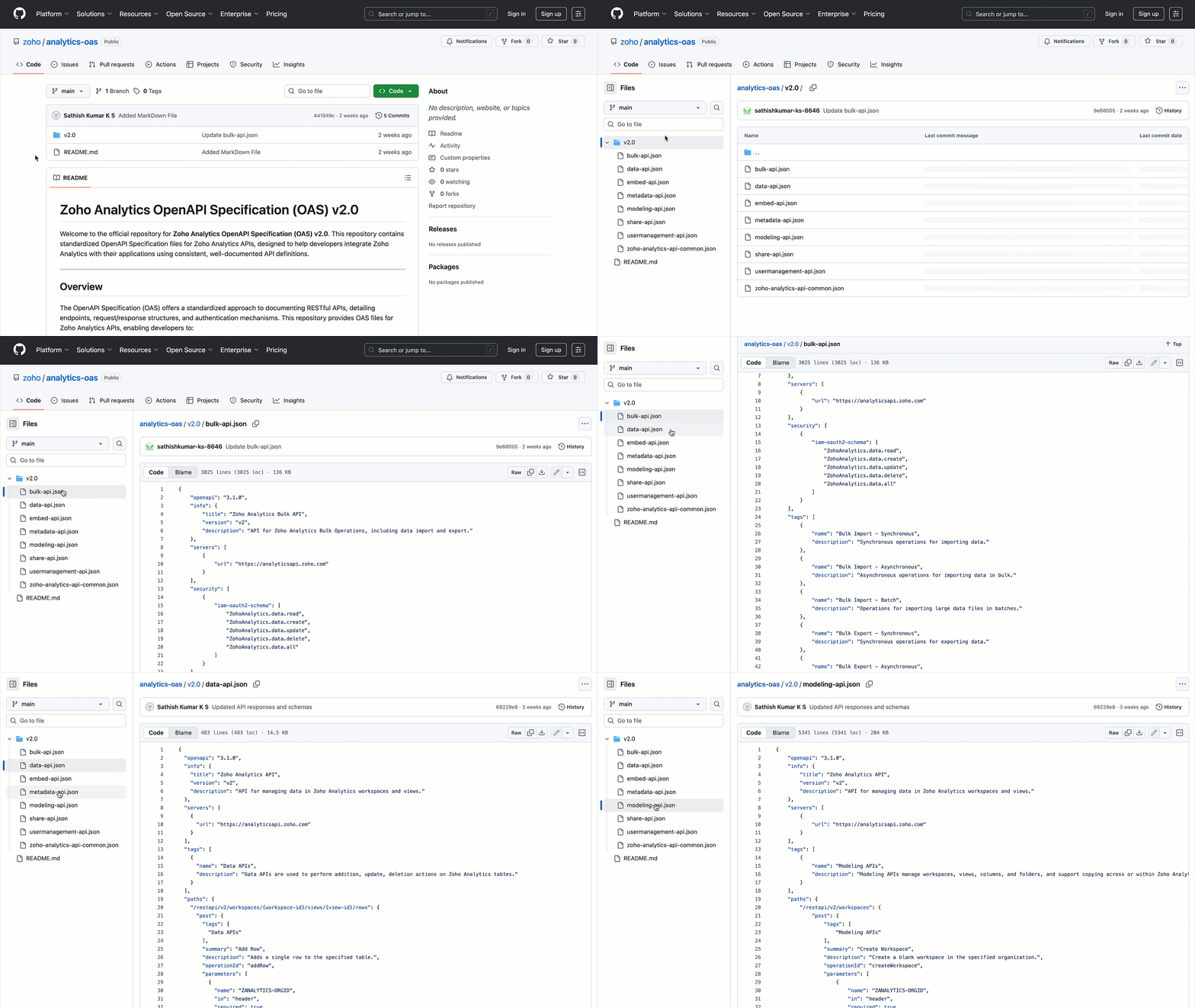
Navigate to Github > Open v2.0
You’ll find a list of OAS files organized by functionality:
data-api.json:Data-related API operations.bulk-api.json:Bulk data processing APIs.embed-api.json:Embedding and visualization APIs.metadata-api.json:Metadata management APIs.modeling-api.json:Data modeling APIs.share-api.json:Resource sharing APIs.usermanagement-api.json:User and permission management APIs.
Step 2: Select an API Resource
Choose the required API resource.
For example, select data-api.json, then right-click Raw and copy the link address.

Step 3: Import to Swagger API Hub
- Go to Swagger's API Hub > Design > Import API.
- In the Import API dialog, paste the copied raw link into the Path or URL field.
- Click Import.

Step 4: View and Edit the API Definition
Once imported, the API Definition page will open.
Here, you can view, edit, and document the API using the Open API Specification format.
Integrating with Third-party Applications
The Open API Specification enables developers to generate client SDKs and streamline integrations. For example, you can generate SDKs in Python, Java, Node.js, and other languages using OAS-based client generators.
Zoho Analytics OAS files ensure clear and consistent API definitions, reducing integration errors and accelerating development.
For further assistance, contact the support team at support@zohoanalytics.com.