• 16K

    Customers

  • 3M

    Users

Everything an agency needs to run a client's dashboard from one place

You're managing ten clients, each on a different set of platforms, each expecting a report with their name on it. Zoho Analytics is built for that load. Connect every client's tools, build their dashboard once, and let the numbers and the reports take care of themselves.

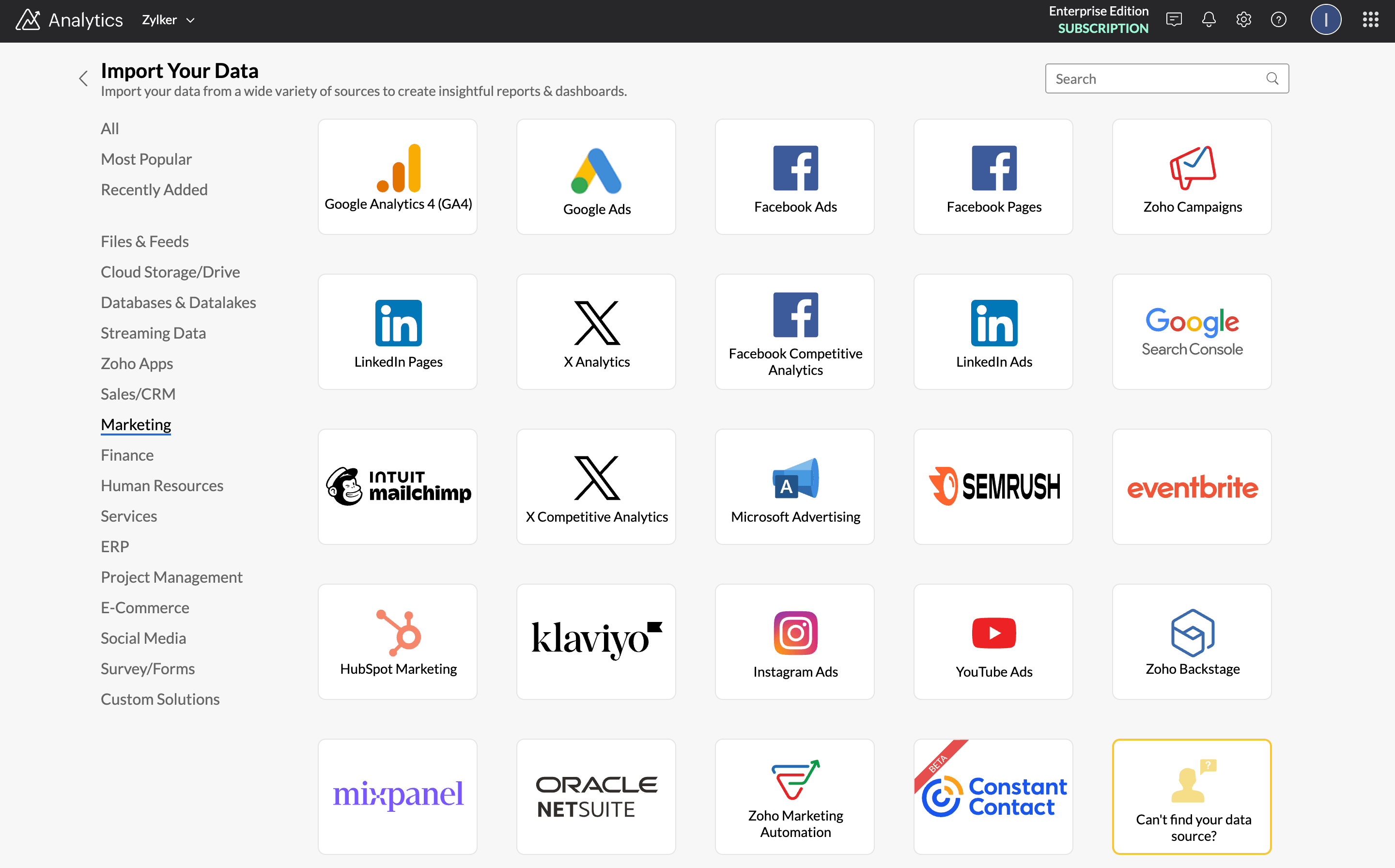
Marketing data sources and integrations with Google Search Console, GA4, social media platforms, and 25+ connectors

Connect every client's stack

Every client runs a different mix of tools. One lives in Google Ads, another is all Meta, a third wants Search Console and email in the same view. Zoho Analytics connects to all of it and pulls the numbers in for you.

  • ✔ Connect 30+ marketing tools including Google Analytics, Google Ads, Search Console, Meta Ads, LinkedIn Ads, Mailchimp, and HubSpot

  • ✔ Blend data across platforms into one cross-channel view no single tool can give you

  • ✔ Data syncs on a schedule you set, so you're not exporting files the night before a review

Spin up a new client dashboard in minutes

A new client signs up and they want to see marketing analytics from the first week. Start from a template built around the metrics agencies already track, then shape it to the account.

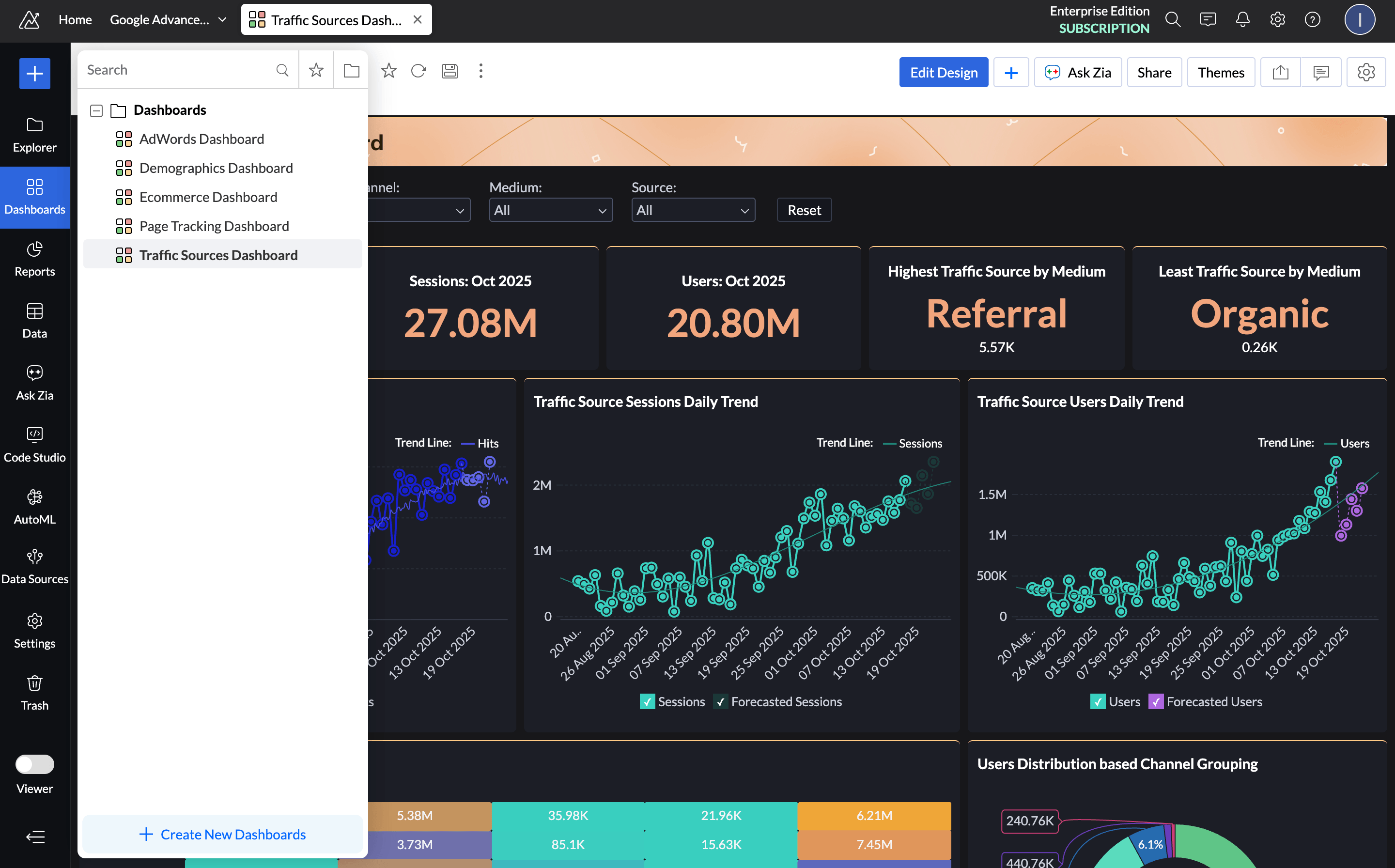
  • ✔ 100+ pre-built reports and marketing dashboards across every connected tool

  • ✔ Ready-made templates for campaign performance, channel ROI, paid spend, and audience metrics

  • ✔ Customize any template to match that client's goals and the KPIs they actually care about

Pre-built marketing dashboards for organic, paid, social, and 50+ visualization types
AI-powered insights for clients

Offer AI-powered insights

Clients want to know what's working and what to do about it besides a wall of charts. Zia handles the part of the job that usually eats your afternoon.

  • ✔ Ask Zia plain-English questions like "Which campaign had the best ROI last month?" and get a chart back

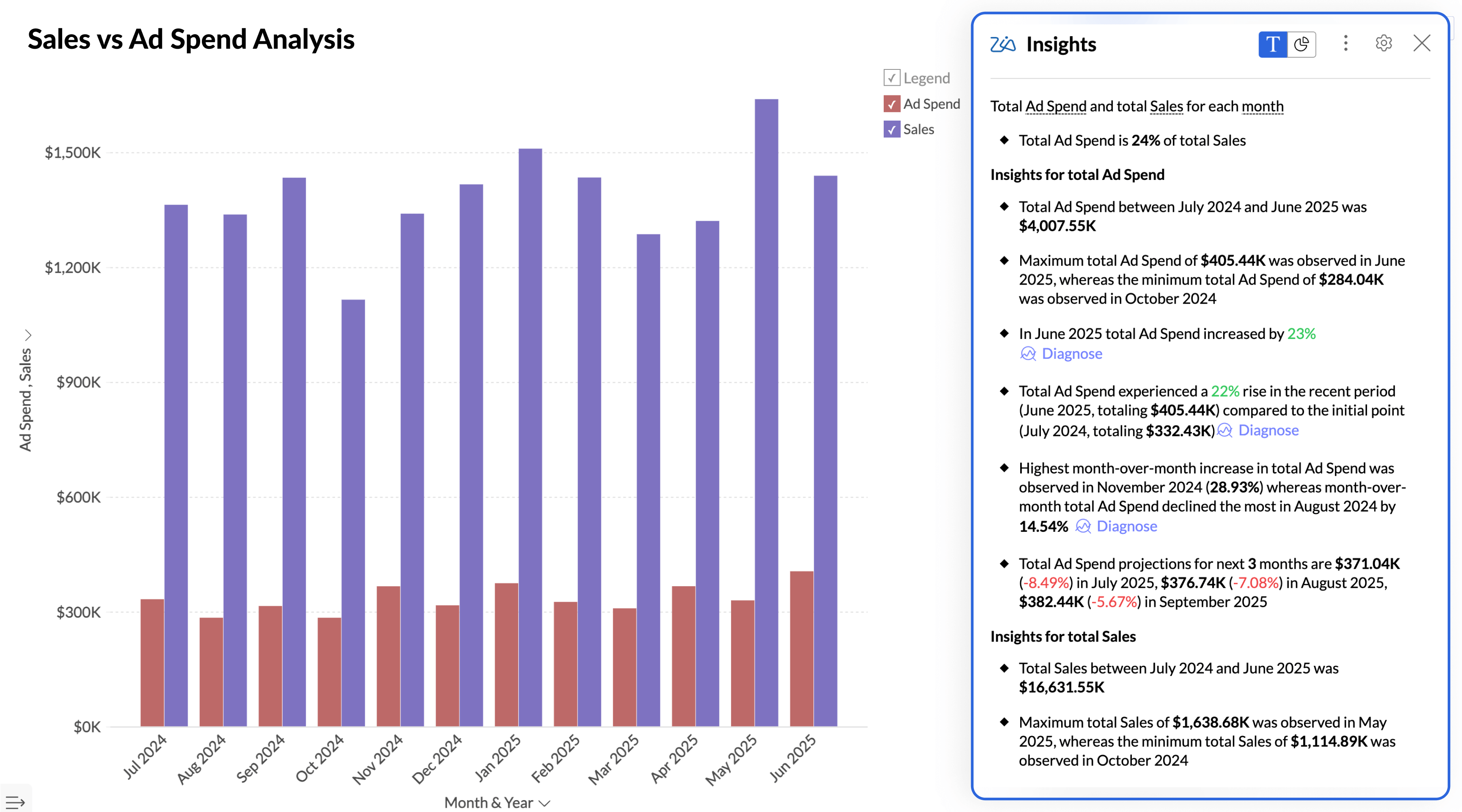
  • ✔ Zia Insights generates a short written summary on top of every report, so the context is sitting right next to the data

  • ✔ When a metric drops, Zia points to the likely reason and suggests a next step, so you walk into the call with an answer ready

Share branded dashboards and collaborate within dashboards

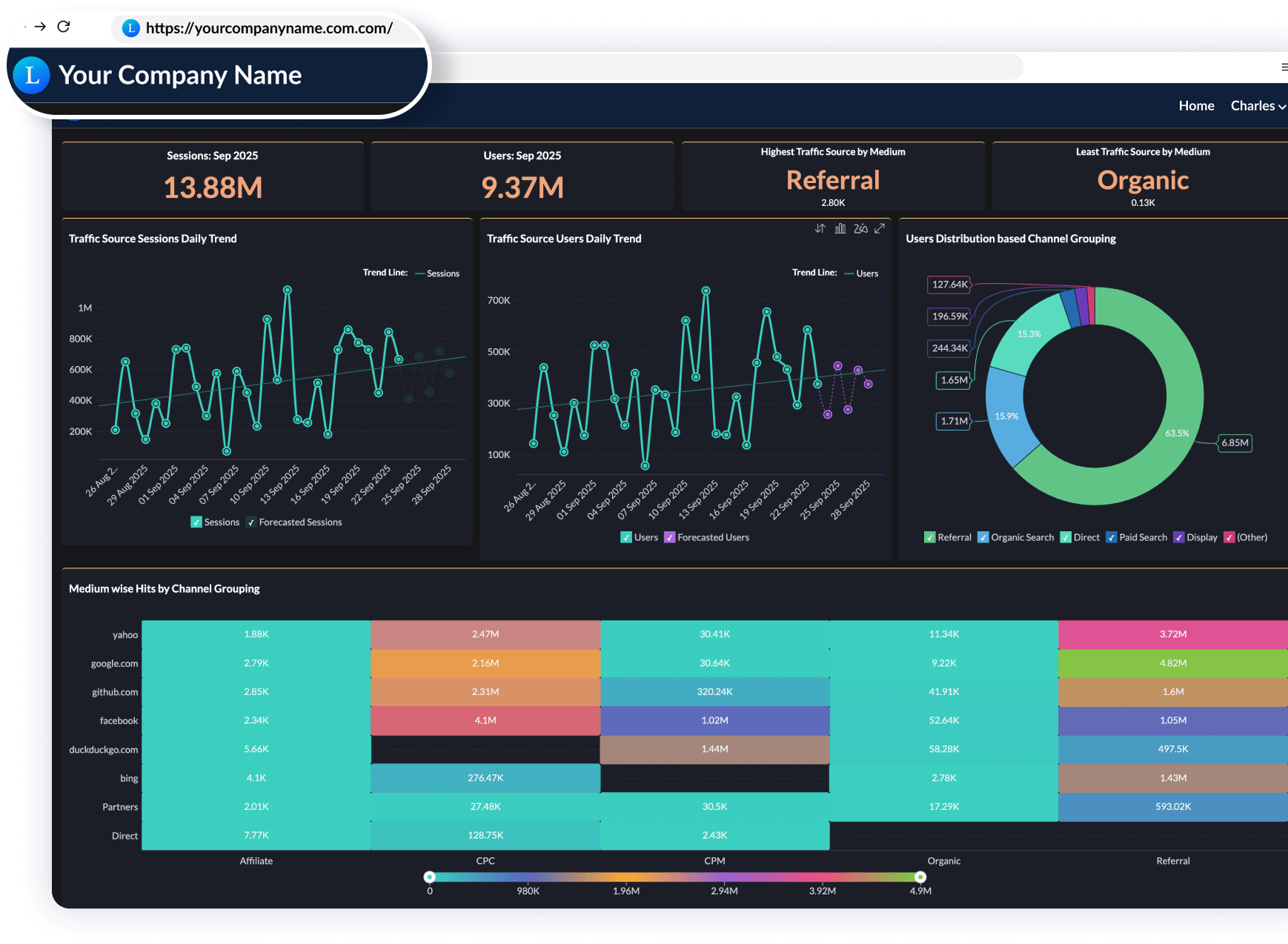
Send a client a live dashboard with your logo on it instead of another PDF. They check it whenever they want and share feedback right on the dashboard.

  • White-label the dashboard with your agency's branding, colors, and domain

  • ✔ Set role-based access so each client sees only their own account, and your team controls who can view, edit, or export

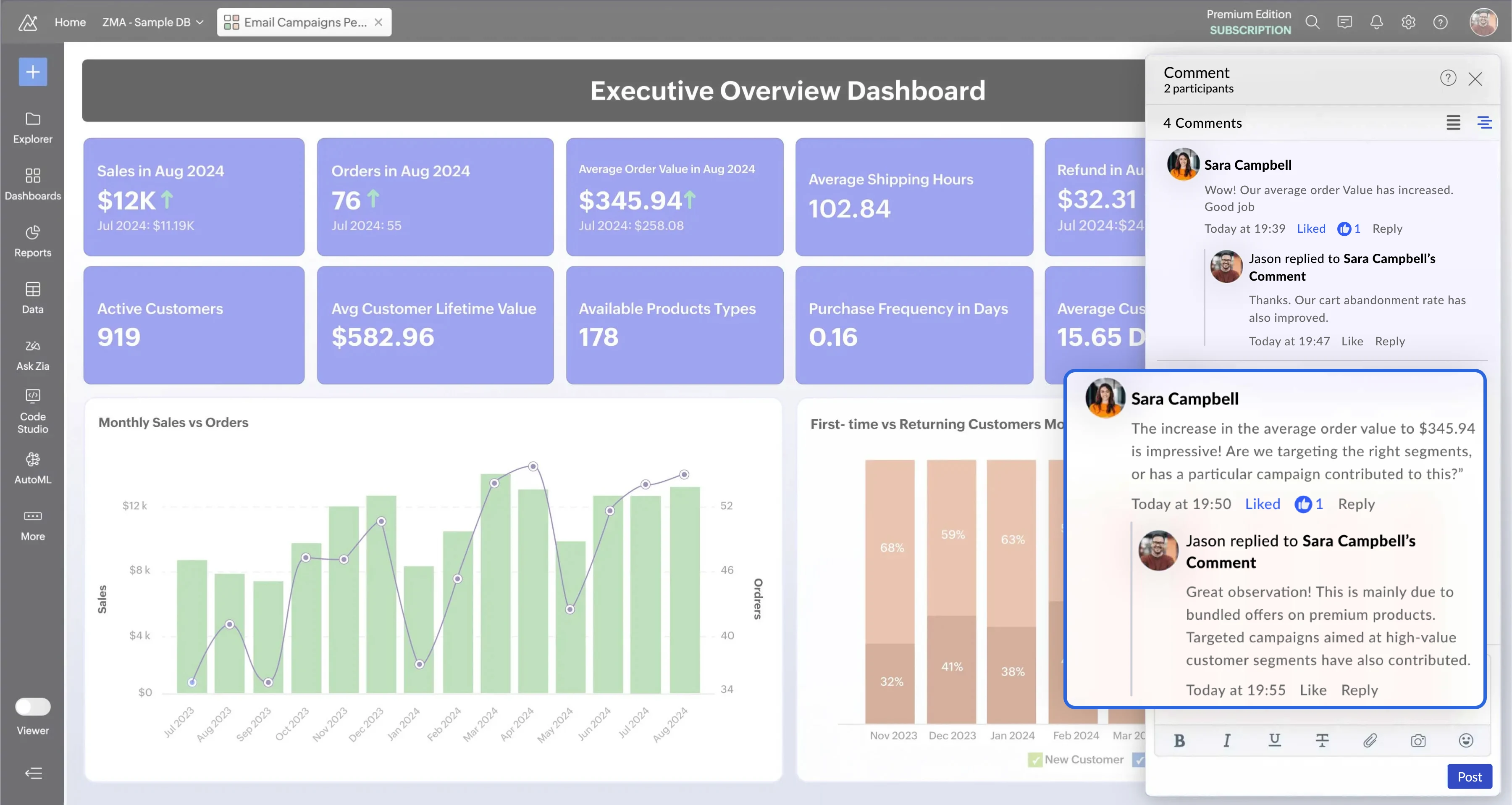
  • ✔ Leave comments and tag clients or teammates directly on a dashboard, so questions don't disappear into an email thread

Ask Zia AI conversational analytics for marketing dashboards and natural language queries
Sharing and data blending for marketing insights, role-based access, and scheduled reports

Send the report before they ask for it

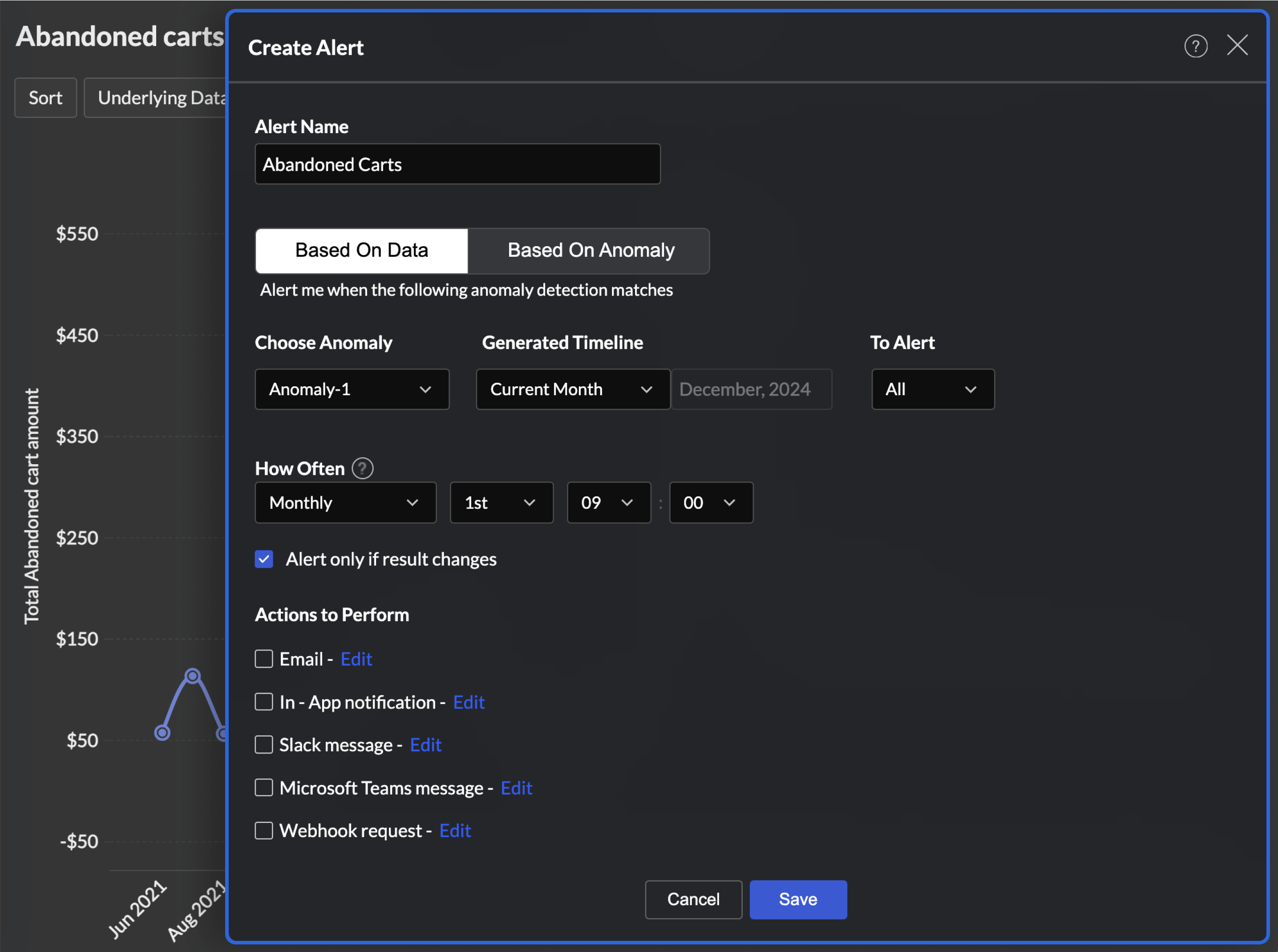
The monthly report is the same job every time. Not anymore! Schedule it once and that whole routine runs itself.

  • ✔ Schedule automated email reports for weekly check-ins, monthly retainer updates, or any recurring send

  • ✔ Each client gets their report on their cadence, formatted and branded, without you touching it

  • ✔ Reports go out on time even when you're heads-down on the work that actually bills

Built for the way agencies report to clients

Cross-channel analysis

Connect 500+ data sources, including 30+ marketing tools. Blend any of them into a single view and give clients the cross-channel picture no individual platform can show on its own.

White-labeled client dashboards

Put your agency's logo, colors, and domain on every dashboard. Clients open a live report that looks like your product, not any third-party software.

Put AI in your clients' hands

Let clients use Zia themselves to ask questions on their own. Brand the AI capabilities as yours, and the whole experience feels like your agency's proprietary tech.

What key features to look for in a client dashboard tool?

A client dashboard should do two things. It has to make reporting faster for your team, and make your work obvious to the client. When you're comparing tools, these are the features that matter once you're managing more than a handful of accounts.

One source of truth across every channel

The fastest way to lose a retainer is a client's finance team catching two different numbers for the same metric. A client dashboard tool should connect all your sources and reconcile them into one set of numbers everyone agrees on.

White-label branding

A dashboard that carries a third-party vendor's name quietly undercuts the value you're charging for. Clients should open something that looks like it came from you. Look for full white-labeling, not just a logo upload.

Live dashboards clients can drill into

Clients don't want to schedule a call to ask why a number moved, and you don't want to field that email. A static PDF forces both. A live dashboard lets the client open their numbers whenever they want and click into the detail themselves.

Customizable to each client's goals

A PPC client and a brand client don't measure success the same way, so a single generic template fails both. The tool should let you tailor what each client sees to the KPIs they actually care about.

AI that explains the numbers

Clients pay for the story around the data. What happened, why, and what to do next. A tool that surfaces that automatically saves you from writing it up every month, and you can hand the AI to clients directly.

Automated, scheduled reporting

Pulling data and rebuilding the same report by hand is the cost agencies feel most, often hours per client every month. The whole point of a dashboard tool is to remove that.

How branded marketing analytics works for agencies

Most agencies are fully set up and reporting to clients within a month.

Step 1

Connect your data sources and explore the interface

Link your marketing tools like Google Analytics, Meta Ads, Google Ads, Zoho Campaigns, and more. Automated sync starts immediately, so your data stays current without any manual work on your end.

1
2
Step 2

Build dashboards for your first client

Use pre-built templates or build from scratch. Get one client's reporting fully set up, test it with real data, and use that as your baseline for everyone else.

Step 3

Replicate for your remaining clients

Clone your working dashboards and adapt them for each client. New clients get their reporting set up in a fraction of the time it took for the first one.

3
4
Step 4

Set up white-label branding and client portal access

Replace all Zoho branding with your own logo, domain, and colors. Give each client secure login access to their portal so they can check their numbers anytime, without having to ask you.

Hear from our happy customers

See all testimonials
Steve Dubane, Founder & CEO of Wingman Media
Steve Dubane
Founder & CEO, Wingman Media

"Zoho Analytics created a tremendous amount of value for the agency, and takes our relationship with clients to the next level. The preparedness to integrate the data, build alluring visualizations, and its shrewdness have given us the ability to retain clients. The reporting is so substantial, so easy to do, and it has created stickiness for our business."

Christianne Bradley, Senior Marketing Manager at Los Angeles Times
Christianne Bradley
Senior Marketing Manager, Los Angeles Times

"Zoho Analytics is an easy to use, affordable and powerful reporting tool. It is extremely robust and has helped our marketing team eliminate data redundancy which is common when using an Excel spreadsheet. We now have a single version of analytics for every one."

Andrés Navarro López, Head of Performance and Data at BeRepublic
Andrés Navarro López
Head of Performance and Data, BeRepublic

"Zoho Analytics is our first tool, and we've now started moving everything to Zoho. In a few months, every dashboard we do for our clients will be done in Zoho Analytics."

Steve Dubane, Founder & CEO of Wingman Media
Steve Dubane
Founder & CEO, Wingman Media

"Zoho Analytics created a tremendous amount of value for the agency, and takes our relationship with clients to the next level. The preparedness to integrate the data, build alluring visualizations, and its shrewdness have given us the ability to retain clients. The reporting is so substantial, so easy to do, and it has created stickiness for our business."

Christianne Bradley, Senior Marketing Manager at Los Angeles Times
Christianne Bradley
Senior Marketing Manager, Los Angeles Times

"Zoho Analytics is an easy to use, affordable and powerful reporting tool. It is extremely robust and has helped our marketing team eliminate data redundancy which is common when using an Excel spreadsheet. We now have a single version of analytics for every one."

Andrés Navarro López, Head of Performance and Data at BeRepublic
Andrés Navarro López
Head of Performance and Data, BeRepublic

"Zoho Analytics is our first tool, and we've now started moving everything to Zoho. In a few months, every dashboard we do for our clients will be done in Zoho Analytics."

Ready to give every client a dashboard they'll actually open?

See how Zoho Analytics pulls all your client data into branded, live dashboards, automates the monthly report, and hands clients AI that feels like your own. Sign up with Zoho Analytics for a free trial and see how agencies are saving 10+ hours a week.

SIGN UP FOR FREESIGN UP FOR FREE

★ No commitment required ★ 15-day trial ★ See it working with your data

FAQs on client dashboard software

What is client dashboard software?

  • Client dashboard software lets agencies pull marketing data from every channel into one live, branded dashboard each client can access. Instead of building manual reports, you give clients a real-time view of their campaign performance they can check anytime.

Can I white-label dashboards with my agency's branding?

  • Yes. Zoho Analytics lets you apply your agency's logo, colors, and domain to every client dashboard, so clients open a report that looks like your own product rather than third-party software you resell.

How many data sources can I connect?

  • Zoho Analytics connects 500+ data sources, including 30+ marketing tools like Google Analytics, Google Ads, Meta, and LinkedIn, plus databases, data warehouses, and spreadsheets. You can blend all of them into a single cross-channel view.

Can clients access their own dashboards?

  • Yes. Each client gets secure, role-based access to a live dashboard showing only their own data. They can filter, drill into details, and answer their own questions without emailing you or scheduling a call.

Does it automate client reporting?

  • Yes. Zoho Analytics syncs your data on a schedule and emails each client a branded report on their own cadence, so the monthly report goes out automatically without your team rebuilding it by hand each time.

How does the AI help with client reporting?

  • Zia, the built-in AI, answers plain-English questions, generates summaries on top of each report and dashboard, and flags why a metric changed. Clients get the context behind the numbers.

What are the best tools for customer-facing analytics, and what makes a tool suited to it?

The best tools for customer-facing analytics let you embed interactive dashboards into your product for your end customers, isolate each customer's data securely, and scale to a large external user base without heavy engineering or runaway per-user cost. Customer-facing analytics is not internal BI pointed outward. Your users are your customers, not your staff, so the bar for security, self-service, and branding is higher. Judge tools on how well they handle that shift:

  • Tenant isolation: Each customer must see only their own data, enforced by role-based access, not by client-side filters that can be misconfigured.
  • Native in-product embedding: Dashboards should load inside your app or portal through iframe or API and feel like part of the product, not a redirect to an outside tool.
  • Self-service for non-technical users:Your customers should be able to filter and drill into their own data without opening a support ticket, which also keeps the load off your team.
  • White-label branding:The experience should carry your brand and domain, so customers read it as your feature.
  • Scale and cost:Pricing should hold up as external users grow into the thousands, without per-seat costs that erode margin.

Zoho Analytics fits this profile: embedding into customer-facing apps and portals through iframe, API, or white-label deployment, role-based access for tenant isolation, self-service exploration for non-technical users, connectivity to 500 or more data sources, and native mobile apps so customers reach their dashboards on any device(Know more about embedded analytics).

Two common shapes for customer-facing analytics: a SaaS product giving each user account its own in-app dashboards, and a service business or agency giving each client a branded portal to check their own numbers on demand. The first weights embedding and scale; the second weights branding and per-client setup speed(Know more about embedded dashboards).

Is Zoho Analytics good for agencies managing many clients?

  • Yes. You can run separate business dashboards for each client, control access individually, and reuse templates to set up new accounts quickly, so reporting scales as your client roster grows.
 

Start your 15-day free trial.

No credit card required