Why do you need tutoring management software?
If you're running a learning center or taking private classes, corresponding again and again to find a time to meet with your student is the last thing you want to spend your time doing. Using scheduling software enables you to automate your bookings without any back-and-forth and saves you time.
- Students constantly reach out to you to schedule, cancel, or reschedule their sessions.
- Manually offering different schedules or packages is cumbersome.
- You miss out on payments and don't have a streamlined payment process.
- You struggle to handle different time zones.
- You struggle to keep track of your sessions on a weekly or monthly basis.
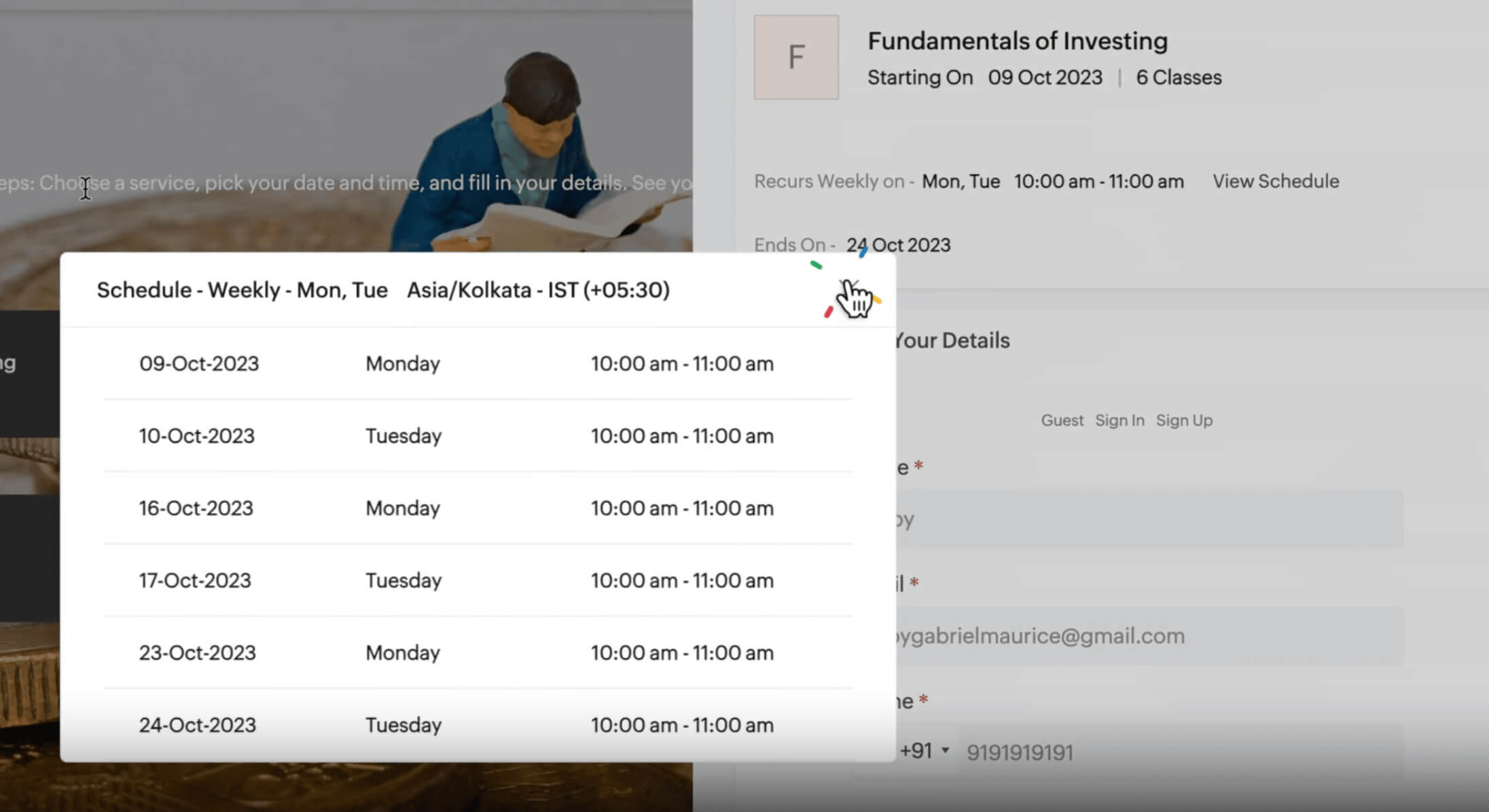
Make your tutoring sessions hassle-free
- In-person tutoring
- Group classes
- Exam preparation
- Workshops
- Skill-based tutoring
- One-on-one sessions



Schedule classes without any back-and-forth
Choose from an array of meeting types
Organize one-on-one mentorship sessions or group classes, or even collaborate with fellow tutors in collective sessions. Zoho Bookings presents the overlapping availability of all hosts so students can book appointments that work for everyone.
Offer priority time slots
Share time slots with students via email to accelerate the booking process. Students can also view your other available time slots from your booking page.
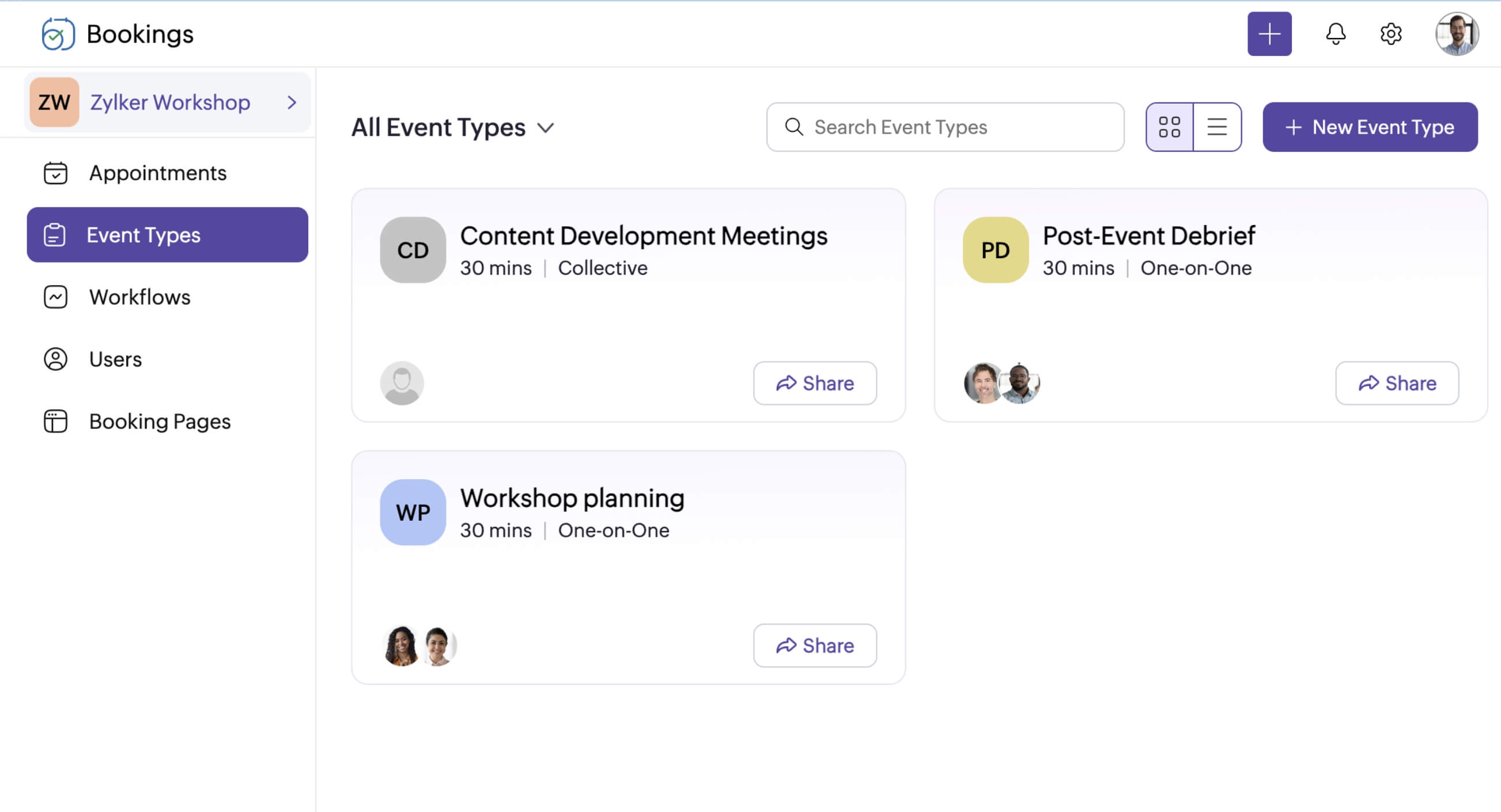
Manage your tutoring business end-to-end
Zoho Bookings is built to work with your existing tools
Trusted by education and training providers

"Zoho Bookings is a game-changer when it comes to tracking the interview process end-to-end."

"The ability to share embedded links for our courses is fantastic."
Get started with Zoho Bookings for your tutoring sessions
Sign up and see for yourself. No credit card required.
SIGN UP FOR ZOHO BOOKINGSFrequently Asked Questions
1. Can I add my booking page to my website?
Absolutely! Embed the booking page's iframe code and collect appointments directly from your website.
2. Can Zoho Bookings integrate with other apps?
Yes, you can integrate with video conferencing tools to auto-generate meeting links, with calendars to keep your schedules synced, with payment providers to charge for your classes, and with SMS providers to send text notifications. You can also use Zapier or Zoho Flow to integrate with over 800 apps.
3. Can I add appointments on behalf of my students?
Yes, Zoho Bookings supports admin-side scheduling, where you can book appointments on behalf of your clients right from the Bookings dashboard.
4. Is it possible to prevent one of my classes from collecting appointments?
You can deactivate classes from the Bookings dashboard for any custom duration. Once you deactivate it, the event type/class will not collect any further appointments. You'll have to manually reactivate it if you wish to collect appointments in the future.
5. Can I integrate Zoho Bookings with LMS or education tools?
Yes. You can connect Zoho Bookings with supported education tools using Zoho Flow or Zapier to automate workflows and share booking information.
6. What features should I look for in tutoring software for online or in-person classes?
Look for online booking, calendar sync, video meeting integrations, payment collection, automated reminders, recurring classes, time zone support, and flexible cancellation settings.
7. Can students reschedule or cancel classes online?
Yes, tutor scheduling software like Zoho Bookings offers flexibility for all participants. Students can reschedule or cancel sessions via notifications or the student portal. On the other hand, you can still protect your tutoring schedule and avoid last-minute changes by setting a cancellation window.
8. How can tutors accept payments for classes using Zoho Bookings?
Integrate Zoho Bookings with your preferred payment provider to collect payments. You can charge a small deposit, set payments as optional, or collect the entire fee upfront based on your business preferences.