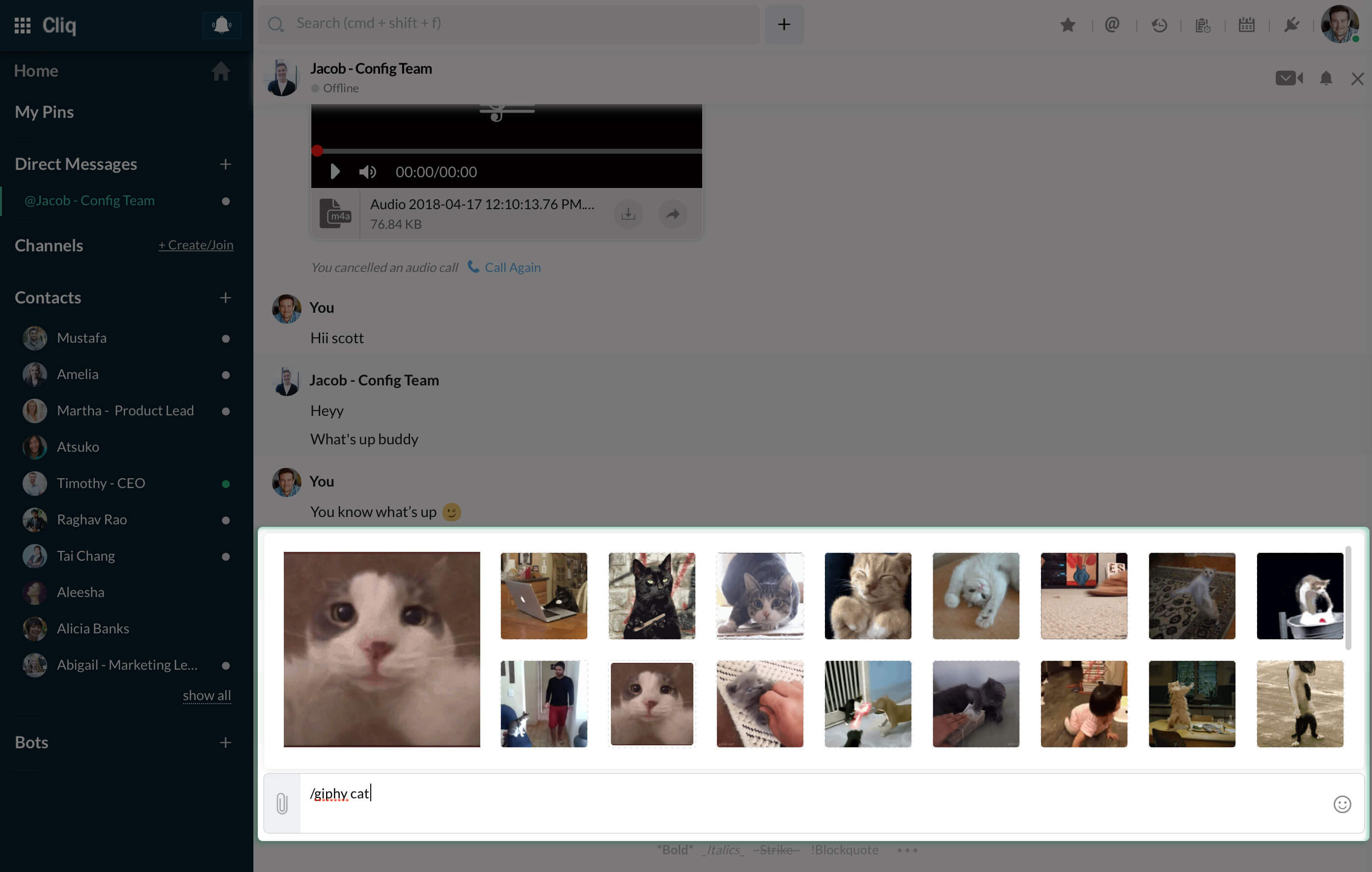
What are Commands and how to use them?
Commands are instructions given by users to get work done. Cliq allows the use of commands in simplified form and they are called Slash Commands.
- Slash Commands are shortcuts that you execute to perform everyday tasks.
- By default Cliq provides few commands that execute simple tasks like pin, mute, mail etc.
- Added to this, you can create your own commands for various tasks, for e.g. a command to know today's weather, a command to fetch your tasks from Asana, etc.
- Type / command_name to execute the command.
- Some commands have extra options to execute the task. Let's look at how to select a command and execute it.
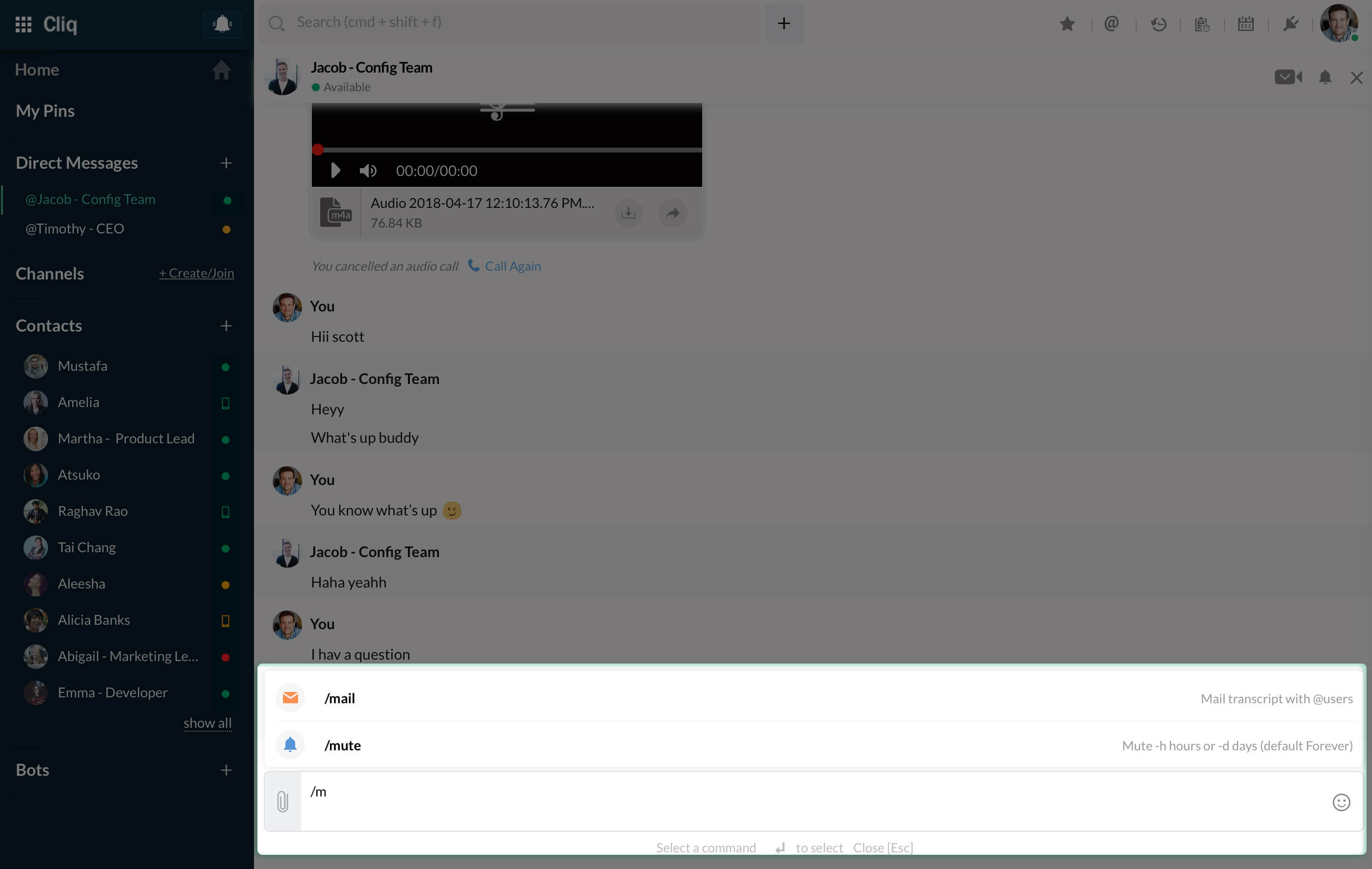
1) When you start typing / followed by the letters in the textbar, the commands will populate for you accordingly along with a hint of what the command does.
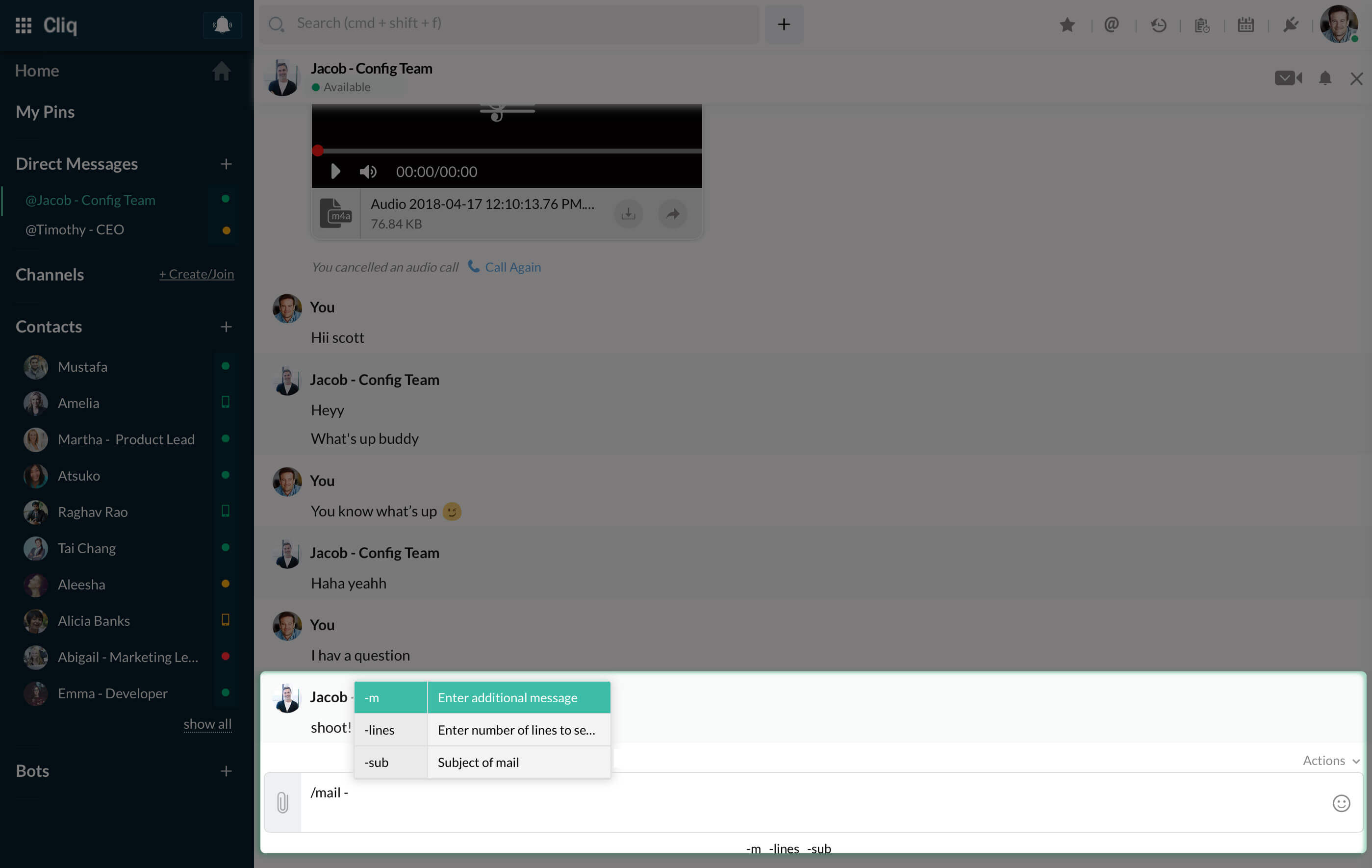
2) Now select the required command and you will get the options for that command below the textbox. All options are preceded with (-). When you type (-), you will get a small box outlining the options and the hints for each option.
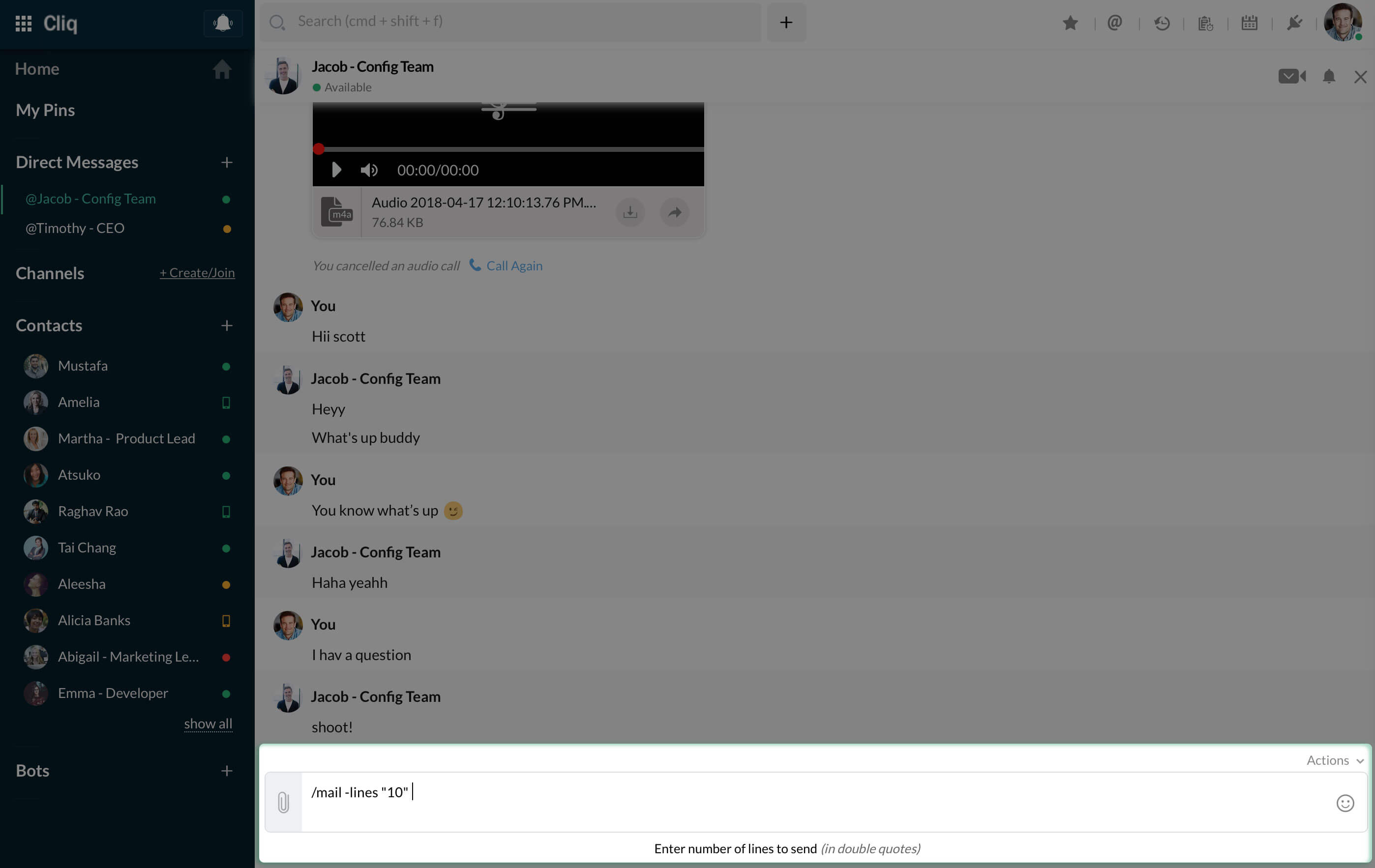
3) Choose the required option by entering (-) and you will again get a small description about the option below the textbar. Enter your values according to the description.
4) Some commands will have suggestions that will be displayed for you to select. They are called as Command Suggestions