
 Expert verified
Highlights
- Building mobile apps no longer requires large dev teams or separate iOS and Android codebases; low-code platforms have fundamentally changed who gets to build.
- 71% of organizations have adopted AI and low-code tools for app development and workflow automation, signaling a clear industry shift.
- Conventional mobile development is resource-heavy, with teams spending roughly 25% of effort on coding, 24% on planning, and 20% on testing.
- Low-code platforms let employees build apps tailored to their needs, freeing IT teams to focus on higher-value work.
- Drag-and-drop interfaces and built-in scripting make it possible to build, customize, and deploy mobile apps quickly and efficiently.
- Apps are automatically deployed to both iOS and Android, with real-time synchronization across platforms.
- Mobile-specific capabilities like offline mode, QR scanning, location-based access, and push notifications are available out of the box.
Think about the last time you had to chase someone for an update, dig through a spreadsheet to find a status, or wait days for a simple approval. Chances are, there's a mobile app that could have handled all of that. If only someone had built it.
That's the gap most businesses are sitting in. And closing it no longer requires a dedicated dev team or months of build time. This guide walks through how mobile application development works today, the approaches available to your team, and how to pick the right path for your resources.
What is mobile application development?
Mobile application development is the process of designing, building, and deploying software for mobile devices. It covers everything from planning the app's structure and writing logic to testing across devices and publishing to platforms like iOS and Android.
Why mobile development has changed
For most of the last decade, building a mobile app meant choosing a platform, assembling a development team, writing separate codebases for iOS and Android, and spending months before anything was usable. That model still exists. But it's no longer the only option.
Today, 71% of organizations have implemented AI and low-code tools for workflow automation and app development. And 46% saw bug rates drop by 30% or more after moving away from manual QA processes. The shift isn't just about speed; it's about who gets to build.
Check out the AI-powered app development trends survey
Why go mobile?
Mobile devices permit employees to complete tasks on the go, which is why enterprise mobility is such a popular concept. In many cases, apps also act as a medium between a business and its customers, making them indispensable tools for building customer relationships.
However, conventional mobile app development is a rigorous and effort-intensive process. Development teams spend roughly 25% of their resources on coding, 24% on planning, and 20% on testing, leaving little room for higher-value work.
See the four biggest challenges teams run into and how to solve them
Low-code: what's in it for your business?
- Efficient resource utilization: Employees can build apps to suit their specific requirements, allowing IT teams to focus on core development.
- Rapid development: Intuitive drag-and-drop interfaces and guided scripting significantly boost app development speeds.
- Elimination of shadow IT: Since solutions can be created quickly and easily, the use of unsanctioned software can be curbed.
Building mobile apps with Zoho Creator
Zoho Creator is an AI-powered low-code application development platform built for teams that need functional mobile apps without the overhead of traditional development. Instead of building separately for iOS and Android, you build once and deploy to both. Instead of waiting on IT for every update, the team that owns the process can make the change themselves.

Build without a full dev team
A drag-and-drop interface and prebuilt page components mean non-technical users can build functional apps from scratch. For teams that need custom logic, Deluge, Zoho Creator's built-in scripting language, handles advanced workflows, integrations, and data processing without requiring a separate backend team.

Deploy across platforms from a single build
Once your app is ready, it deploys to iOS and Android automatically. Updates propagate instantly across both platforms, so there's no resubmission cycle every time something changes in the process.

Control who sees what
Role-based access lets you assign permissions at the user level. Every team member sees only the forms, reports, and functions relevant to their role, which means you can open the app to a broader team without opening up sensitive data.
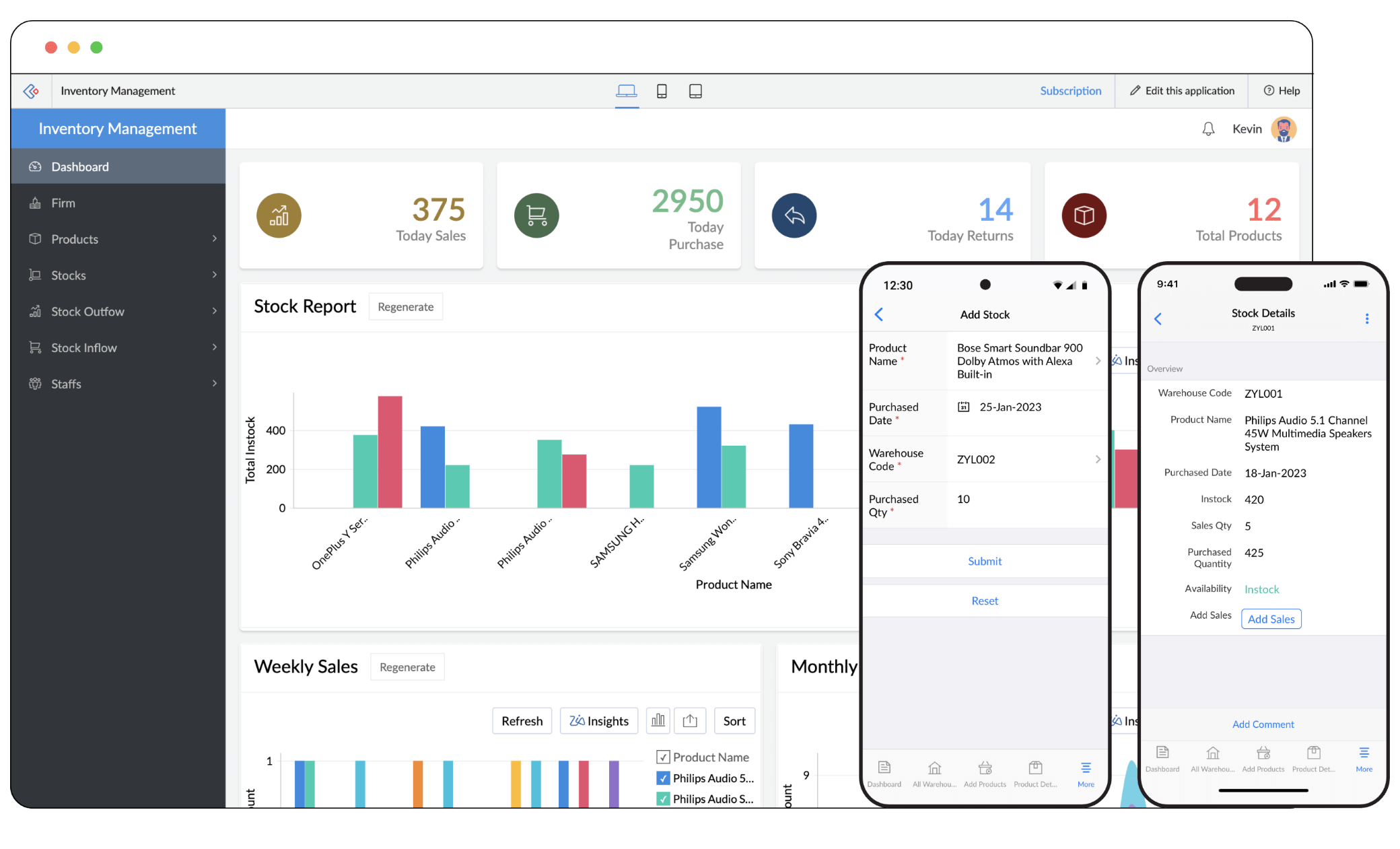
Mobile-specific functionality out of the box

Location-based form access
Restrict access to forms within a defined geographical radius. Useful for field teams who should only interact with the app on-site.

Paperless validation
Use handwriting-based signature input to authenticate receipts, obtain confirmations, and replace paper-based sign-off processes.

Instant notifications
Send push notifications to interact with users even when they're not actively using the app, keeping teams informed in real time.

QR and barcode scanning
Scan barcodes and QR codes directly within the mobile app to fill fields instantly, reducing manual data entry and errors.

Offline mode
Add records to forms even without an internet connection. Changes sync automatically once the device reconnects.

Real-time synchronization
Any update made to the app reflects instantly across all platforms and devices, so every user is always working with current data.
Ready to build your first mobile app?

Frequently Asked Questions
Not anymore. Platforms like Zoho Creator let business teams build and deploy functional mobile apps using a drag-and-drop interface and guided scripting, without handing every change off to IT. Teams that own the process can build for it directly.
Native apps are built separately for iOS and Android, offering high performance but doubling your development effort. Hybrid apps use a shared codebase wrapped for both platforms. Low-code platforms like Zoho Creator go further, letting non-technical users build once and deploy to both platforms automatically, without managing the underlying infrastructure.
A capable low-code platform typically includes offline access, QR and barcode scanning, push notifications, GPS-based form access, real-time data sync, and signature capture out of the box. These don't require additional development or third-party plugins.
Role-based access controls let you assign permissions by user or group. Each team member sees only the forms, reports, and functions relevant to their role, so you can roll out an app to a broader team without exposing sensitive data.
The most common ones are scope creep during planning, maintaining separate codebases for different operating systems, and slow update cycles once the app is live. Low-code development addresses most of these by keeping builds platform-agnostic and updates instant across devices.