
Set up in minutes.
Concentrate more on tasks that will enhance output and less on setting up a system. Get started with Zoho Docs within minutes and access it whenever you need.
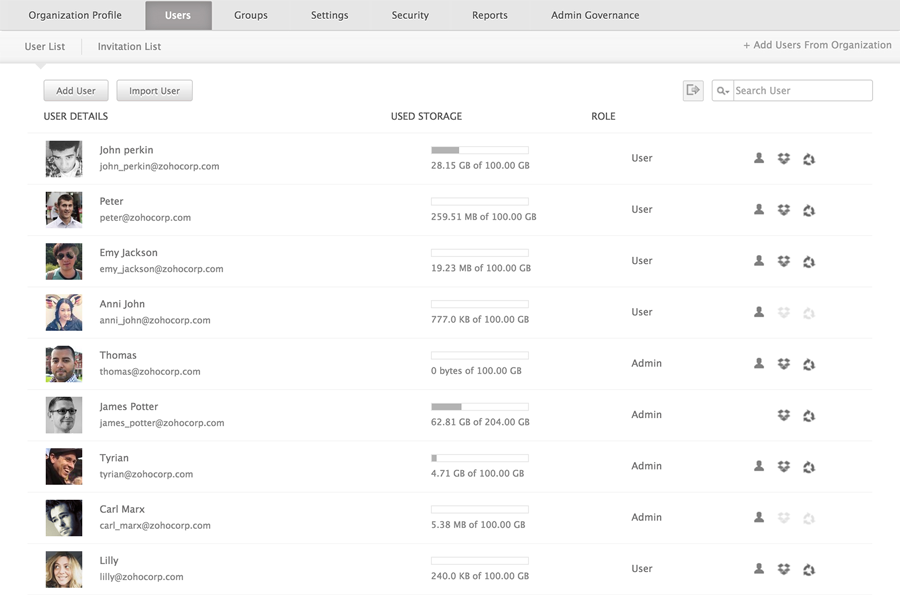
Add users to Zoho Docs
Once you set up your account, invite or import members to get started. Invite users individually by directly adding their email addresses, or by importing all your employees at once.
Smart and secure access
Let your associates securely access files within the organization using two-factor authentication. Allow them to use all permitted groups or applications with just one set of credentials using SAML authentication.
Sync files from desktop
Are all your work files saved on your computer? Download the Sync application for your desktop, and get your documents on the cloud so you can work both on and offline.
Zoho Docs Mobile Applications
Access and manage your files on the go. Download the Zoho Docs mobile app, available for iOS and Android phones
Customize your file management system.
Modify Zoho Docs to suit your company's procedures and policies. Regulate access permissions, manage your users' storage needs, and set a default language and time zone. You can also restrict access to a predefined range of IP addresses.
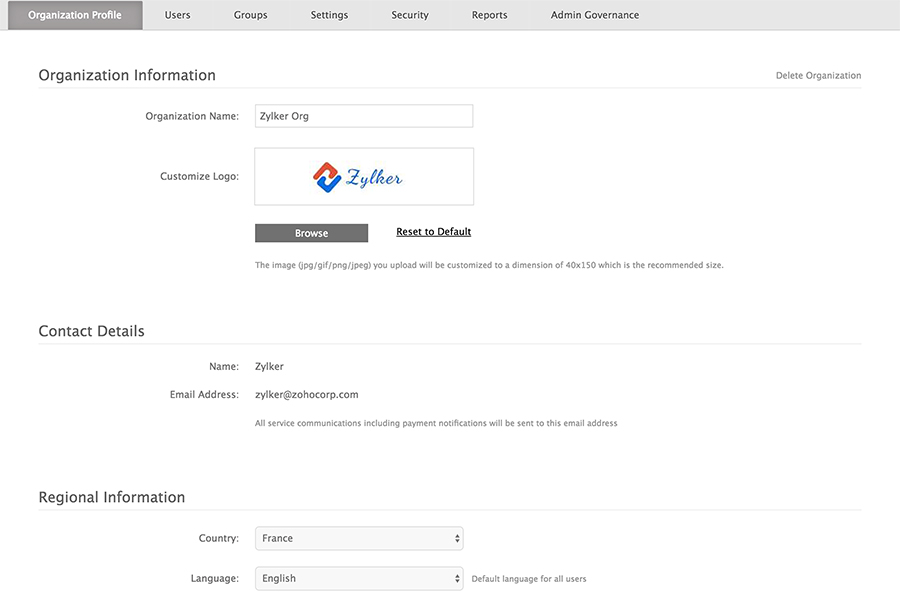
Build your own corporate profile
Make Zoho Docs a part of your organization. Replace the default logo with your company logo and choose a language based on your users and their locations.
Organization policies
Create and manage roles according to your company policies. Control users' access rights as Super Administrators, Administrators, or Users based on their roles and locations.
Create groups
Do away with the hassle of sharing a file individually with each of your associates. Create groups to share files with everyone concerned, at one go.
Administer storage capacity
Manage your organization's cloud storage and expand it when necessary. Monitor and control the overall storage used by every member in your company.
Manage your information and prevent data leaks.
Keep unwanted eyes away from your data. Track every document created within the organization and supervise access to them.
Transfer ownership
Personnel changes shouldn't interfere with your work. Transfer ownership of documents to another employee to keep things running smoothly.
Find any file
Record the creation of every document for legal compliance. Search and view files that have been created, edited, or deleted by any user.
Oversee data spread
Regulate file distribution by controlling who can share, export, and publish information inside or outside the organization. From your Docs account, set IP address ranges for users to access files.
Intelligent reports
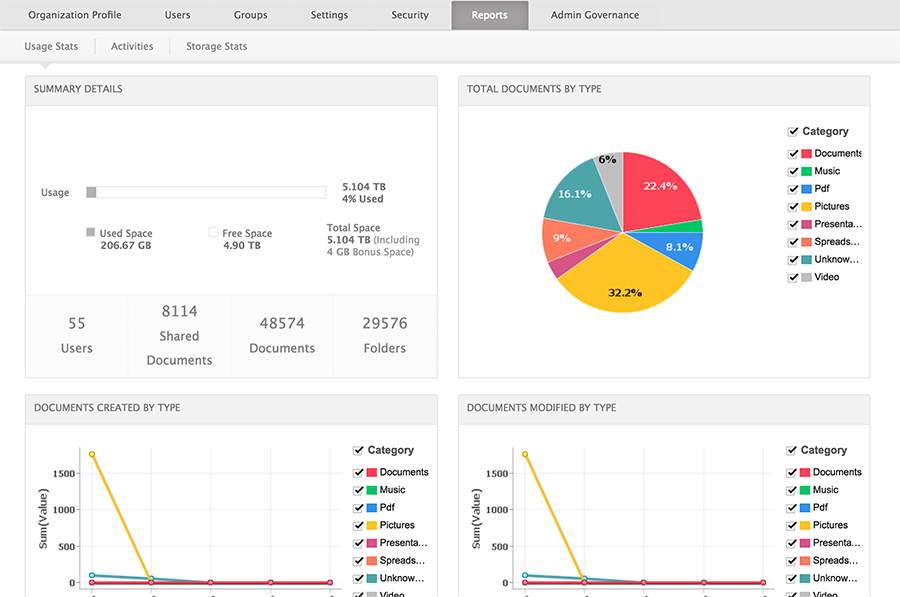
Use admin reports to monitor all user activities, including the storage space summary, as well as document type and volume of documents over a set period of time.