Add Functions
You can add any number of new functions of both the Java, Node.js and Python stacks in the functions directory, after you have initialized or set up the first function for your project. Each new function will be created in its own directory inside the functions directory.
Note: This command is used to add additional functions in a project after the first function is created. Therefore, the functions directory must already be present in your project directory before you execute this command.
You can add a new function in your functions directory by executing the following command from your project directory:
copy
$
catalyst functions:add
The procedure is the same as initializing or setting up a function. Refer to the previous section for details.
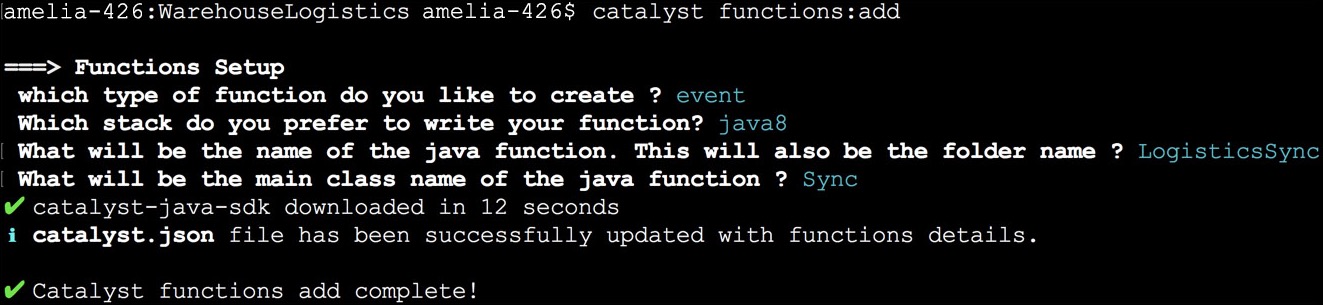
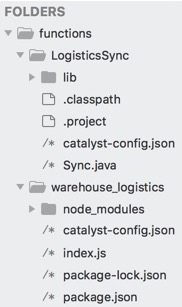
Once the function is added, an individual folder will be created for it in the functions directory along with its dependencies and configuration files, as mentioned in the previous section.
Yes
No
Send your feedback to us
Skip
Submit