General
Once you create and test your application in your local machine using the CLI or any other tool, you can deploy the project to the Catalyst remote console in three ways:
- Using Catalyst CLI:
You can deploy your project from the Catalyst CLI by executing the catalyst deploy command from the project’s root directory. Refer to the Deploy Resources help page for more information.
- Uploading the files manually:
-
Client component: You can upload your project’s client package manually to the Catalyst console and host the client component. Refer to the Web Client Hosting help page for a detailed explanation.
-
Functions: You can create functions in your project directly from the Catalyst remote console, instead of creating them in your local machine. You can learn more about this from the Functions help page .
-
Android or iOS application: You can upload the source files of your Android or iOS application in Device Management in the Catalyst console. Refer to the Device Management help page for a detailed explanation.
- Downloading your project files from a GitHub repository:
You can deploy the client and functions together or individually from your GitHub repository. You can learn more about this from the GitHub Integration help page .

You can use the Development environment to work with and test your Catalyst application during the development phase, and deploy it to the Production environment once it is ready to be made live. When you create a project, it will be created in the Development environment by default.
Once you deploy it to the Production environment, you will be able to switch between both environments in the Catalyst console and migrate your data between both environments.
Refer to the Environments help page for detailed help.
You can delete a Catalyst project in the following way:
-
Open the project from the Catalyst console.
-
Navigate to Settings and click General under Project Settings.

-
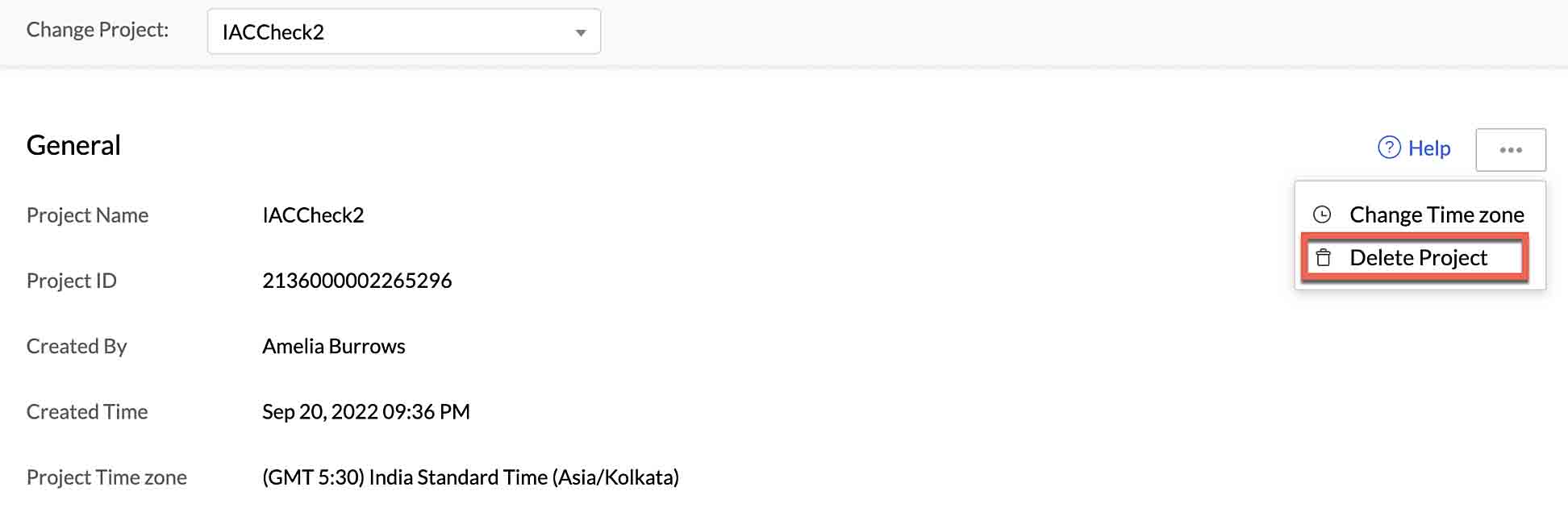
You can delete your project permanently from this page by clicking the ellipsis icon, then clicking Delete Project.
-
Type “DELETE” in the pop-up window for confirmation, then click Confirm.
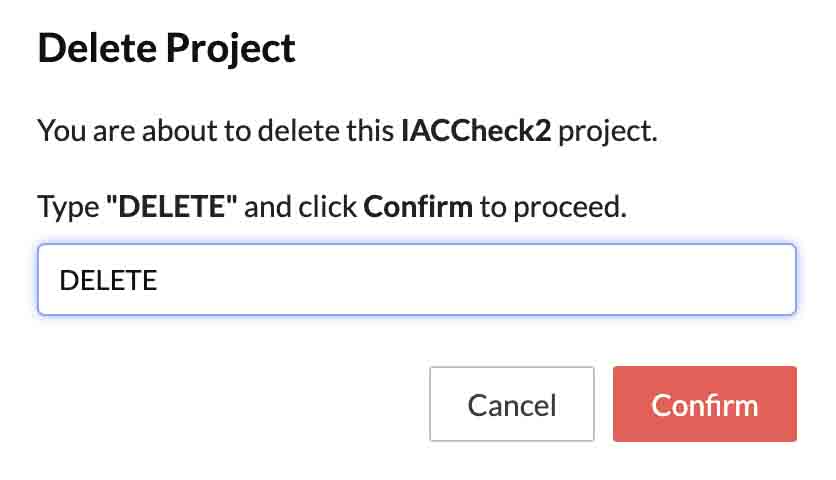
Your project and its resources will be permanently deleted from the console. You will not be able to initialize this project from the CLI once it has been deleted.
If you encounter HTTP Error: 409, it means that a function with the same name already exists in the Catalyst console.
You can either change the name in the catalyst-config.json file or delete the existing function in the remote console using the CLI or directly from the console
Yes
No
Send your feedback to us