How do I set up a custom invoice template?
You can choose a template from the template gallery and can edit the labels to your preferred names. You can also set the fields that needs to be displayed in the invoice output. Here's the steps:
- Click the Settings tab.
- Click the Invoice Templates link under Preferences.
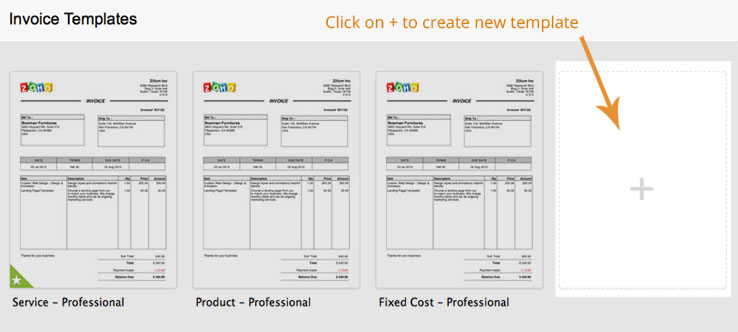
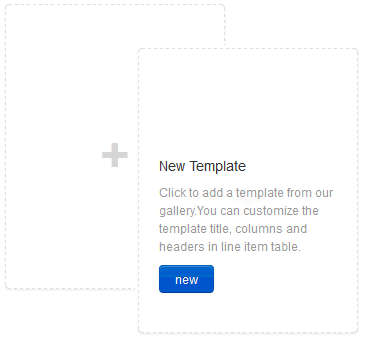
- From the "Invoice Templates" page, you can click the edit button of an existing template or click the new button to create a new template.
- Click the "Use This" button on the template you wish to choose.
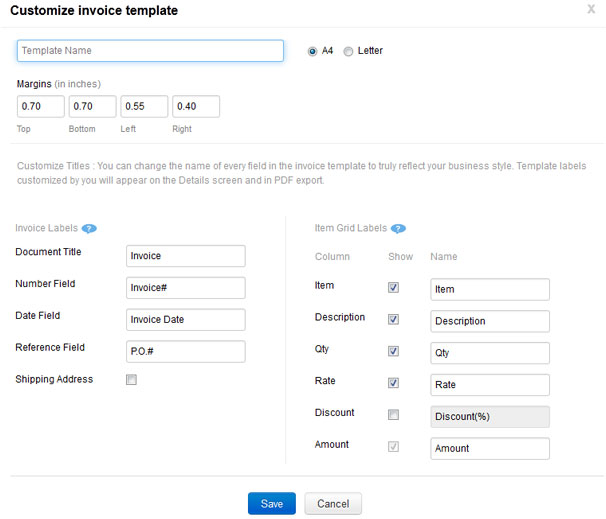
- Enter a Template Name to identify it and change the invoice label names like Document Title, Number Field, Date Field, Reference Field if you wish
- Choose/select the "Shipping Address" (to be displayed in the invoice output).
- You can also select the "Item Grid Labels" by checking/un-checking the following fields like Item, Description, Qty, Rate, Discount.
- Click the Save button.
Here's a sample screen-shot of the template customization page: