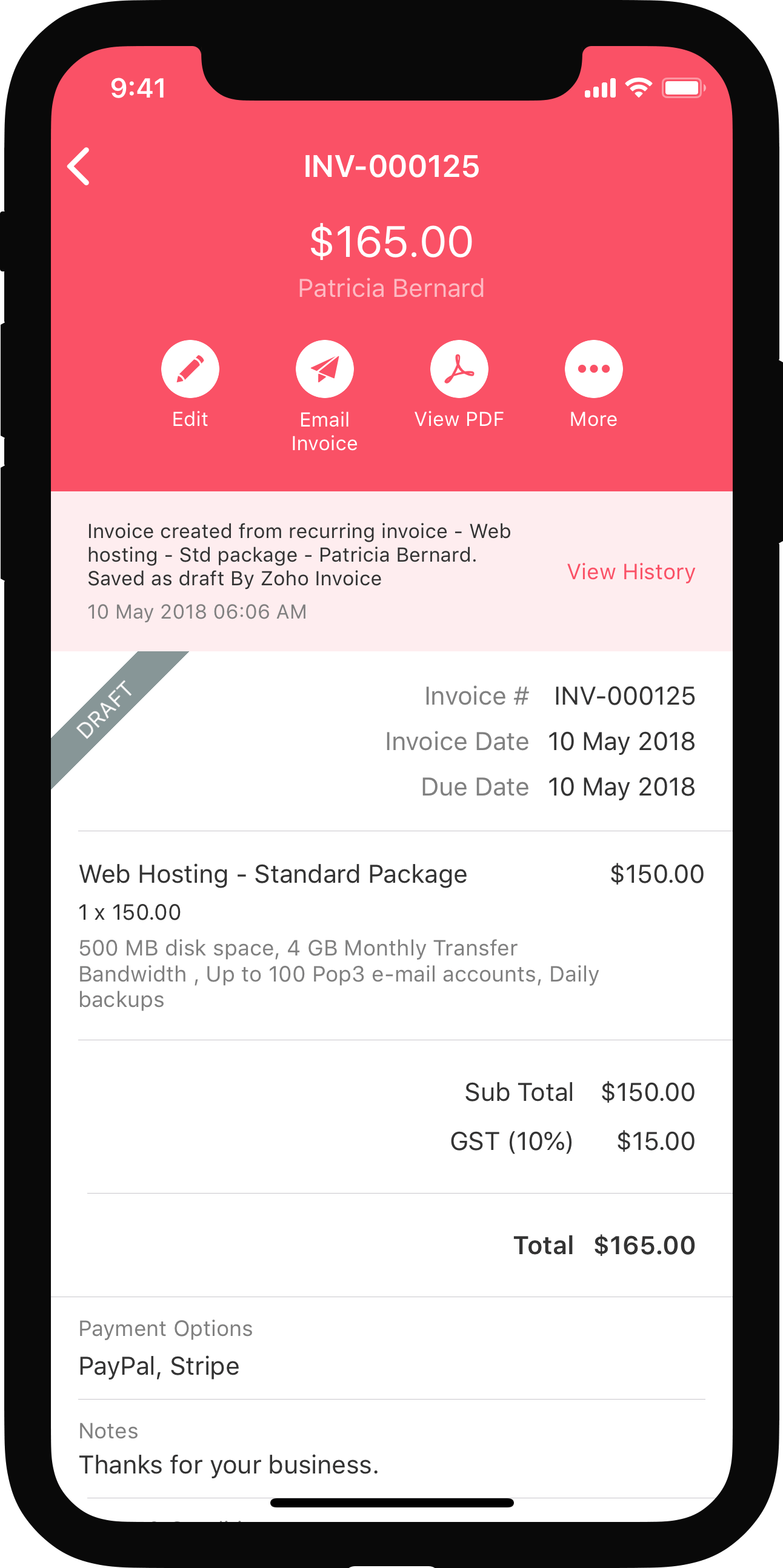


Associating Retainer Invoice to Invoice
When the product is ready to be delivered or if a service is rendered, you would create an invoice to collect payments from your customer. The advance payment collected before starting the project can be applied to the invoices you create. This will adjust the invoice so that the customer will only have to pay the remaining amount. In this page, you will learn about:
Applying Retainer Invoice to Multiple Invoices
In a business, there are cases where the customer would have paid a one time advance for multiple services, which can be later adjusted with future invoices.
In such cases,
- Create a retainer invoice for the advance payment made and save it.
- Create invoices for different services provided or products delivered for various instances.
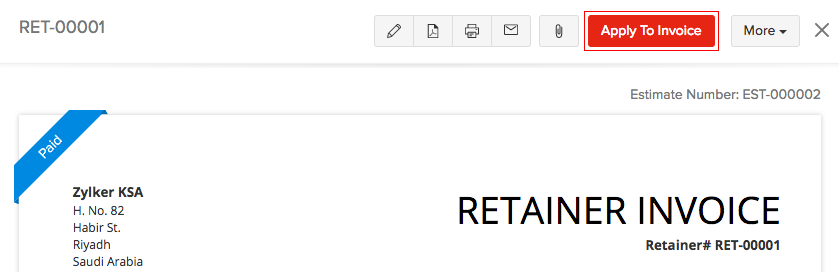
- Select the Apply to Invoice option from the retainer invoice created and Zoho Books will display the list of Unpaid invoices for the customer.
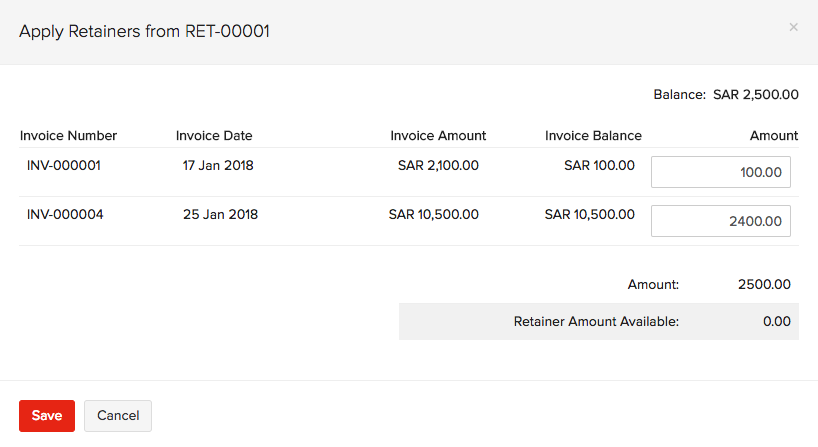
- You can select to apply the retainer partially or fully on the invoices displayed.
| Fields | Description |
|---|---|
| Balance | The amount collected from your customer. |
| Invoice Amount | The total invoice amount raised for the customer. |
| Invoice Balance | The final amount to be paid after deducting advance payments. |
| Amount | The amount to be applied from the Balance available. |
| Retainer Amount Available | Available retainer after the Balance is applied for invoices. |
All the retainer transaction details will be displayed for a quick view at the top of the selected retainer invoice. You can either Edit or Delete the transaction from the icons present next to them.
Associating Multiple Retainers to Invoice
Sometimes there might be multiple retainers payments collected from your customer which are not yet used, but were collected for the future. Your customer might wish to use these unused retainers for a Unpaid invoices or for a future invoice.
In such cases,
- Navigate to the Unpaid invoices from the invoice module, or create a new invoice and save it as draft.
- If the customer has unused retainers, a notification will be displayed in the invoice window as Retainers Available with the retainer amount that was collected from the customer.
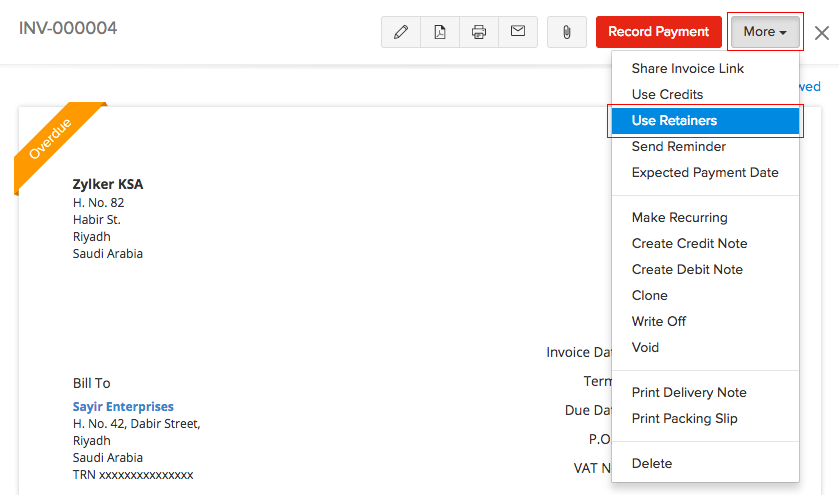
- Unused retainers can also be used by navigating to the Use Retainers under the More drop down.
- Apply the retainers partially or fully from multiple retainers towards the invoice.
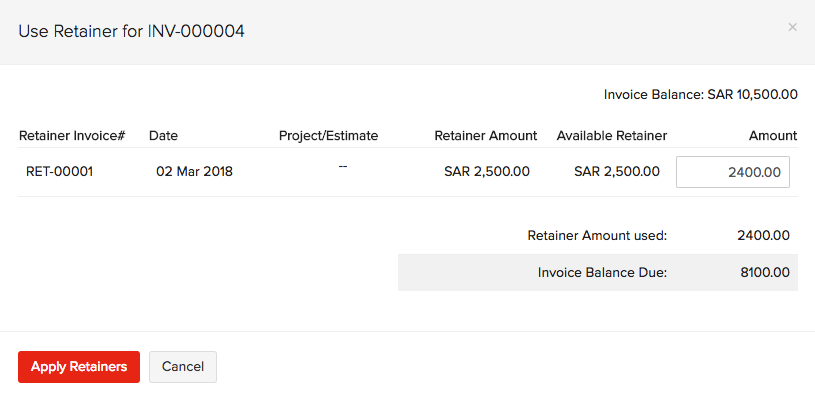
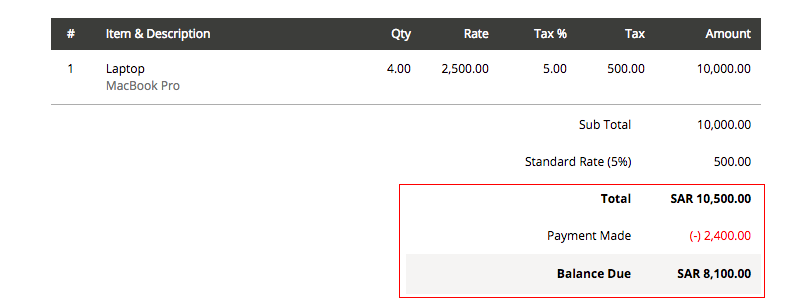
- Once the retainers are applied towards the invoice, the adjustments are then updated in the invoice.
See Also:
Retainer Invoice in Projects
Back to Retainer Invoice Overview
 Yes
No
Yes
No
 Thank you for your feedback!