What is inventory tracking
Inventory tracking is the process of overseeing the quantity of goods in a company's inventory, from raw materials to finished products. It also includes tracking the location of goods, vendor orders, and payments.
Why businesses need an inventory tracker tool
Cuts down on expenses
When businesses have a clear idea of the goods they have on hand, they can prevent placing excessive orders with vendors. This prevents overstocking and reduces the cost of storing and maintaining excess goods. It also minimizes the risk of spoilage in the case of perishable goods and prevents theft in the case of expensive goods.
Establishes a healthy supply chain
Systematic inventory tracking makes sure that there are minimal disruptions in the movement of goods across the entire supply chain. It helps businesses identify potential delays and take proactive steps to mitigate them. This ensures that goods are delivered on time and increases customer satisfaction and loyalty.
Increases cash flow
A positive cash flow can be maintained by reducing expenses and optimizing existing operations. By forecasting supply and demand, businesses can rectify money spent on excess inventory and prevent missed sales opportunities due to stock outs during peak sales seasons.
Improves decision-making
Inventory tools provide accurate data on customer buying patterns, popular and slow-moving products, and changes in pricing month-on-month or year-on-year. It helps businesses make better decisions backed by reliable data.
Helps meet safety standards
Businesses that sell perishable goods have to ensure they're fresh and safe for consumption. With the right inventory management in place, business owners get notified when an item is nearing its expiry date, which ensures that the goods comply with safety regulations and hygiene standards.
Features to look for in an inventory tracker
- 1
Real-time tracking
An inventory tracker tool stores different types of data, like product price, sales, vendor details, purchase copies, revenue generated, and more. Whenever there's a transaction, the inventory data should be updated instantly, ensuring no one is misled by an outdated dataset.
- 2
Integration with existing tools
Siloed data can often lead to discrepancies and duplication. The inventory tracker tool should integrate with existing software to simplify data transfer between multiple applications, like ERPs, accounting software, and ecommerce websites. Data migration should also be smooth for businesses looking to switch to a new tool.
- 3
User-friendly interface
Business owners should be able to set up their inventory within minutes, so the tool must be easy to migrate to and navigate, and scale without hiccups. As supply chains involve various stakeholders with different levels of technical expertise, the inventory management software should also be intuitive.
- 4
Scalability
As business grows and the number of products, vendors, customers, and orders increases, the inventory management tool should be able to handle large volumes of data without breaking. This ensures that businesses don't have to migrate to new tools as they scale.
- 5
Automation
Inventory management involves repetitive tasks like checking stock levels, placing orders, and updating deadlines for deliveries. Automation saves time and makes sure there are no errors or gaps in updating data, providing space for internal stakeholders to focus on other areas of the business.
- 6
Dashboards
Dashboards give a clear picture of the status of the supply chain. They help in understanding supply and demand patterns and measuring the performance of the business against predefined key performance indicators (KPIs).
- 7
Mobile accessibility
Inventory management involves real-time data updates and back-and-forth communication with stakeholders. A handy mobile application helps business owners and stakeholders manage inventory on the go.
How Zoho Tables helps businesses manage their inventory efficiently
Mobile app
Once data is organized, views are created, and automation rules are set, users have a personalized, lightweight, no-code app they can check from any place at any time. The Zoho Tables mobile app has all the features of the web version and also supports mobile-specific features like optical character recognition (OCR). It even lets users scan physical copies and create bases on the go, without relying on the web tool.
Automation
Users can set up automation based on simple triggers and actions, like using logical conditions to automate emails and create or update data in tables. For example, when stock falls below a specified threshold, automated email alerts can be sent to the owner, or new orders can be placed with vendors, preventing stockouts and ensuring timely reordering.
Collaboration
Managing inventory involves collaboration and data transfer between vendors, warehouse managers, suppliers, and internal staff. Zoho Tables helps base managers provide different access controls for each collaborator. They can also choose to share a particular table or view, which facilitates real-time collaboration while protecting sensitive information.
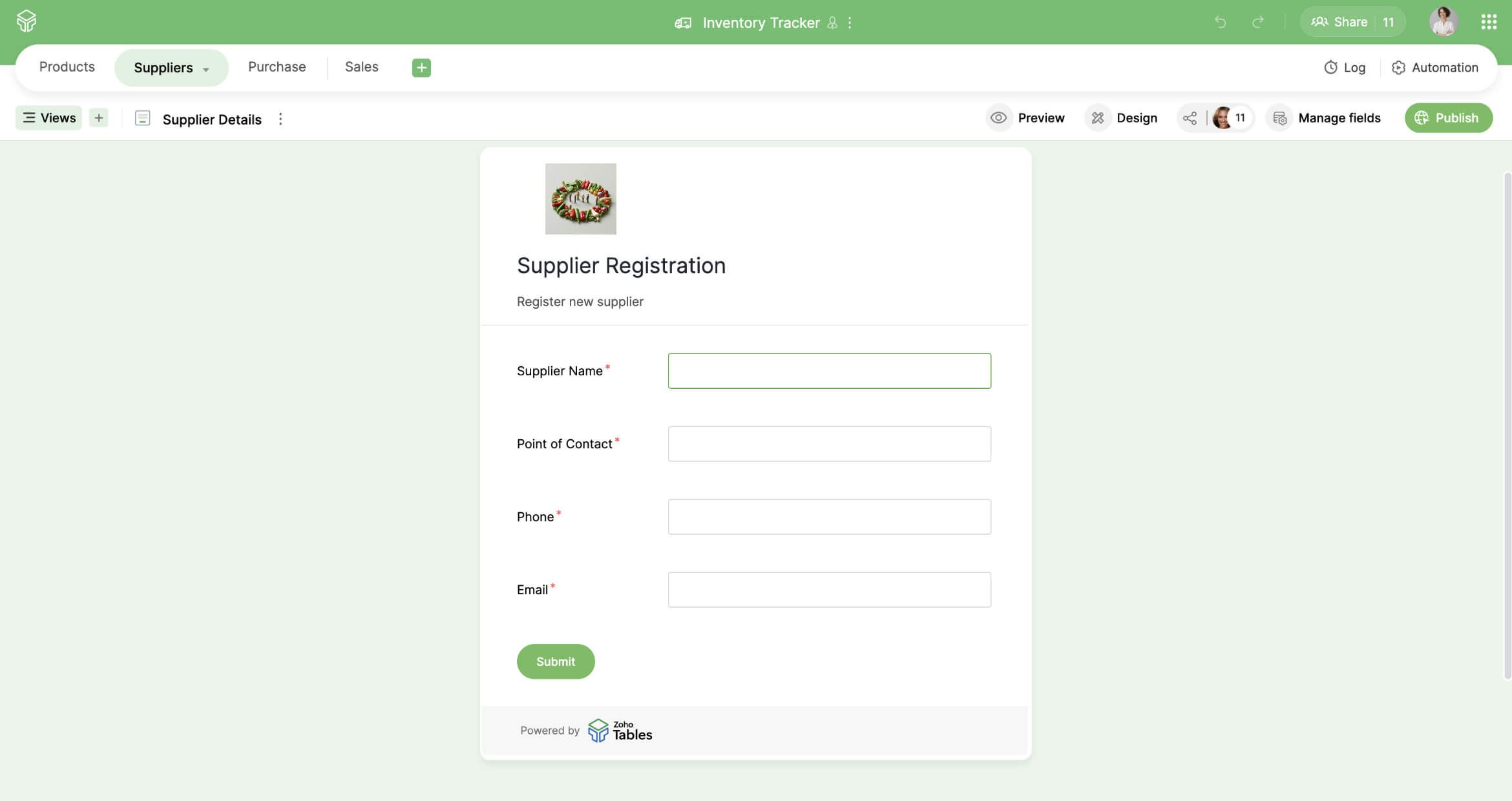
Additionally, base managers and editors can create forms to collect data from different sources. They can restrict the number of responses per user, prevent unauthorized access with passwords, or set an expiration date. The responses are then collected securely and added as new entries to the table.
Views
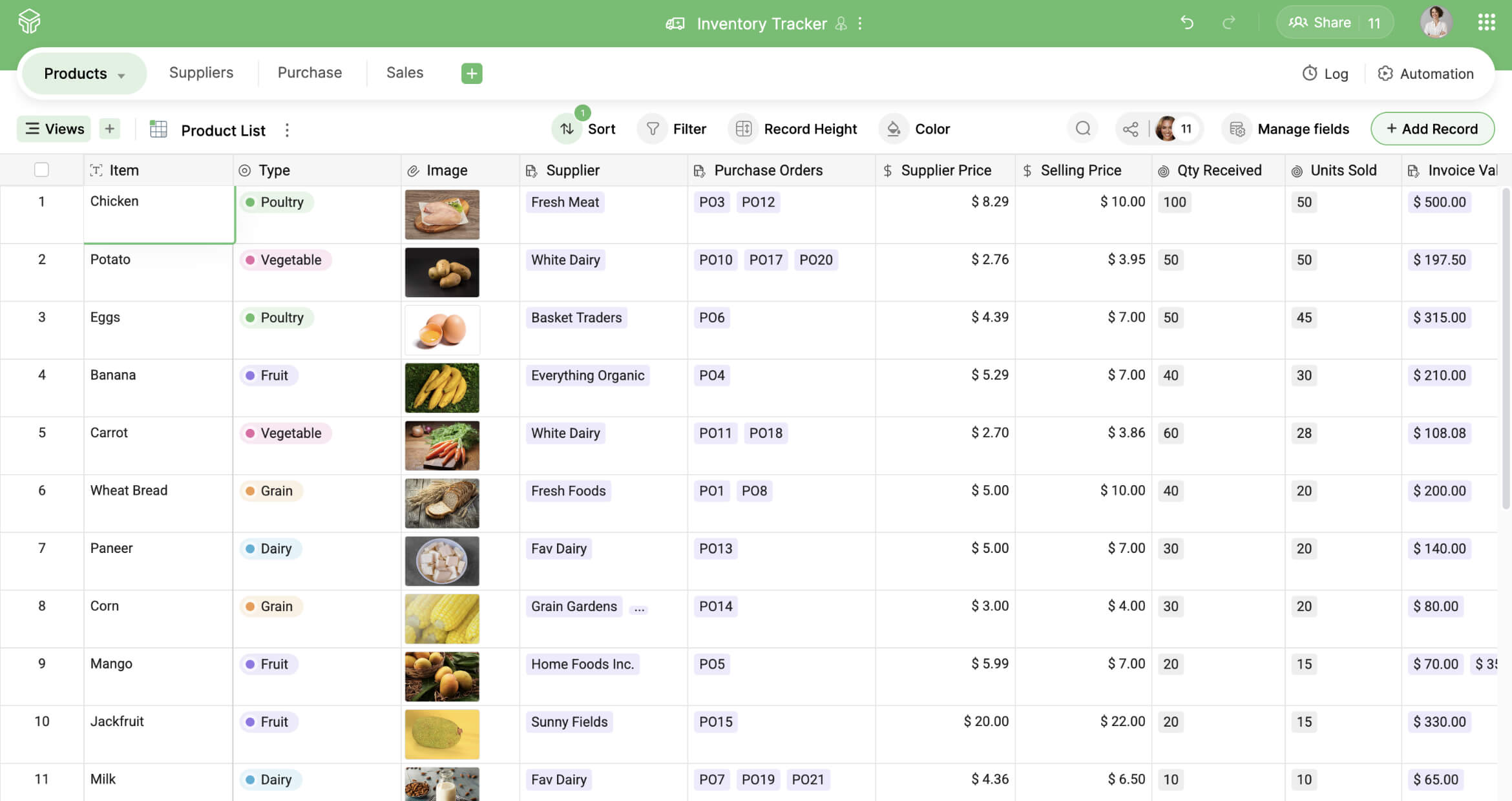
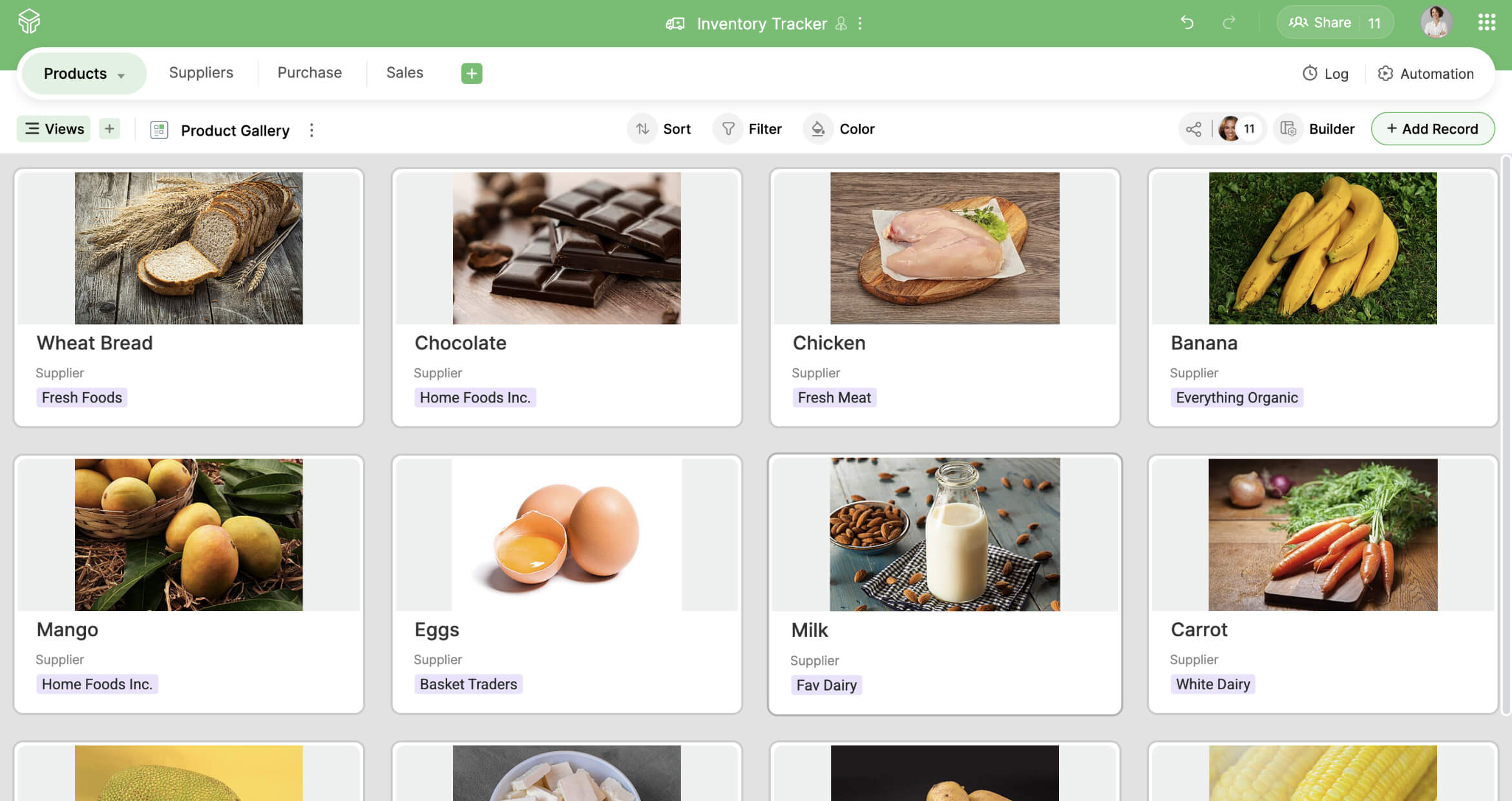
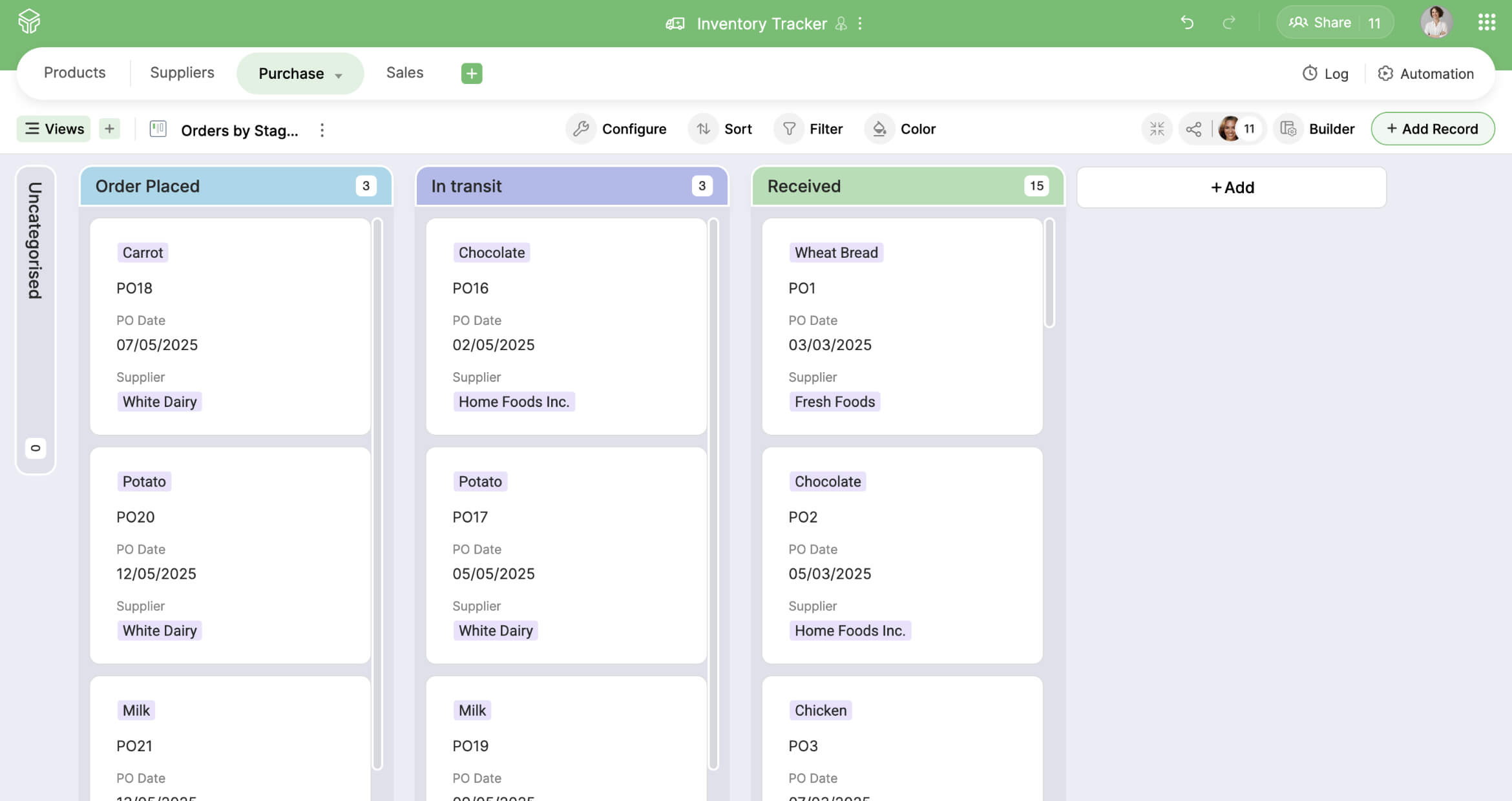
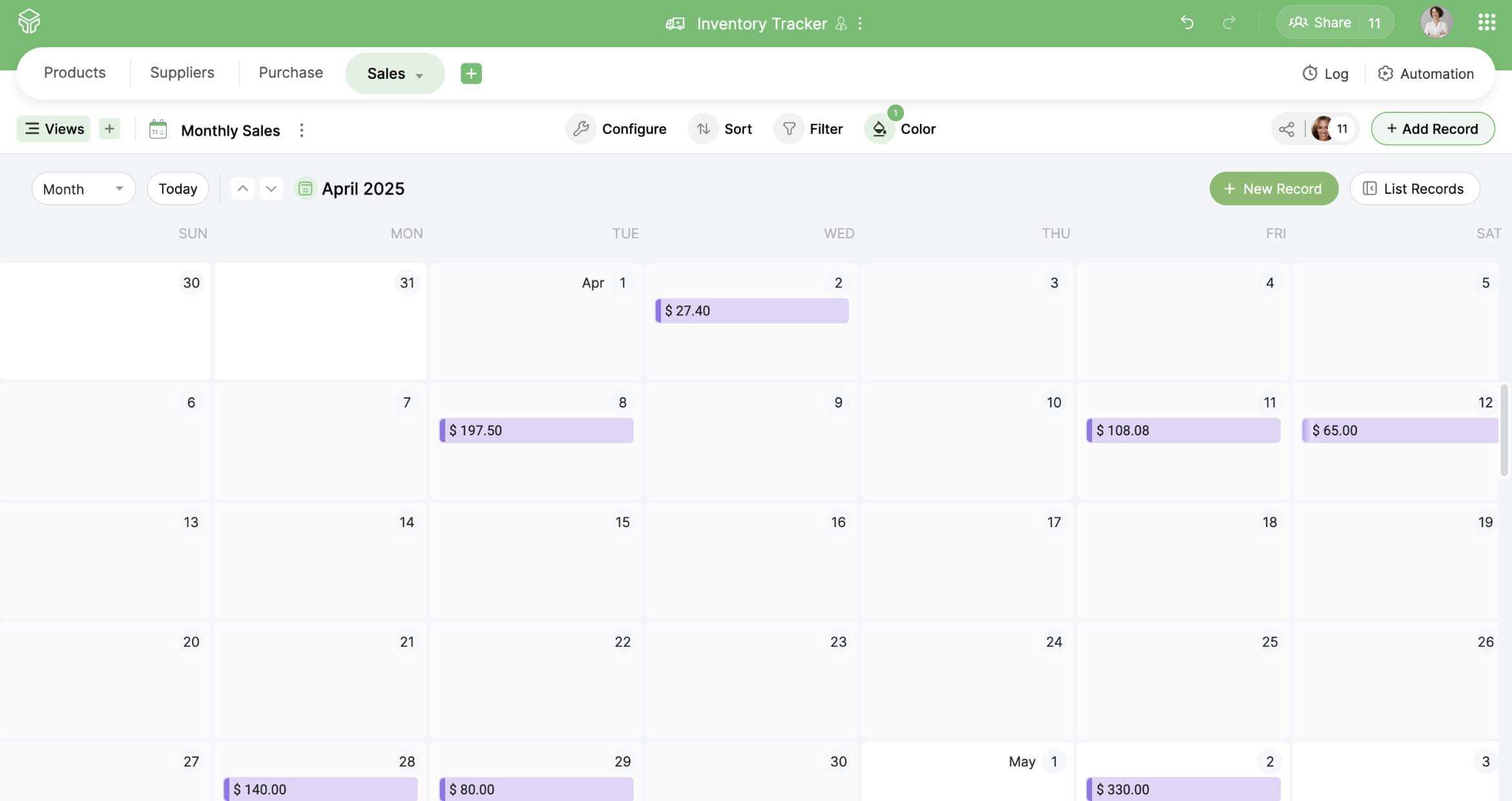
Zoho Tables supports grid, gallery, kanban, and calendar views. Grid view can help users organize the details of their products. Kanban gives an overview of the status of goods. Gallery view showcases invoice copies or product images. And calendar view comes in handy for tracking orders and delivery dates. This versatility makes data interpretation in Zoho Tables much easier.
Reports
Users can create line, bar, and column graphs and pie charts based on the data stored in Zoho Tables. For example, the dashboard could represent monthly stock purchases, delivery times, revenue generated, or peak sales seasons, offering a deeper understanding of supply chain performance.
Bidirectional relationships
Bidirectional relationships between tables make sure that when data in one table changes, it will be reflected in the linked table. For example, when data changes in a products table, it can be reflected in a vendors table. This minimizes the risk of data duplication and prevents manual entries.
AI assistance
This inventory tracker template offers a lightweight solution to get started. However, users can also create an inventory tracker using Zoho's AI assistant, Zia. All they have to do is type in a prompt, and Zia suggests a list of tables relevant to their use case. They can then select the tables they need or regenerate the prompt until it meets their requirements. Zia even creates a base with sample data and linked tables, which saves the time that would otherwise be spent setting up the inventory tracker from scratch.
Manage your inventory with Zoho Tables
Use Zoho Tables to manage your inventory, meet customer needs, and prevent under-stocking and stockouts. Try this inventory tracker template and get started in seconds!