What is IT asset management?
IT asset management (ITAM) is the process of tracking and managing all technology assets across their lifecycle—from purchase and deployment to maintenance and disposal. It includes everything from laptops and monitors to software licenses and cloud subscriptions.
Good IT asset management isn’t just about knowing what you have. It’s about maximizing usage, staying compliant, avoiding unnecessary purchases, and reducing downtime due to faulty or lost equipment.
Why implement an IT asset management system?
1. Centralized tracking
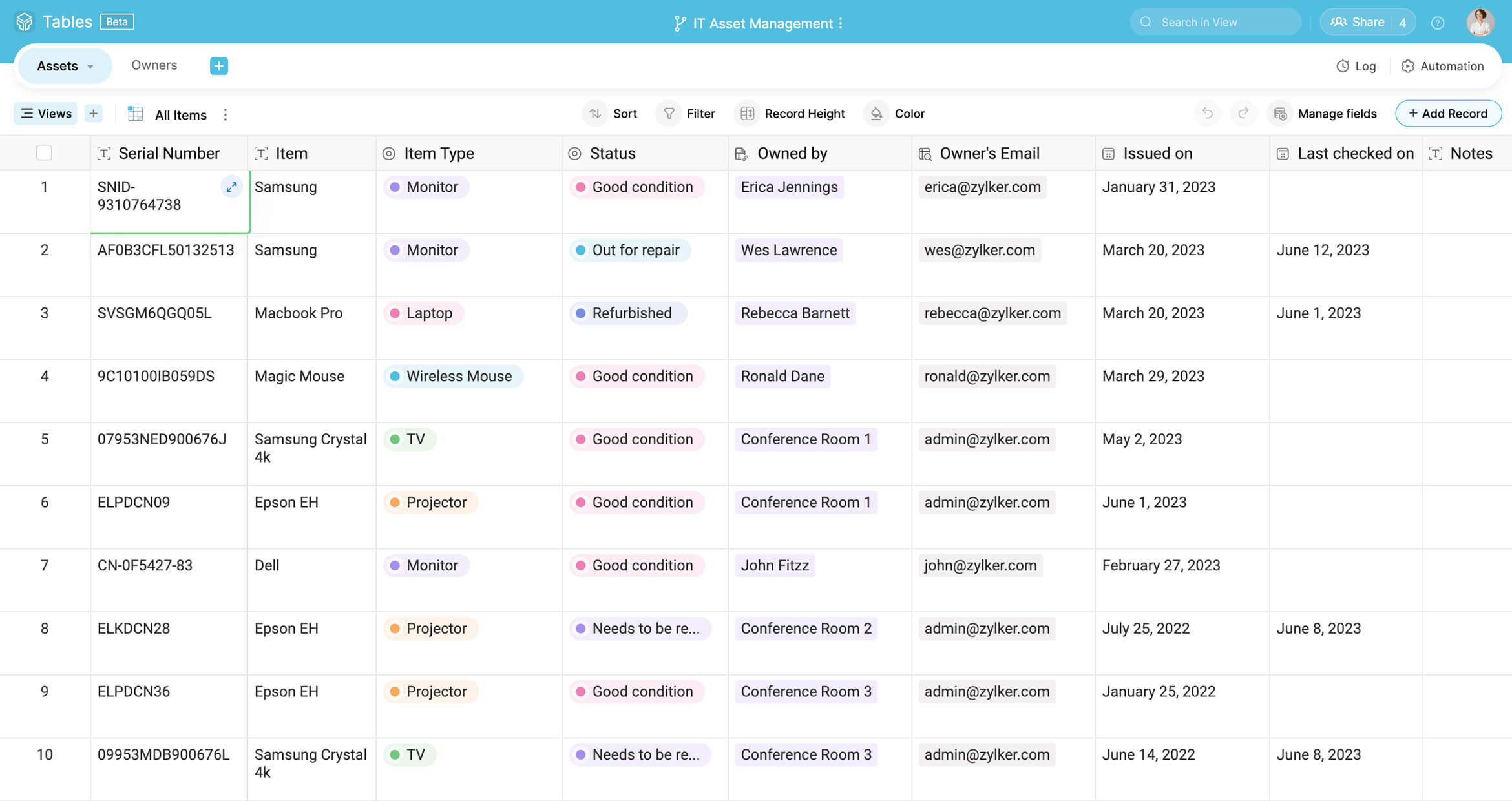
With an IT asset management system, you can view all your IT assets from a central, organized, and easy-to-navigate list. No more digging through spreadsheets or hunting for that one document. Whether it’s a laptop, software license, or network device, you’ll have a comprehensive inventory at your fingertips.
2. Lifecycle management
IT assets don’t just appear and disappear—they go through phases. From procurement and deployment to maintenance and eventual disposal, an ITAM system allows you to track the entire lifecycle of each asset. By monitoring each stage, you ensure that assets are maintained, warranties are active, and older equipment is phased out efficiently, reducing the risk of using outdated or unsupported technology.
3. Improved troubleshooting
IT asset management isn’t just about inventory. It’s about creating a detailed history of each asset. When a device malfunctions, you can instantly access its repair history, software updates, and prior issues. This not only speeds up troubleshooting but also helps prevent recurring problems by identifying patterns and issues that need attention.
4. Cost optimization
How much are you spending on tech that’s underutilized or redundant? An IT asset management system helps you easily spot duplicate purchases, software licenses you’re not using, or assets that are being hoarded but aren't actively deployed. By having clear visibility into asset usage and ownership, you can better allocate resources, cut unnecessary costs, and avoid making redundant purchases.
5. Compliance and audit readiness
Keeping track of licenses, warranties, and regulatory requirements can feel like a complex job; but an IT asset management system helps you do it effortlessly. With the system’s audit-ready documentation, you’ll always be prepared for internal or external audits, ensuring you meet compliance standards without last-minute scrambling.
6. User accountability
Knowing who's using which asset is crucial for both security and efficiency. With an IT asset management system, you can easily assign assets to your org employees, track their status, and see who’s responsible for any given piece of equipment. This accountability helps prevent assets from going missing, reduces the chance of unauthorized access, and ensures that employees know the proper procedure for handling and returning equipment.
7 key capabilities to look for when choosing an IT asset manager
Customization
To adapt to your org’s workflows and practices
Automation
To ensure repetitive and mundane tasks don’t take up much of your time and can be automated
Integration
To ensure the tool works seamlessly with your existing tech stack and bridges the gaps
Ease of use
To navigate your ITAM system with ease
Tracking and reporting
To generate insightful reports based on the data you track
Collaboration
To facilitate collaboration between departments so everyone can work together seamlessly
Scalability
To evolve with your business/org so that you can accommodate your growing workforce and their requirements
IT asset manager from Zoho Tables
Zoho Tables offers a comprehensive and easy-to-use IT asset manager template designed to help you organize, monitor, and manage all your IT assets in one place. You can even customize the template to suit your requirements.
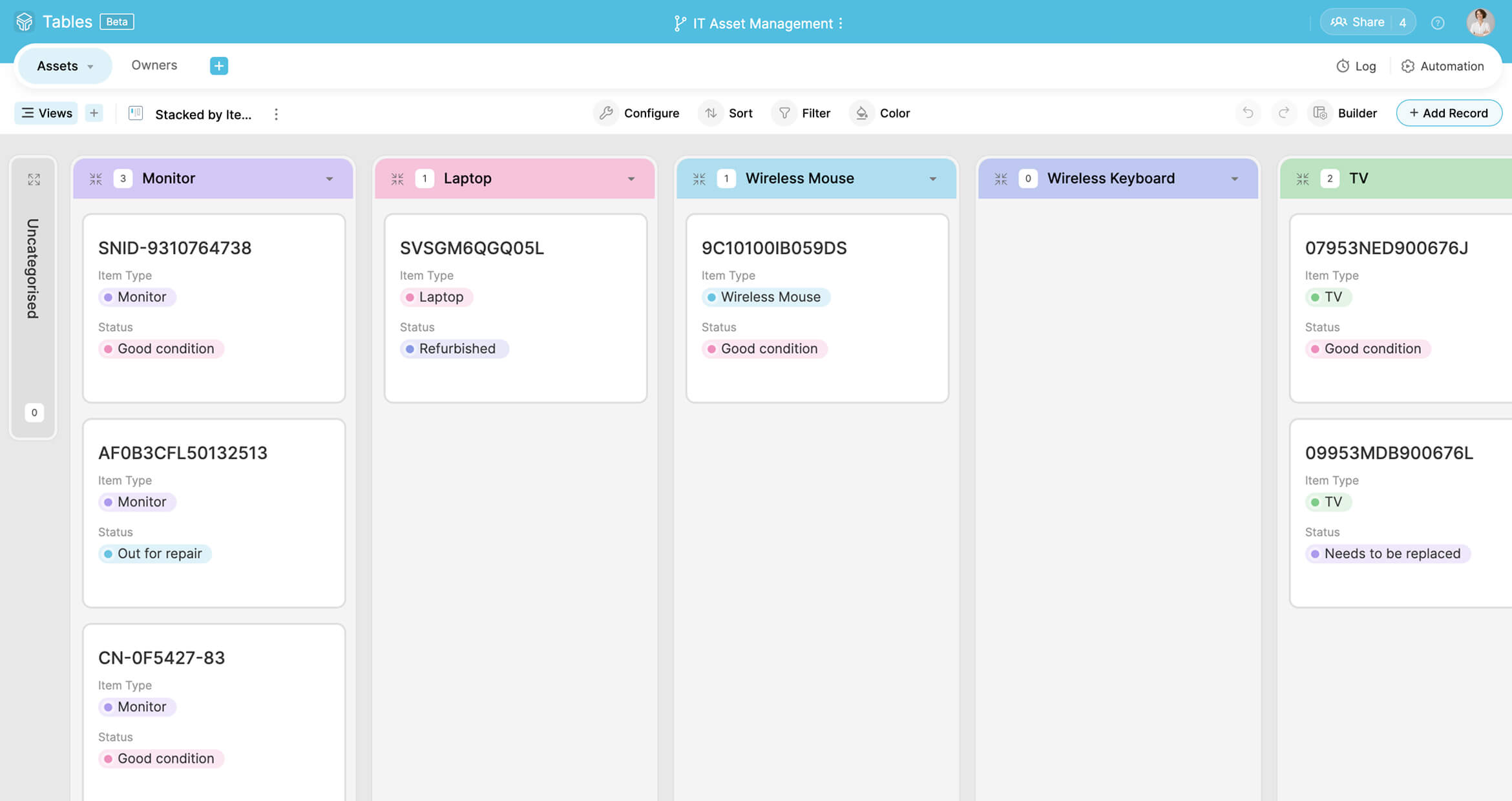
You can filter or group your view by department, track assets that are nearing warranty expiry, or quickly identify unassigned assets ready to be deployed. This setup gives you both a bird’s-eye view of your IT inventory and the ability to zoom in on the details without the clutter and chaos.
Here’s some of the features that Zoho Tables offers:
AI-assistance
You can create your solutions in an instant with Zia, Zoho’s homegrown AI assistant. All you need is a prompt and you’re all set.
Views
Zoho Tables comes with gallery, kanban, calendar, and form views, so you’re not locked into the standard row-and-column interface.
Relationships
Creating meaningful relationships between your data is now as simple as a few clicks.
Automation
Automating repetitive tasks in your workflow can be done with simple trigger-and-action logic.
Mobile app
Zoho Tables also comes as lightweight, powerful Android and iOS apps, making it easy to stay in the loop on the go.
Who can use this IT asset manager?
This template can be used by teams of any size—whether you’re a growing startup or an enterprise-level IT department.
IT asset managers are commonly used by, but not limited to:
IT managers and system admins
To keep tabs on devices, installations, license expiries, and user allocations
Procurement team
To monitor purchase dates, vendor details, and warranty periods
Finance and compliance officers
To track asset depreciation, ensure audit readiness, and prevent overspending
Support teams
To stay updated on assigned hardware, issues reported, and maintenance history
Frequently Asked Questions
While they sound similar, ITAM focuses on the lifecycle and value of IT assets (hardware, software, licenses), including procurement, usage, maintenance, and disposal. Inventory management, on the other hand, is more about counting and tracking physical stock—it's quantity-focused, not value- or lifecycle-focused.