What is budget tracking?
In simple words, budget tracking involves monitoring the actual spending of a company against a predefined budget. It helps businesses stay on track with their expenditures and prevents running into debt. It acts as the backbone of the financial stability of a company.
Why do businesses need to track their budget?
- 1
Make better financial decisions
Financial decisions require understanding how money is earned and spent within a company. Regular budget tracking helps in understanding surpluses and anticipating deficits and reserving funds for emergencies and unexpected expenses.
- 2
Cut down expenses
Businesses can understand their spending patterns, eliminate unnecessary expenses, and reallocate resources for financial gains. Monitoring expenses regularly helps in identifying areas where they can negotiate better deals to reduce expenditure and make better investments.
- 3
Identify fraud
Early detection of unauthorized or fraudulent transactions helps businesses mitigate long-term financial losses while holding stakeholders accountable for their expenses. By maintaining detailed records, businesses can trace discrepancies and take immediate action.
- 4
Claim tax benefits
Systematic budget tracking makes tax filing easier. A clear and organized record of expenses ensures that all eligible deductions are identified and maximizes tax savings. It also reduces the chance of errors that might lead to penalties.
Major challenges faced by businesses while tracking their budget
1. Inaccurate and siloed data
Scattered records don't give a clear picture of expenses and revenue, which leads to inaccurate financial planning, disproportionate resource allocation, and poor budgeting decisions.
2. Manual processes
Tracking a budget manually in spreadsheets or legacy software leads to a lack of visibility among stakeholders, increased risk of human error, and limited scalability. It's also time-consuming and increases the workload of stakeholders, which could otherwise be put to better use.
3. Scalability
Expenses grow as a business grows, and the necessity of handling large volumes of transactions can strain legacy systems, leading to slower processing times and potential data loss.
4. Rigid budgeting
Rigid budgeting generally stems from inaccurate forecasts or a poor understanding of the market. This can lead to unrealistic targets, missed opportunities, and potential overspending. It also adds additional pressure on stakeholders to change their plans to fit the budget instead of adapting to the market.
5. Lack of communication across departments
When different departments in a company don't share information on budget requirements and transactions, it affects the overall budgeting process. This lack of communication also leads to unaccounted-for spending, which leads to conflicts and misaligned priorities.
How Zoho Tables helps businesses track their budget efficiently
Easy automation
Automation saves time that would otherwise be spent on repetitive tasks. Users can set automation rules when a record is created or updated. For example, users can automate emails for manager approvals, overspending alerts, or when the available budget drops beyond a specified threshold.
Real-time collaboration
Budget tracking involves data from multiple departments. Different teams might raise requests, upload invoices, and update orders. Zoho Tables has different access controls, like manager, editor, data maintainer, commenter, and viewer. This ensures that everyone has access to the intended base or view without being able to access sensitive financial information. They can also upload expense documents, add comments, and tag one another.
Additionally, users can create forms using Zoho Tables. This is useful for gathering data from external stakeholders. The forms can be secured with passwords, restricted to one response per user, or set to expire after a specified date to avoid duplication. The responses will then be automatically added as entries in the table.
Versatile views
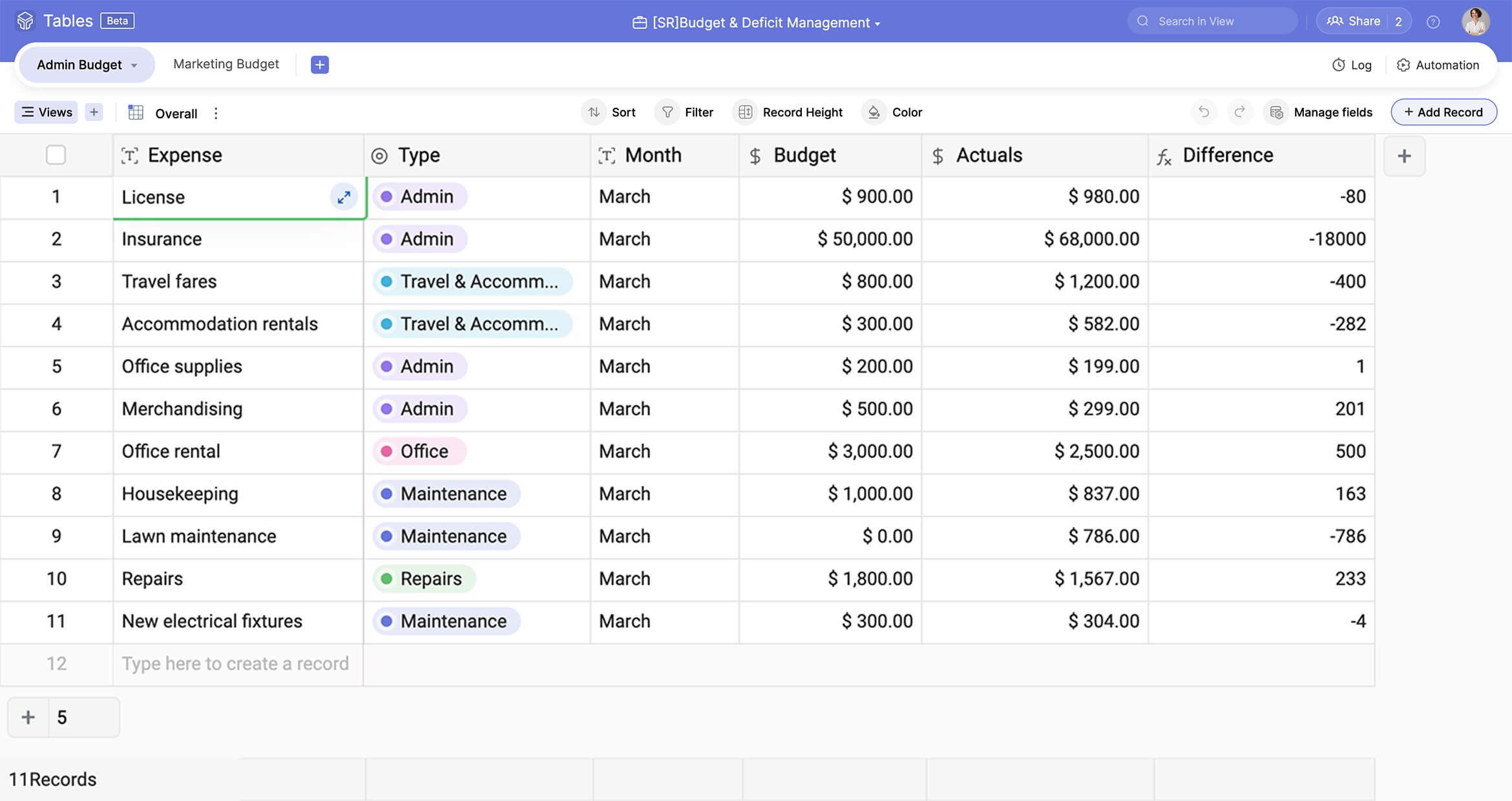
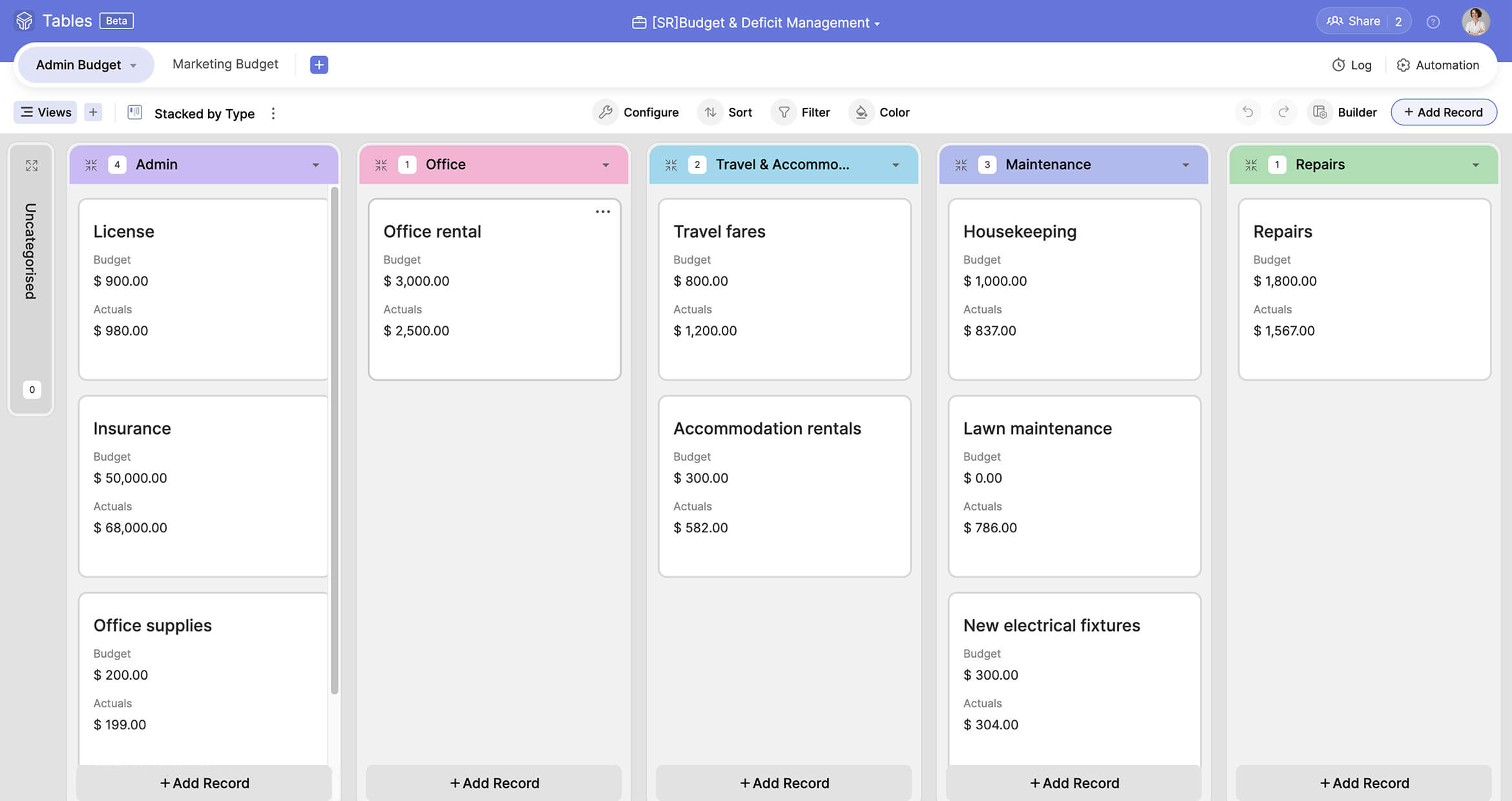
Zoho Tables provides grid, kanban, gallery, and calendar views to interpret data easily. Grid view can be used to list budget items; calendar view to track payment dates; gallery view to display invoice copies; and kanban to view the status of budget approvals. This simplifies decision-making when large datasets are involved.
Dashboards
Visual dashboards featuring bar, line, and column graphs and pie charts simplify complex data. They can be used to analyze department-wise spending, budget allocation, and wasted resources. This helps teams make better financial decisions backed by accurate data.
Modern mobile application
The Zoho Tables mobile application has all the features of the web version plus additional mobile-specific features. It supports optical character recognition (OCR) and can create bases just by scanning tabular data. This is especially useful for uploading data from physical invoice copies.
AI assistance
The Zoho Tables' inventory tracker template offers a lightweight solution to get started. However, businesses might have specific use cases in mind. In situations like this, they can use Zoho's AI assistant, Zia, to create a customized base. Once a user types in their prompt, Zoho's AI assistant, Zia, generates tables relevant to their use case. The user can choose the tables they require or regenerate additional tables. Once they select the tables, Zia creates a base for them with sample data and linked tables. This saves the time and effort that would otherwise be needed to set up a new budgeting tool from scratch.
Manage your budget efficiently with Zoho Tables
Track payments, allocate resources, and analyze expense patterns using Zoho Tables' budget tracker template. It's quick, easy, and designed to make business budgeting a breeze. Start your budget planning today.