Accelerate approvals
Reduce the time spent completing redundant layers of approval. Implement workflows and streamline file journeys instantly with a completely customizable workflow builder.
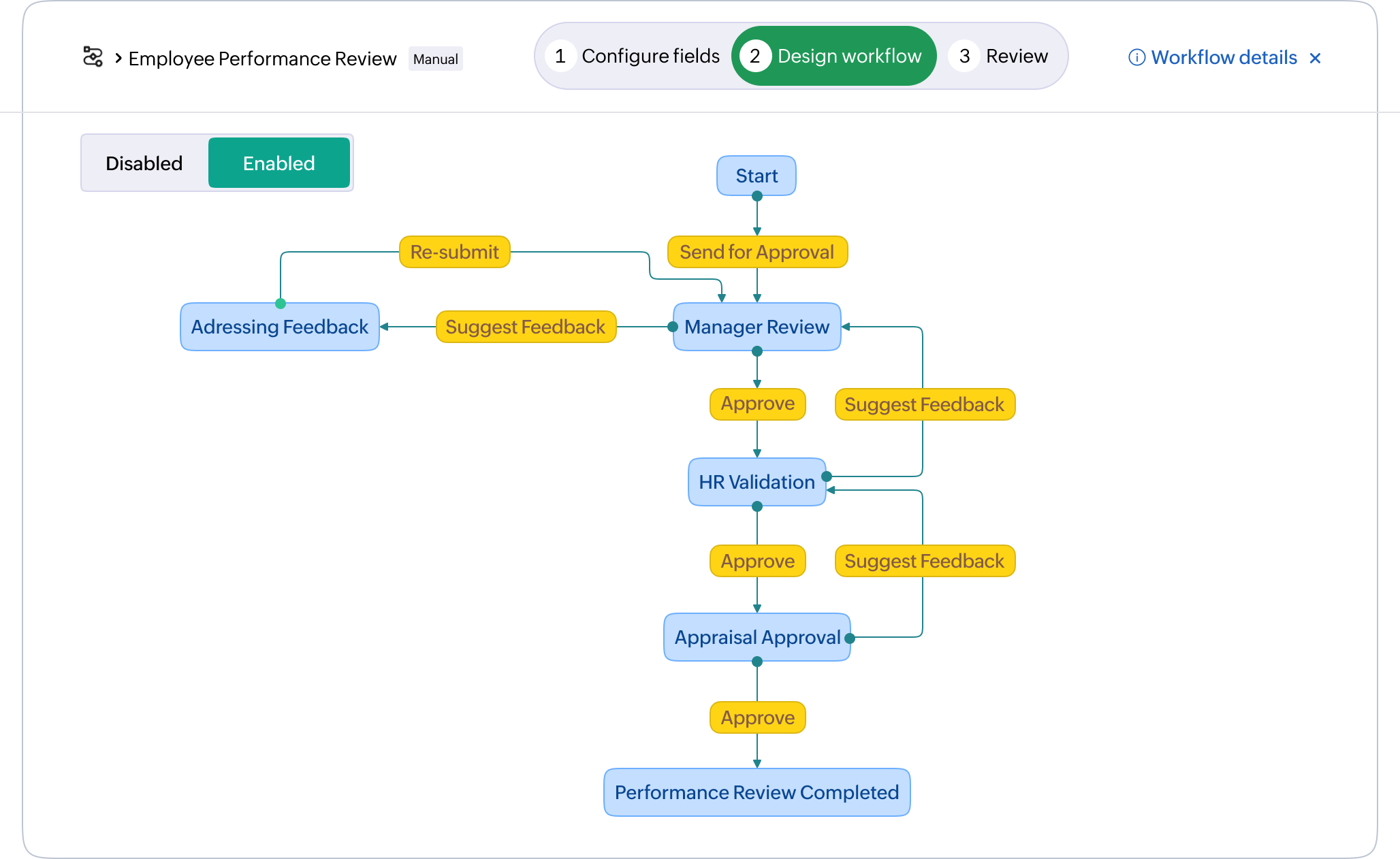
Workflows are predefined paths to organize tasks or activities designed to achieve a specific outcome. It enables your organization to structure the approach to how work is done by outlining the order of events, and seamlessly bring in teammates for a streamlined operation.

Built to address the process optimization gap with trigger-based automation, workflows in WorkDrive adapts to every industry scenario, reducing manual intervention and increasing productivity.
Learn more

Reduce the time spent completing redundant layers of approval. Implement workflows and streamline file journeys instantly with a completely customizable workflow builder.
Go beyond basic actions with Custom Functions to build complex, multi-step logic. Connect WorkDrive to Zoho apps, third-party tools, and external AI models effortlessly.


Authorize third-party apps and set up API-driven actions to streamline data exchange—no developer needed. Sync WorkDrive with the tools your team already uses.
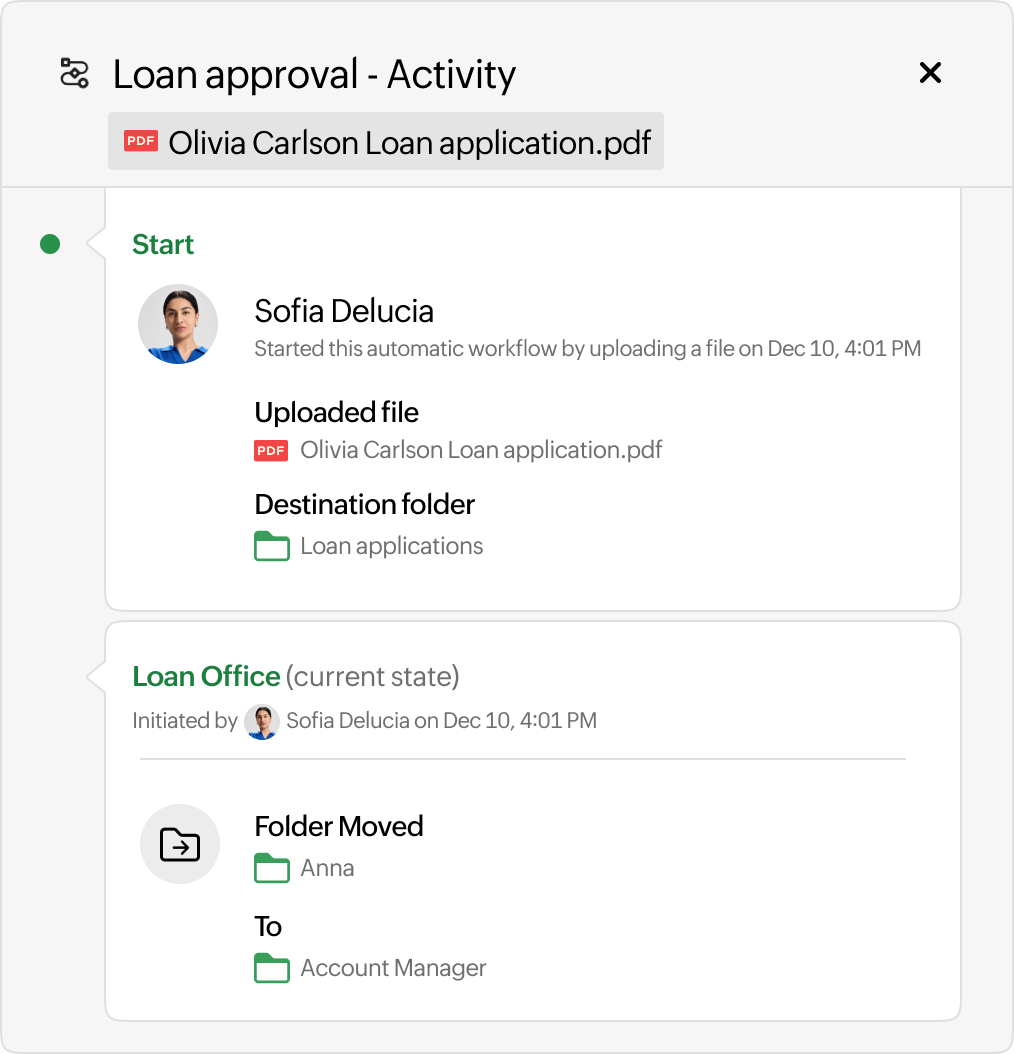
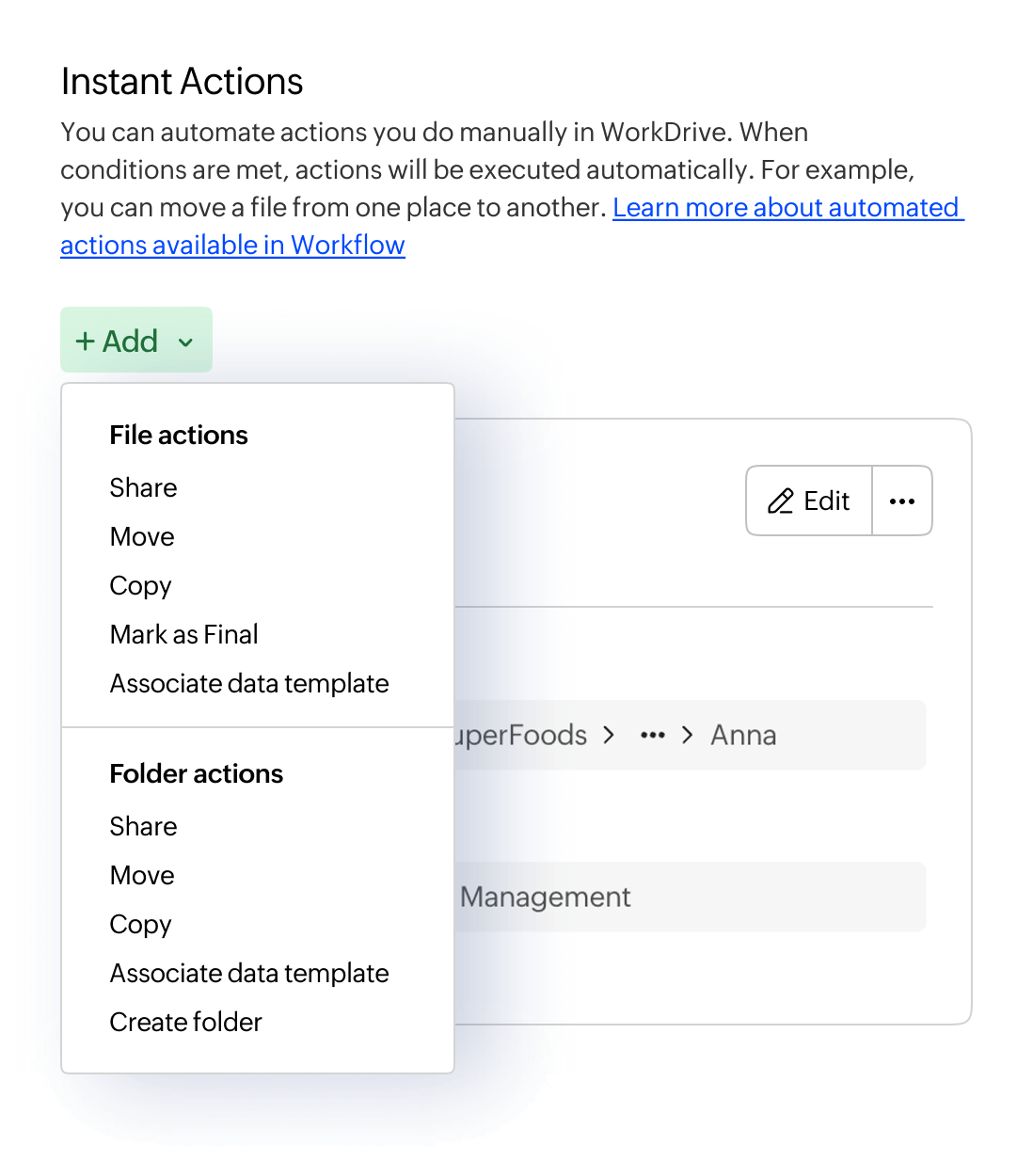
Automate file movement after each workflow stage. Define folder locations for approved files and eliminate information silos across your organization.


Observe file changes and monitor your workflows with instant notifications for every stage. Gather insights to improve document content in real time.
Bring clients, vendors, and partners into your workflows as active participants. Configure external approvals and keep every stakeholder aligned in one process.


Maximize productivity by reducing manual intervention through workflows. Automate your business content for reliable on-time delivery to your stakeholders.
With an easy-to-implement and code-free workflow automation, teams can learn and start building sophisticated workflows in no time.


Enable Data Loss Prevention (DLP) to enhance file security for classified client data and restrict sharing. Stay compliant with comprehensive audit trails and enterprise-level security.
Learn moreAll of these advantages come to you without any additional hidden costs, which means all users on WorkDrive's Business plan can experience the benefits of Workflows.

WorkDrive's Workflows feature is built specifically for document and file-based processes: It exists inside WorkDrive and is designed to automate how files move through review, approval, and storage stages.
Zoho Flow, on the other hand, is a standalone integration platform for connecting different apps and automating broader business processes across the software stack.
No. WorkDrive's workflow builder is completely code-free and designed to be used by anyone on your team, not just IT admins. The workflow builder lets you configure triggers, states, transitions, and actions, by simply selecting the options for each instance.
WorkDrive supports two types of workflows.
Automatic workflows are triggered by specific events—such as a file upload, rename, or move—and run without any manual intervention.
Manual workflows are started by a team member by right-clicking a file or folder, giving them control over when a process begins.
Yes. WorkDrive comes with three built-in, ready-to-use workflows—Review, Approval, and Review and Approval—so you don't have to start from scratch. These cover the most common document processes and can be used immediately.
Workflows can be triggered by a wide range of file and folder actions, including file uploads, moves, copies, renames, and shares. You can also set criteria to narrow down which specific files or folders activate a workflow.
Once a workflow is triggered or a state is completed, WorkDrive can automatically move files to designated folders, share files with specific team members, send notifications, rename files, copy documents to new locations, apply data templates, and more. For advanced use cases, admins can also use Custom Functions (powered by the Deluge scripting language) to connect workflows to other Zoho apps or third-party services.
Yes. The Workflows tab in WorkDrive's left pane gives a clear view of workflows waiting for action and workflows started by a team member. Admins get an even more detailed view through the Admin Console, where they can monitor all active workflows across the team.
The default workflows (Review, Approval, Review and Approval) are available to users on all paid WorkDrive plans. Custom workflows are only available for WorkDrive Business plan users or as part of the Zoho One bundle.
Every file movement and stage transition in a workflow is automatically logged, creating a complete and tamper-proof audit trail. This helps organizations demonstrate compliance with regulations like GDPR. With Data Loss Prevention policies, admins can restrict sharing, prevent downloads, and control access to sensitive files.
Absolutely. WorkDrive Workflows are built for cross-departmental use. A single workflow can route a file through multiple departments—for instance, from a sales team to the legal department for review, then to finance for a final sign-off before it's stored in a client-facing folder for reference—with each transition automatically notifying the right people.