Zoho CRM Q1 2026 Update


It's a new year—and as we do every year, we're excited to highlight the first set of powerful updates we've introduced in Zoho CRM in Q1 2026, which include enhancements are spread across our core SFA capabilities, the always-trending AI bucket, and some quality-of-life updates that improve the way you use Zoho CRM.
Let's get right into all these exciting updates.
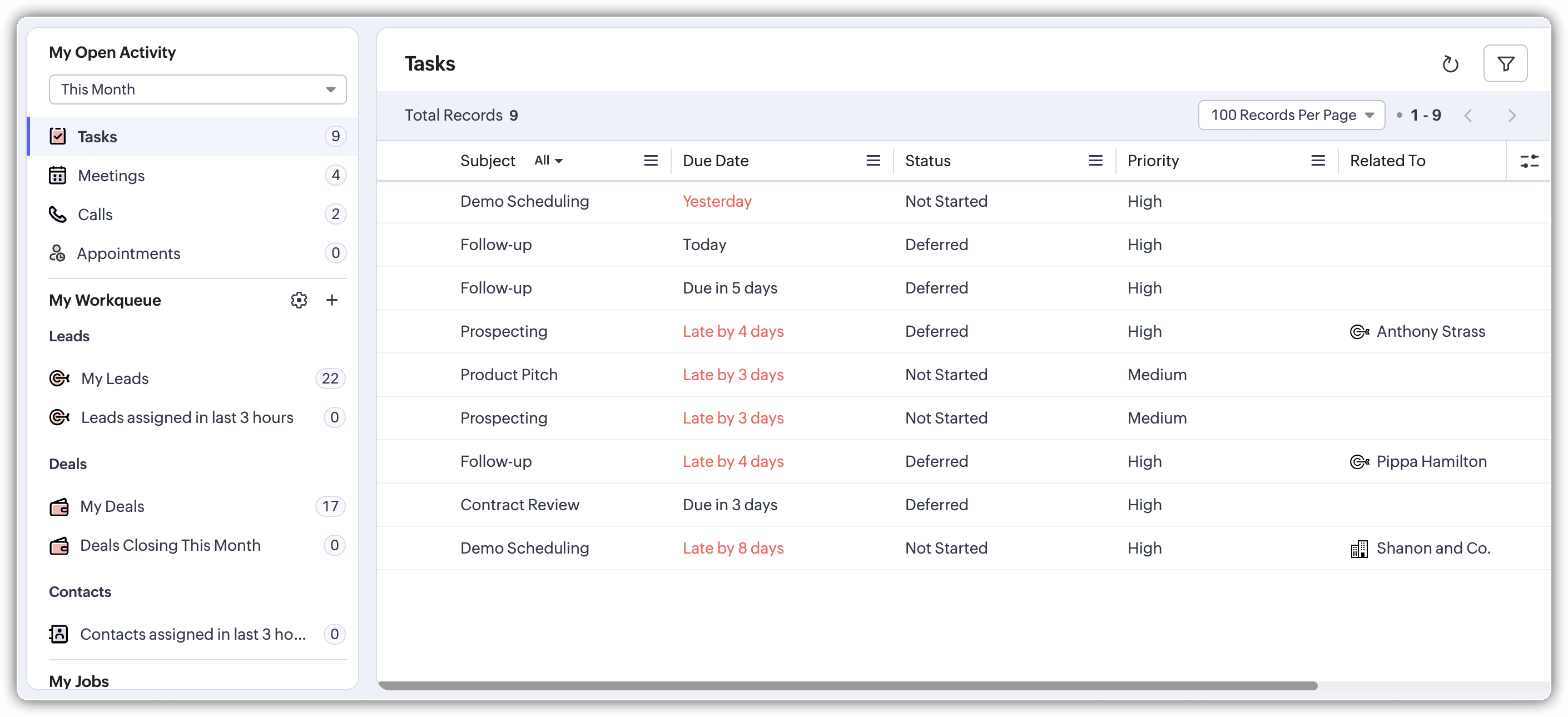
Track and complete your daily responsibilities with Workqueue
Sales reps' daily work tends to take them on a scenic adventure across the entirety of Zoho CRM—from the Leads module, which looks at newly assigned leads, to the tasks and activities reps need to complete and the high-priority deals that need their attention that day.
Zoho CRM does offer a structured way to keep track of all of this work in each module, but what if there was an even better something way?
Allow us to introduce Workqueue: a centralized view into everything important that requires sales reps' attention. Simply load into Workqueue and get a complete overview of all of the things that need attention at a glance. Track all of your tasks, activities, calls, appointments, and assigned records that need attention—all from within Workqueue—and prioritize and plan your daily activities.
Generate complex formulas with natural language prompts
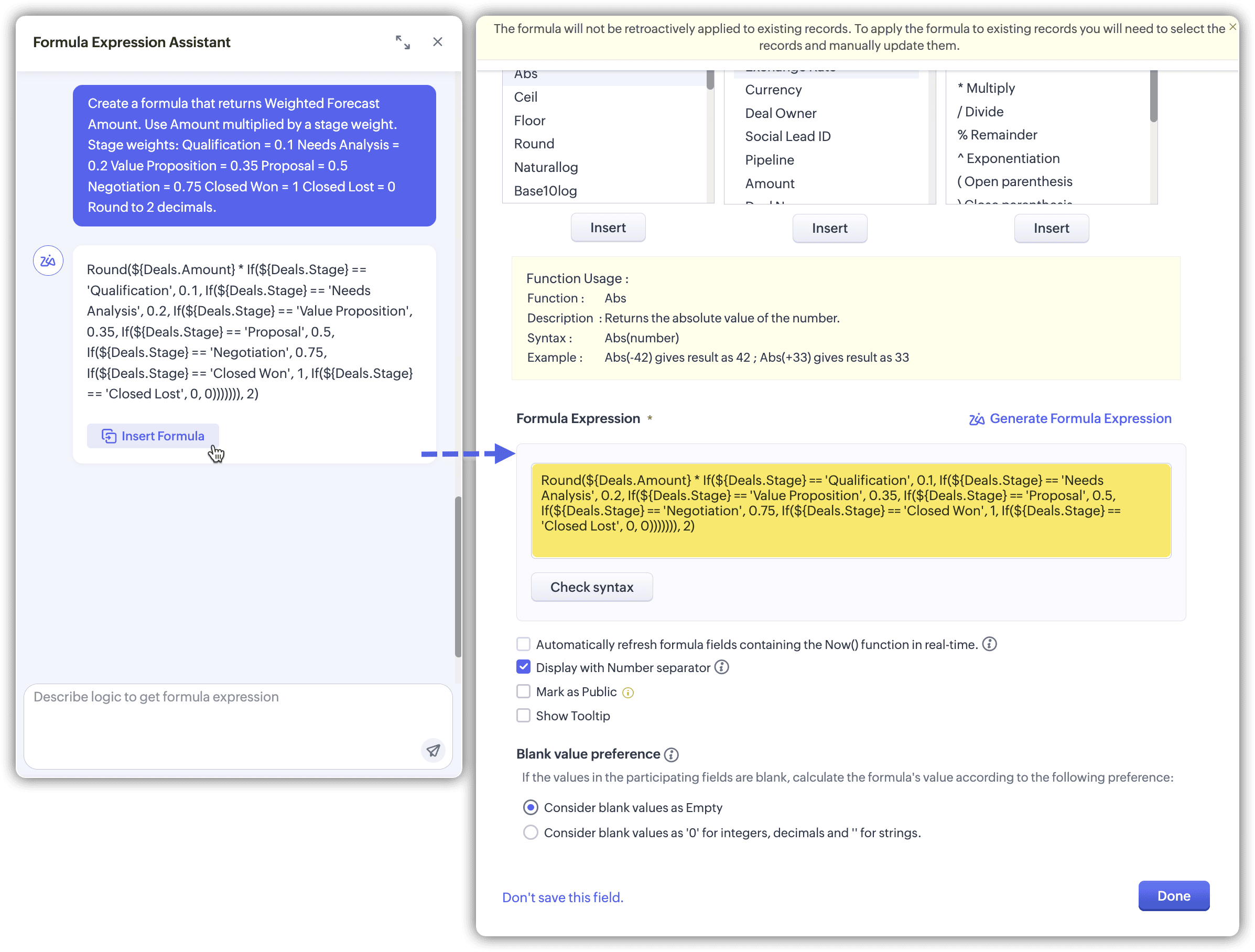
Formula fields help users calculate certain values based on other field data in CRM records. However, this feature's usefulness hinges on our ability to build meaningful formulas that you can put into action.
You know what you want, but you're not fully sure which function to use, how the syntax should look, or whether the field names are even being referenced correctly. That's exactly where Zia Formula Expression Generator fits in.
Now instead of writing the formula on your own and poring over every bracket and syntax to make sure there aren't any errors, you can describe the formula you need in plain language and let Zia take care of the rest. Zia builds the entire formula expression, which you can quickly review and then insert into your formula expression field!
Smart suggestions from Zia—plus additional product criteria in CPQ
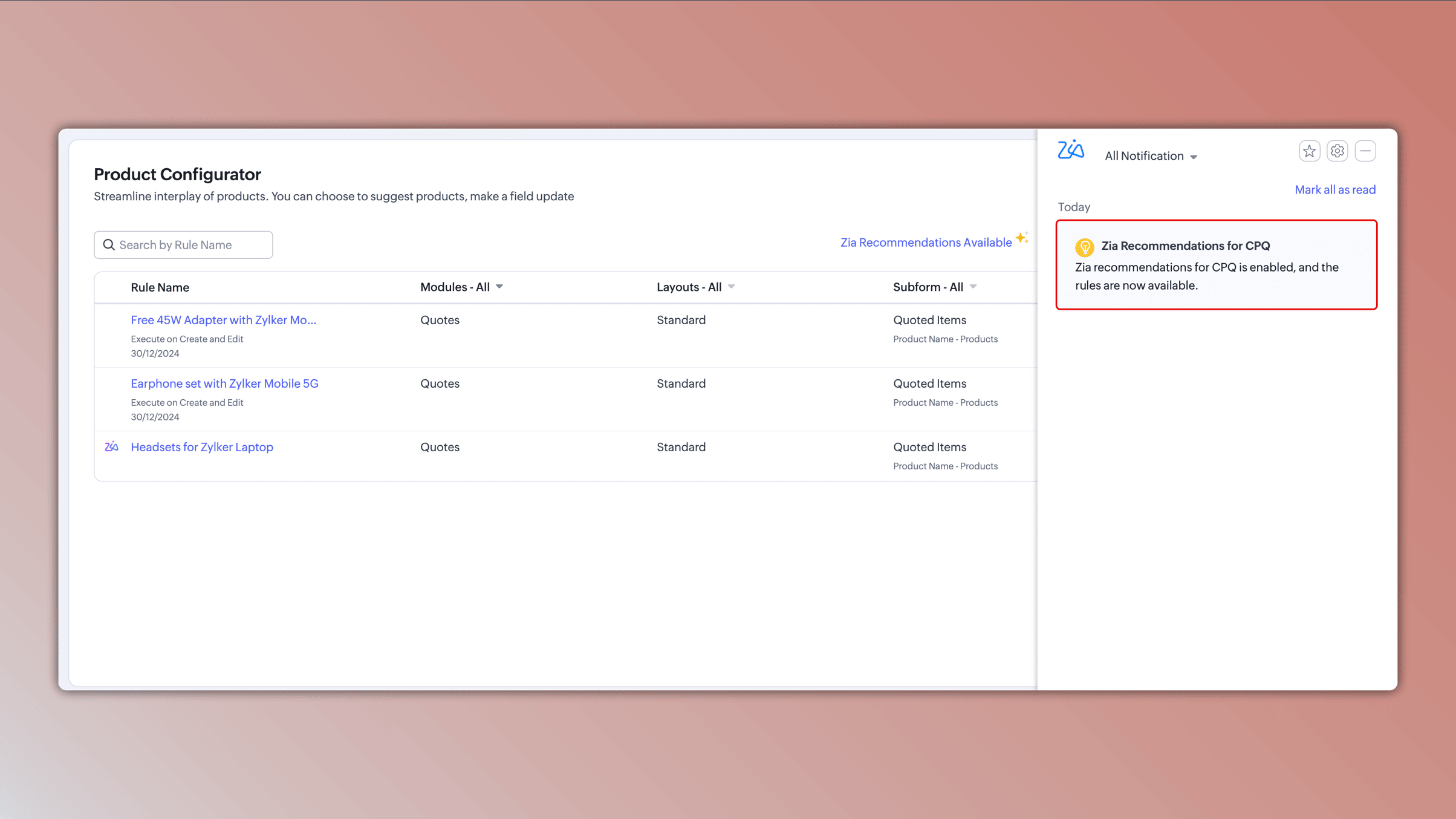
CPQ greatly improves the speed at which you can build accurate and personalized quotes through the built-in pricing rules and product configurator.
Now you can improve the level of personalization by acting on insights Zia generates. By analyzing your historical quotes, Zia surfaces strong purchase patterns on frequently purchased combinations and provides visibility into the effectiveness of these combinations when it's time for a purchase decision. You can review, modify, and rename these Zia-suggested rules before you actually deploy them into your sales operations.
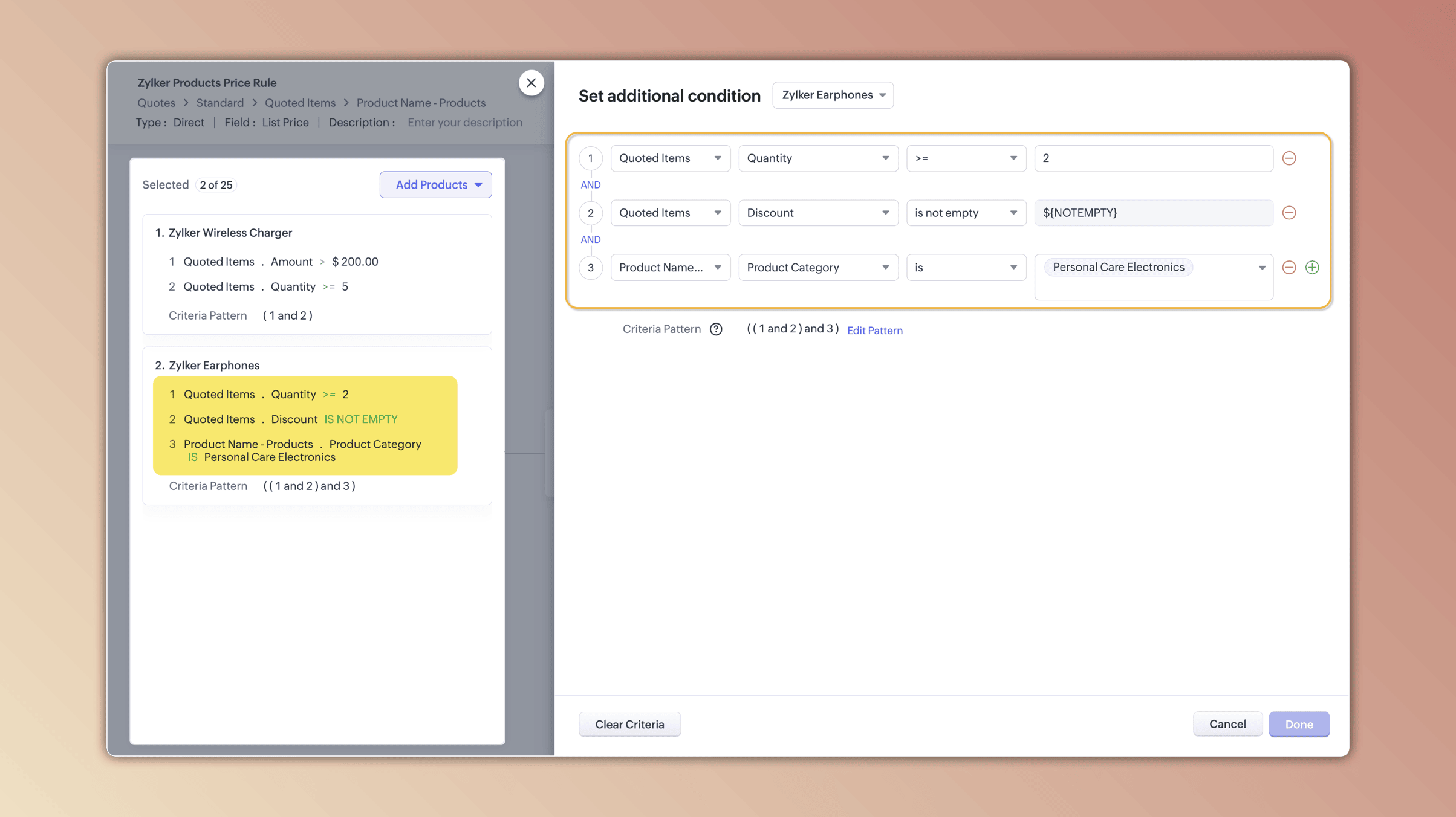
In addition to the aforementioned AI enhancement, we also have an update that helps you be more precise about where you trigger pricing rules. When you select products or services when creating pricing rules, you can now include additional criteria, such as a specific product quantity or a discount that the quote should match, before the rule is triggered.
Experience the power of a new and improved Smart Prompt
SmartPprompts in Zoho CRM help sales reps optimize various parts of their daily tasks in order to drive more effective and meaningful interactions with leads and prospects.
Smart Prompts in Zoho CRM now have a new and more accessible interface, and you can now leverage the power of Zia—or any other LLM of your choice—across two important areas within your CRM.
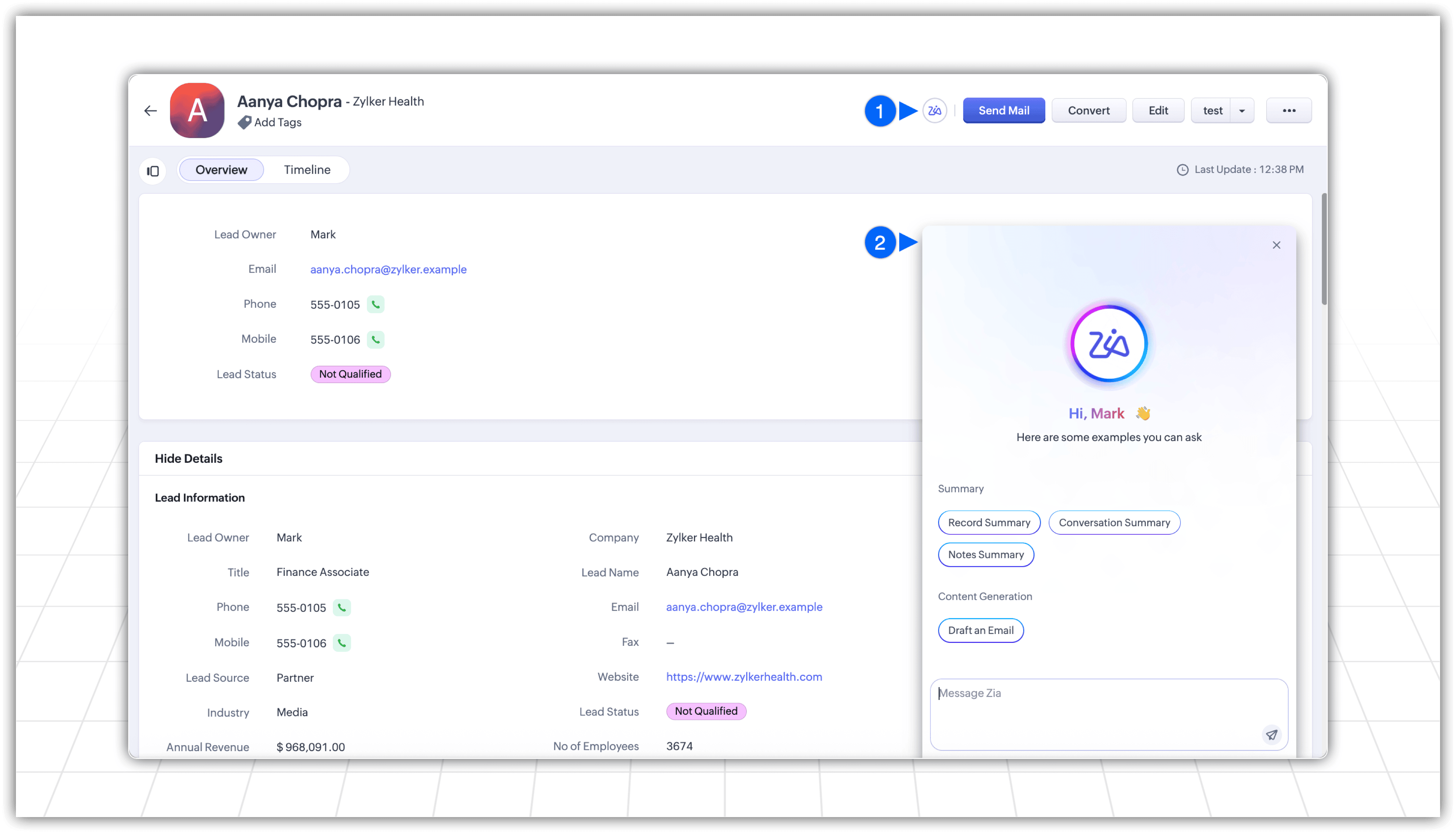
Record Assistant
Access Smart Prompts inside any record within Zoho CRM to get context-aware insights, such as a summary of all your conversations with a specific prospect or customer, as well as any notes your sales team has added. You can also get a quick update on the status of the record you're currently looking at.
Additionally, the Smart Assistant feature can reference the information in a particular record to help you generate personalized content for emails and notes through your configured AI model.
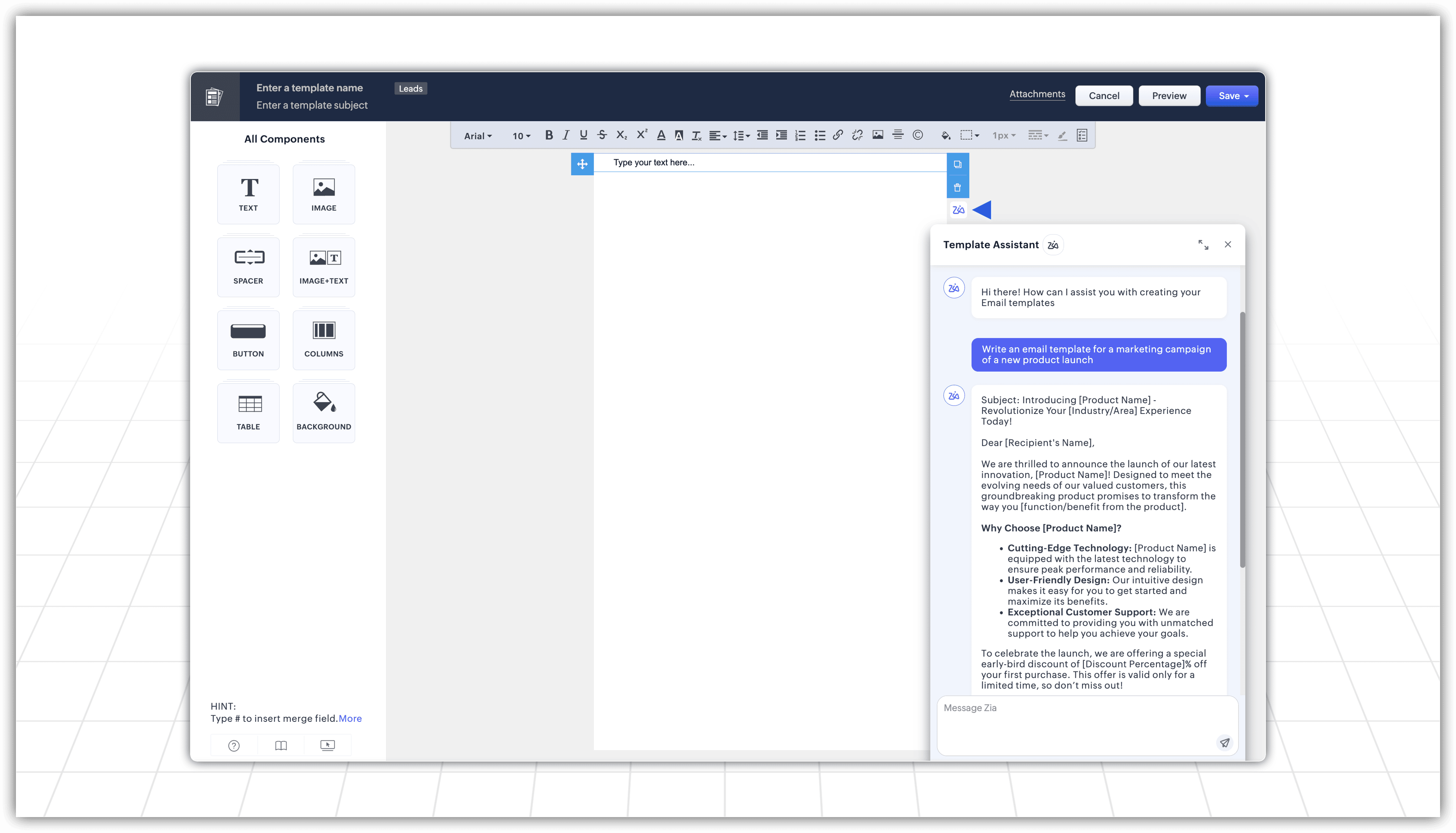
Template Assistant
Similar to how you can generate content for your records, you can access the Smart Assistant from your templates and use simple natural language prompts to create complete email templates—which you can further refine in terms of length, tone, and other factors via further prompts.
Support for additional LLMs
The pace at which LLMs evolve and new LLMs are built has been astounding, and we want to make sure that your business can always leverage the best. Zoho CRM now supports the following LLMs:
Gemini
Claude
Cohere
DeepSeek (Supported only in CN DC)
SiliconFlow (Supported only in CN DC)
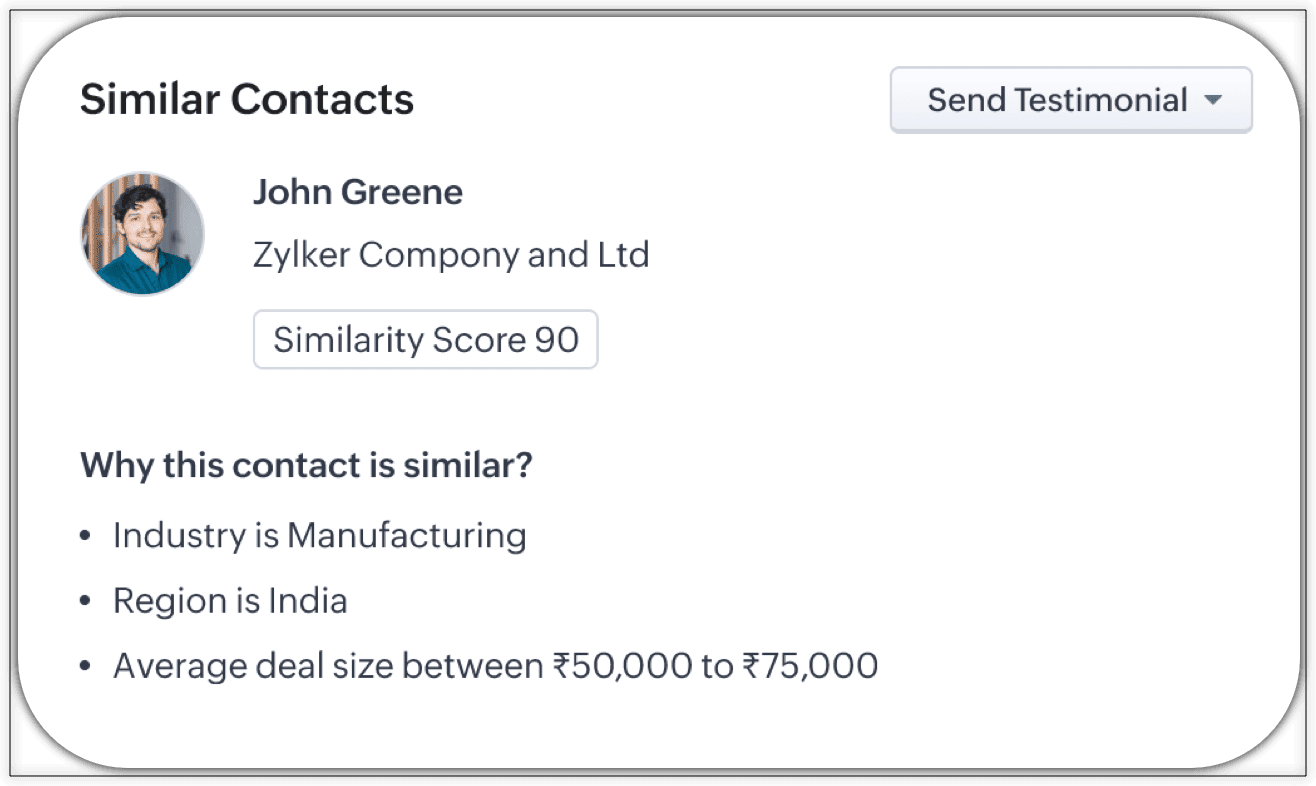
Act on insights from Zia with the click of a button
Across Zoho CRM, Zia offers a wide range of insights to help you identify bottlenecks, refine processes, and drive better interactions with customers. When you've configured Zia features, they often times appear as widgets in your records that deliver insights such as predictions, recommendations, scores, or next-best suggestions.
With this latest enhancement, you can now add a custom button to these widgets to take direct actions based on the insights Zia delivers. Add a custom button, and when insights appear, simply click on the button to trigger new flows, automations, responses, information retrieval, and more.
Introducing zero-shot field prompting for Zia's ICR capabilities
Zia's ICR capabilities have historically been dependent on the volume and quality of training data you provide it, as this data is what enables Zia to recognize patterns and extract data to enrich records from standard printed text.
To make this process simpler and faster, we're now introducing zero-shot prompting using VLM. Instead of feeding Zia a series of standard images to help identify data patterns, VLM identifies field values from input files based on ICR rules to extract and associate it with CRM records without manual intervention or guidance.
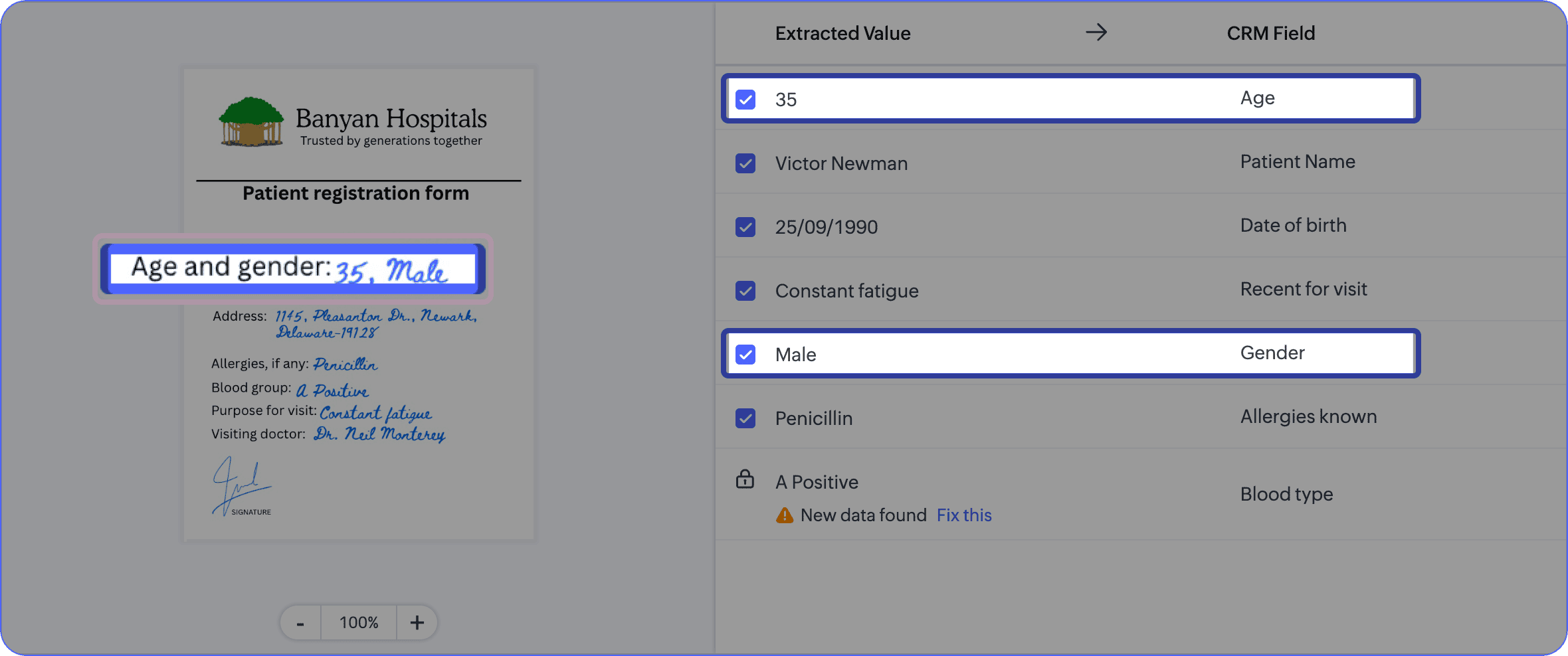
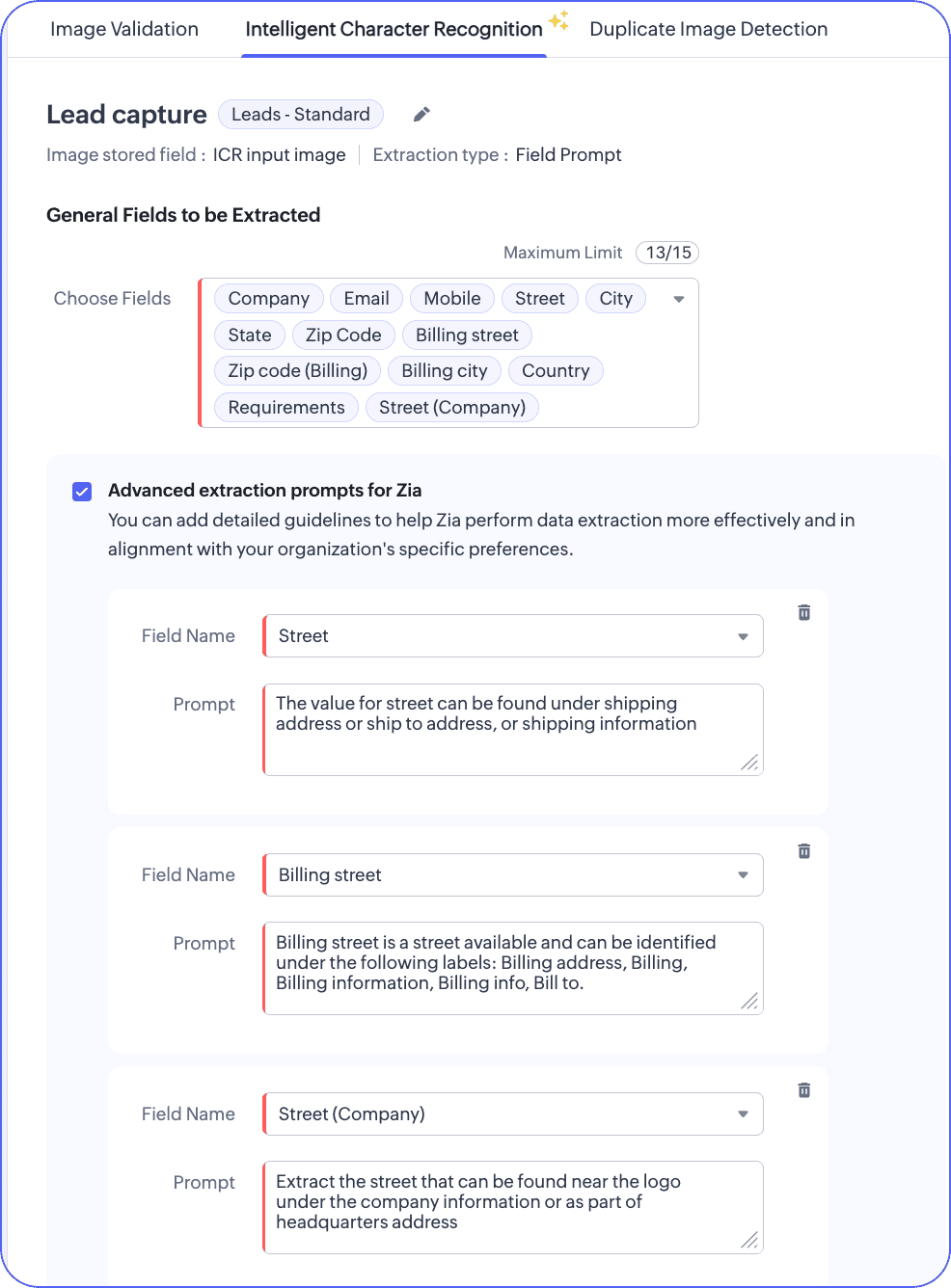
We're also adding another layer we call advanced field prompting, which comes into play in scenarios where you feel that an input image may contain similar sets of data that Zia could conflate, and which may result in poor record quality in your CRM.
With advanced field prompting, you can select the fields that you feel have similar data types and then provide better context through simple natural language prompts. This enables the system to identify the data you need and distinguish it from similar data in your input files before enriching your records with the extracted information.
Know what the world thinks of your business with the latest in VoC
Opinions and experiences about your business aren't limited to paying customers. Today, an ardent fan might bring up your business's name in an online conversation with a friend, or you could become the topic of discussion on a relevant forum between people who've just heard of you.
These instances aren't just meaningless noise the internet's vast sea of signals; each one has the potential to become your next big customer. Your VoC system should therefore go beyond the most often-used channels, such as tickets, emails, or surveys.
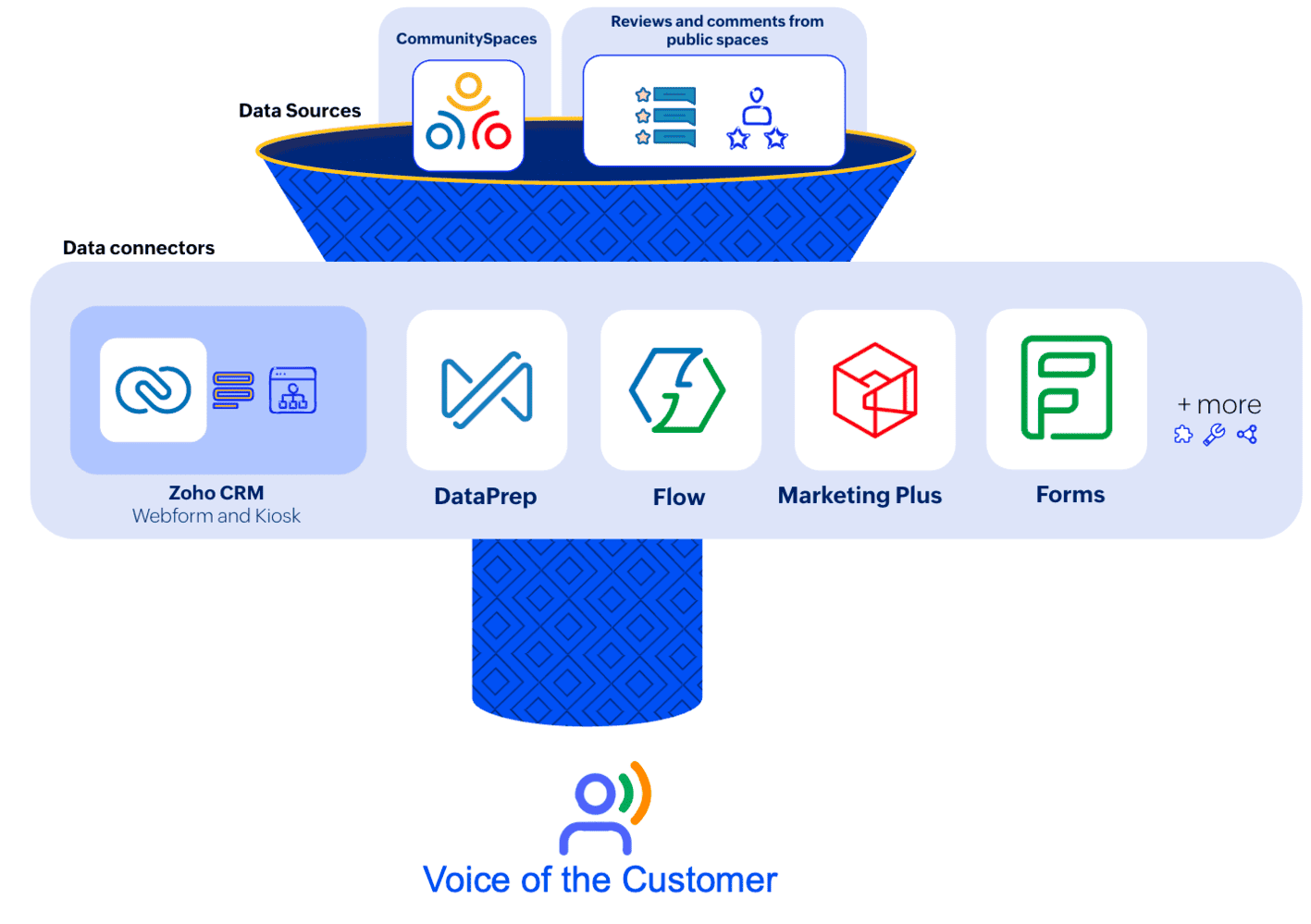
To help you get the complete picture of how people react to your business, VoC now enables you to track comments submitted by people that aren't part of your leads or contacts databases. This builds on our previous enhancements of enabling you track customer comments in your CRM system.
The latest update lets you gather insights from these unknown responders, allows you to refine your approach to your market, pivot between strategies as needed, adjust pricing and positioning, and more—all based on direct inputs from the people who haven't made it in to your CRM yet, but still comprise your market.
Make handovers effective with quick actions for notes
Notes are a vital part of your overall sales process. Smooth handovers between sales reps or teams rely on the information that previous reps or teams have added to records.
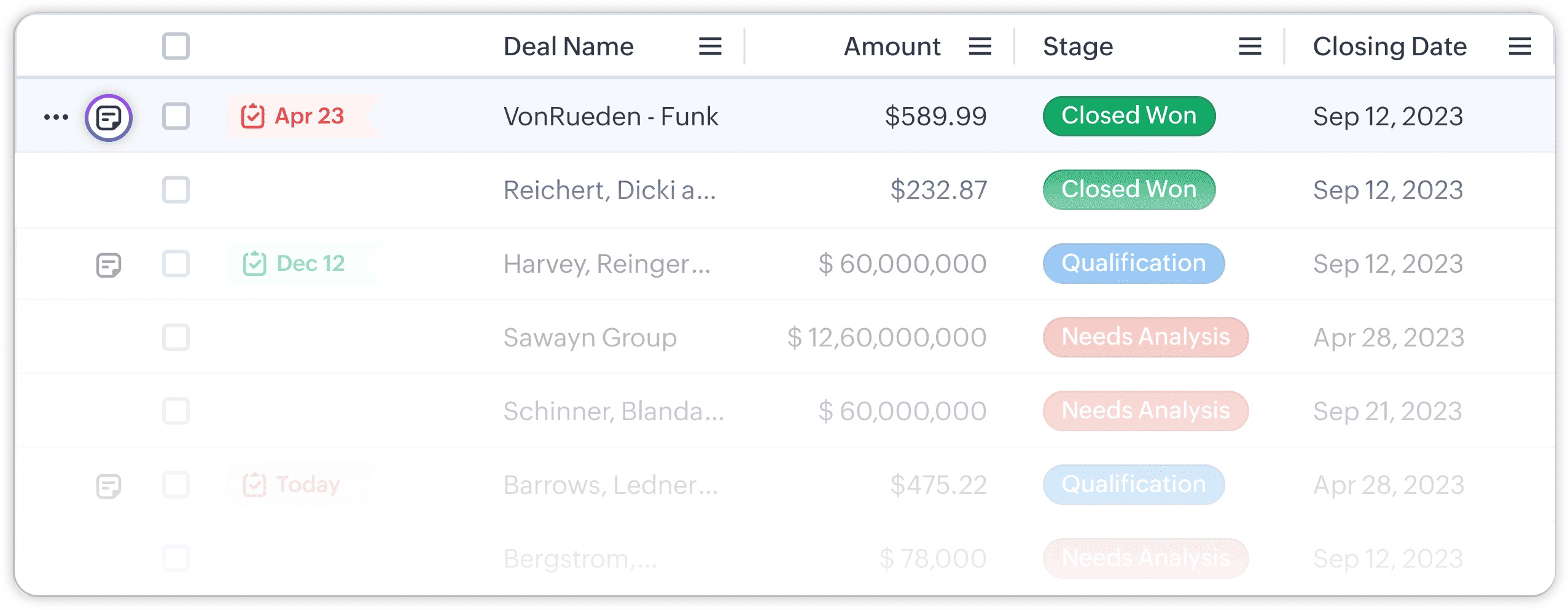
You can now quickly access any record's notes directly from the list view through the notes icon. This enables your sales team to view, edit, delete, or add notes directly from the list view. You can even summarize notes from this view to get a clearer picture of where you stand with respect to a particular prospect or customer.
Streamline CRM data management with the Zoho WorkDrive storage integration
Zoho CRM users can now experience a WorkDrive-powered storage experience that brings a new interface, advanced file management capabilities, and economical storage from within your CRM account. This integration enables you to:
Connect your CRM org with a current or new WorkDrive account.
Access this connected WorkDrive account seamlessly through the Documents tab, which was previously powered by Zoho Docs.
Automatically place attachments added to a CRM record in pre-defined folders in the record owner's My Folders section.
This new WorkDrive-based storage system has been powering storage for new signups for a while, and now we're gradually rolling it out for existing customers to ensure a seamless migration experience.
To schedule the migration, choose a WorkDrive account and pick one of the available slots. These are the two actions required from your side.
At the scheduled time, the migration will happen automatically; your files and folders in the Documents tab and record attachments will be moved to WorkDrive.
When the files and folders in your Documents tab are being migrated, the Documents tab will be inaccessible. You can access the rest of the CRM throughout the migration process.
That wraps up the first update we have for you in 2026. The world of SaaS and technology are evolving at an unprecedented pace, and we're working on multiple enhancements across Zoho CRM to stay ahead of the curve. We're looking forward to bringing you more powerful updates in the coming months.
Until then, happy selling from all us here at Zoho CRM!
Comments