Simplify HR and payroll in Australia with Xero Payroll for Zoho People

Think about how your HR team works during payroll week. They’re busy checking timesheets, cross-checking overtime hours, and making sure every leave request is approved and recorded. When that information is spread across multiple systems, routine administrative tasks like this can feel daunting.
What if your HR and payroll workflows could work more closely together?
With the Xero integration, Australian HR teams can sync employee information, push timesheet data, and sync leave information from Zoho People to Xero Payroll.
Update employee details once
When employee data lives in one software system and payroll in another, every new hire, role change, or address update means entering information in both systems and cross-checking records regularly.
With our integration, you can sync employee IDs, names, job titles, join dates, addresses, and pay cycles from Zoho People to Xero Payroll. Simply map the corresponding fields in both applications and choose exactly what to sync ("Address" and "Pay cycle" are mandatory).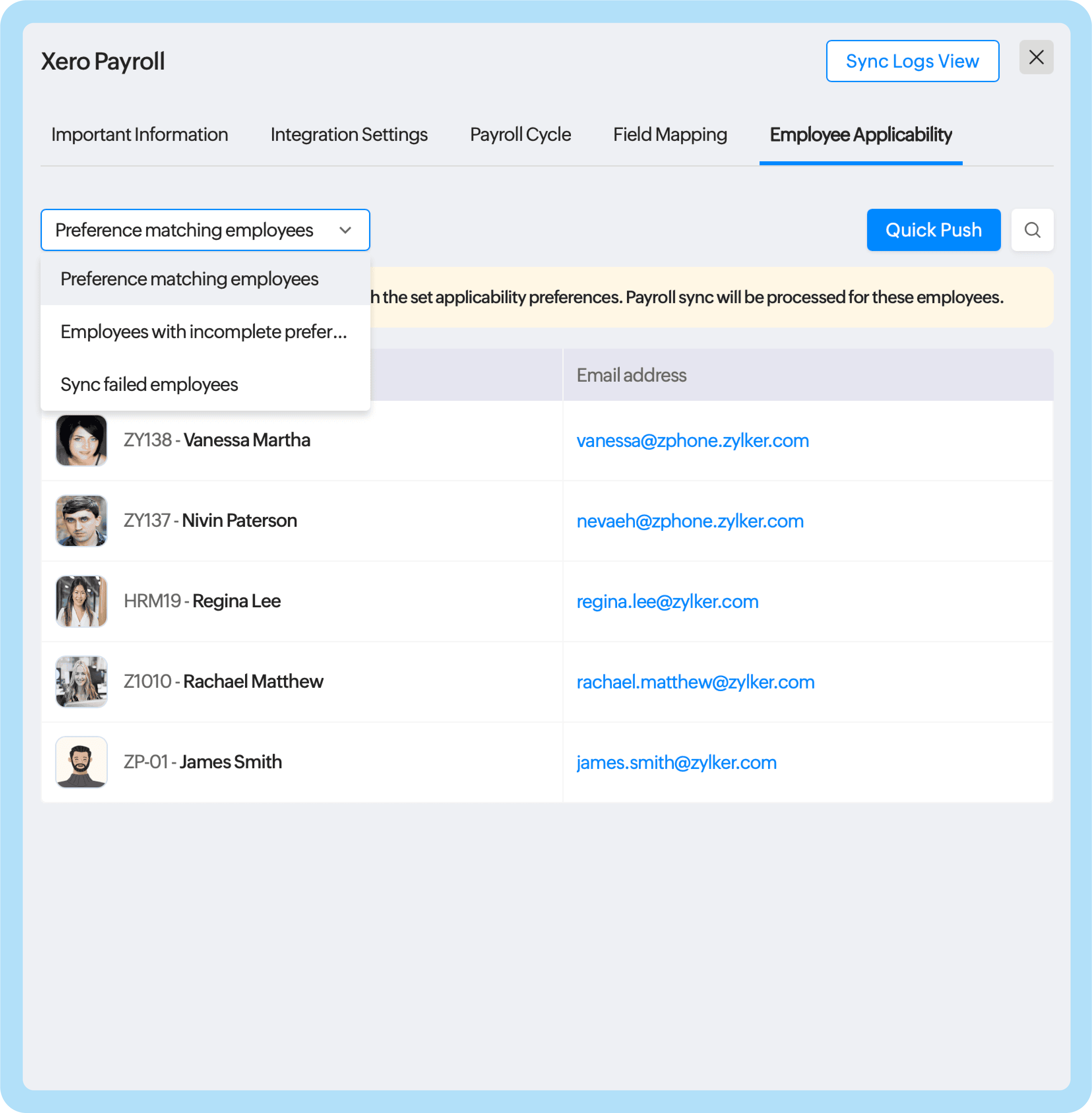
To sync additional fields available in Xero Payroll, create custom fields in the Employee Information form and map them to the corresponding fields in Xero Payroll. Once the integration is enabled, existing employee information that matches your sync preferences will also be synced to Xero Payroll.
Get timesheets ready for payroll in just a few steps
An employee’s regular, overtime, and double time hours can have a significant impact on payroll calculations, so they need to land in the correct categories for accurate pay and compliance.
To set this up, you can map each hour category from Zoho People to the corresponding earning categories in Xero Payroll. You can also map the pay period in Zoho People to the pay frequency in Xero (whether it's weekly, every two weeks, or monthly) so that both systems follow the same payroll schedules.
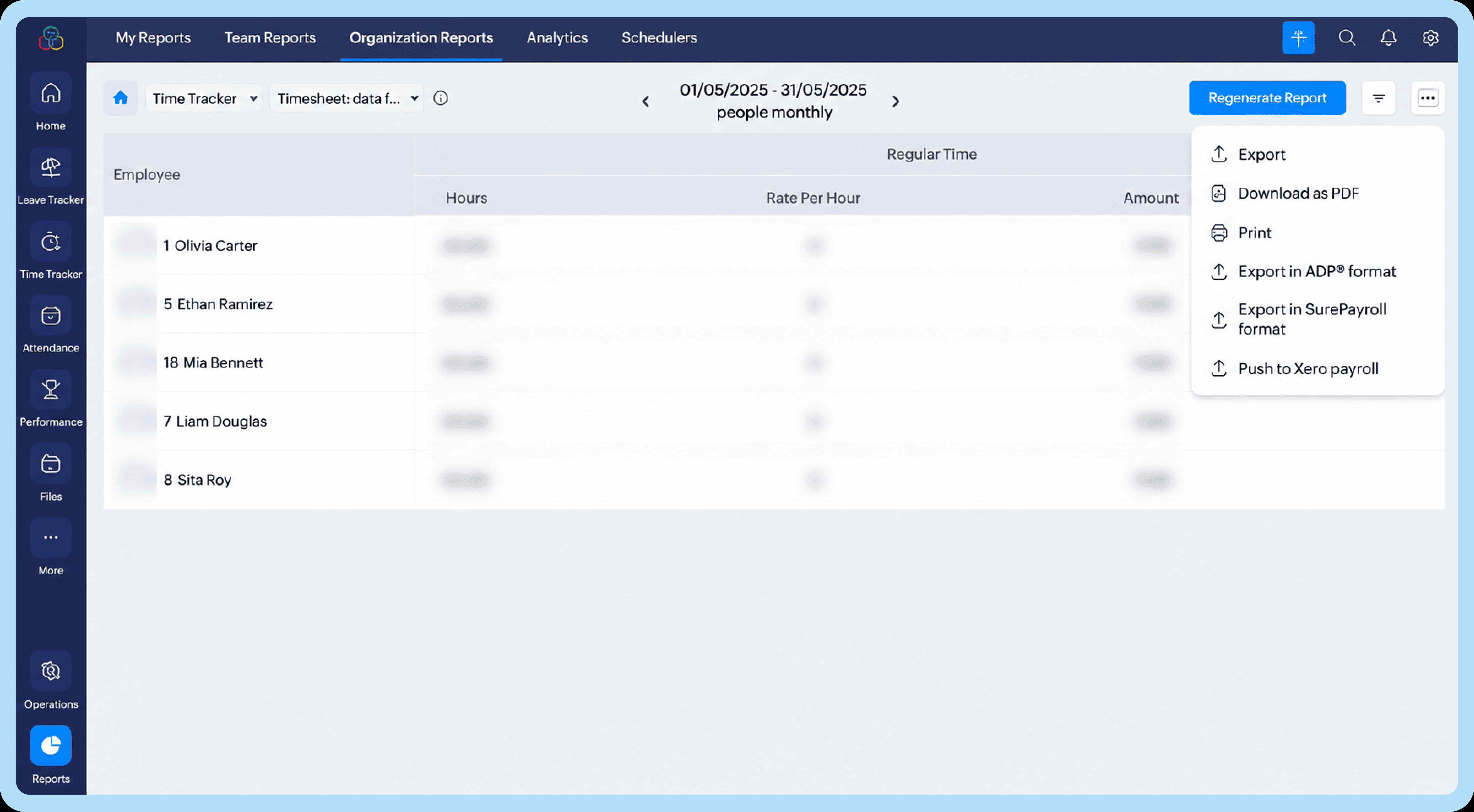
Here's what to know: Once you've configured the earning rate mapping, select the relevant pay period and choose Push to Xero Payroll under Reports > Organization Reports > Time Sheets > Timesheet data for payroll.
Send your leave records to your payroll system
When an employee applies for leave and gets approval from their manager, that information should also be reflected in your payroll system.
Use the integration to map applicable leave types in Zoho People to the corresponding leave names in Xero Payroll. This ensures that leave data is synced to the payroll system automatically.
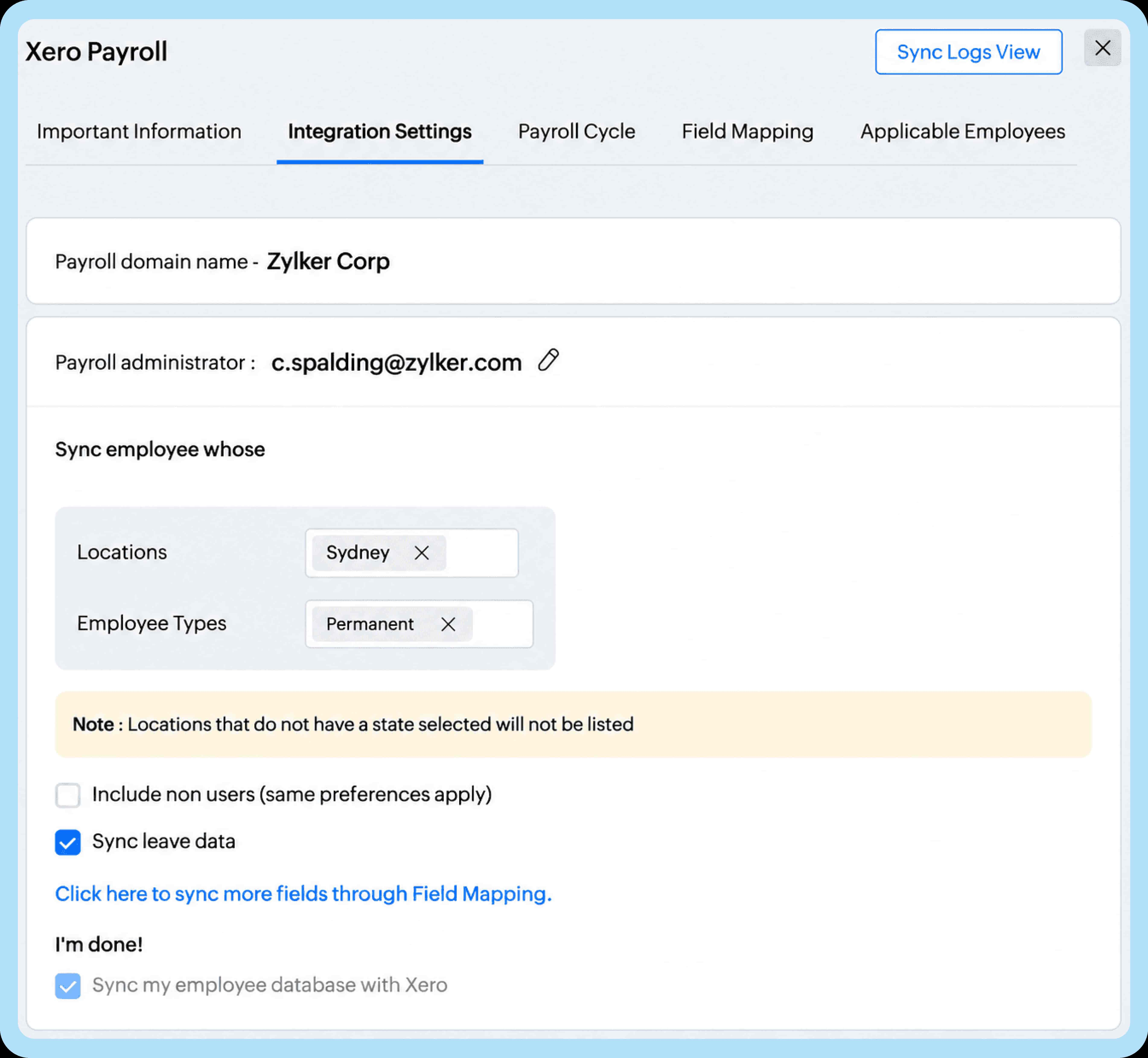
Note that leave data is synced from the first day of the previous month. For example, if you sync on October 15, leave records from September 1 onward will be included.
Bring HR and payroll closer together
From employee information and timesheets to leave records, the Xero Payroll integration for Zoho People helps Australian businesses simplify their HR and payroll processes.
Ready to simplify your HR and payroll workflows? Explore the Xero Payroll integration with Zoho People.



Comments