
Understand connections
Connections are intended to connect to external facilities. They enable you to integrate your Zoho Creator application with various other cloud services. For instance, let's assume you have a product management application in Creator. And, you have details of your vendors and payments in an external service like QuickBooks. Connections can bridge these two services, facilitating interaction of data between the two in a secure manner. This security is achieved by linking an authorizing account with the connection. When you create a connection, you are prompted to associate an account with it, and authorize access to the third party service. It is mandatory to authorize a connection for it to be functional.
Adding a connection to your account is a one-time process. You can use a connection in the context of a form workflow, a report workflow, an integration field, and so on. For instance, you can have a workflow to send an SMS notification on successful form submission. For the SMS to be sent, you need to have a service provider. In this case, you can add a connection for the required SMS service provider and authorize it. This connection can be used while you create the send SMS notification workflow.
Cloud services are more powerful when they're connected. Connections provide a way to keep your SaaS products together, allowing you to achieve data sync across services. This promotes integration by allowing users to establish authentication with Zoho or other third-party SaaS, and perform REST operations on the authorized accounts.
Connections are like a gateway to communicate with other Zoho or third-party services from Zoho Creator. In other words, Connections wraps the whole authentication process and lets you effortlessly connect to your accounts in the supported services.
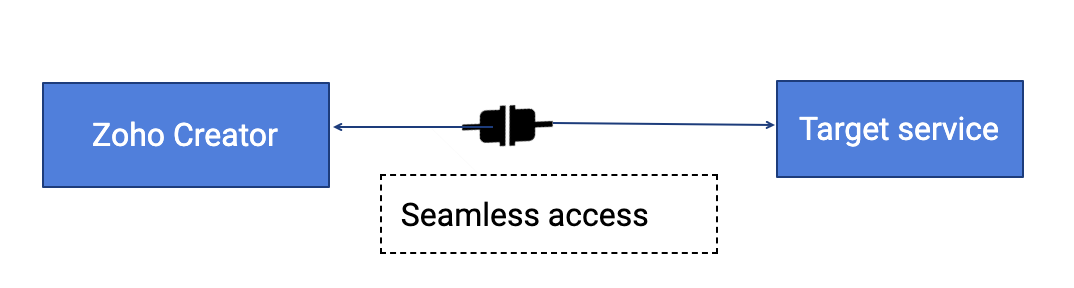
When the connection is created and connected, you can seamlessly transfer data and perform other related operations based on the target service
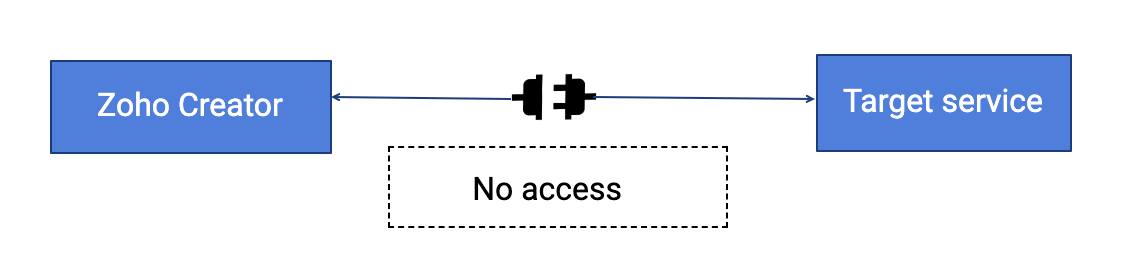
When the connection is not connected, you will be restricted from communicating with the target service
There are two types of connections:
User connections - User connections are those which are manually created by users to connect external services. These connections are authorized at the same time when the connection is created. Learn More
System connections - System connections are those that are created by default when integration actions are defined by the user. For example when you write an integration task
Once connected, you can use these services across all the applications in your account. You will be able to perform various actions like add records, fetch records, and search for records from the connected cloud service.
Note:
- The specified connection name will be used in scripting, to connect Zoho Creator with the selected cloud service.
Supported connectors
The following are the supported connectors with which you can create connections:
Note: The connections created using the available connectors can be used in Datasources, Workflows, and Payment workflows. The supported areas for each connector are also mentioned in the table below.
| Type of service | Description | Service | Supported areas | Availability across DCs | ||||
| US | EU | AU | IN | CN | ||||
| Accounting & Invoicing | Create invoices / financial reports in the required accounting service when a workflow is triggered in Zoho Creator. | Quickbooks | Datasources & Workflows | ✓ | ✓ | ✓ | ✓ | ✓ |
| Expensify | Datasources & Workflows | ✓ | ✓ | ✓ | ✓ | ✗ | ||
| Zoho Books | Datasources & Workflows | ✓ | ✓ | ✓ | ✓ | ✗ | ||
| Zoho Expense | Datasources & Workflows | ✓ | ✗ | ✗ | ✗ | ✗ | ||
| Zoho Invoice | Datasources & Workflows | ✓ | ✓ | ✓ | ✓ | ✗ | ||
| CRM & Contact Management | Add and manage customer information in the required CRM service from within Creator. | Salesforce | Datasources & Workflows | ✓ | ✓ | ✓ | ✓ | ✓ |
| Copper | Datasources & Workflows | ✓ | ✓ | ✓ | ✓ | ✗ | ||
| Salesmate | Datasources & Workflows | ✓ | ✓ | ✓ | ✓ | ✗ | ||
| Streak | Datasources & Workflows | ✓ | ✓ | ✓ | ✓ | ✗ | ||
| Zoho CRM | Datasources | ✓ | ✓ | ✓ | ✓ | ✓ | ||
| Customer Support | Manage and analyze support tickets in the required customer support service from within Creator. | Teamwork Desk | Datasources & Workflows | ✓ | ✓ | ✓ | ✓ | ✗ |
| Zoho Assist | Datasources & Workflows | ✓ | ✓ | ✓ | ✓ | ✗ | ||
| Human Resource | Perform employee management using human resource services from within Creator. | Zoho Recruit | Datasources | ✓ | ✓ | ✓ | ✓ | ✓ |
| Zoho People | Datasources & Workflows | ✓ | ✓ | ✓ | ✓ | ✗ | ||
| Payment Processing | Accept online payment from customers. | Authorize.Net | Payment workflow | ✓ | ✓ | ✓ | ✓ | ✗ |
| Forte | Payment workflow | ✓ | ✓ | ✓ | ✓ | ✗ | ||
| PayPal | Payment workflow | ✓ | ✓ | ✓ | ✓ | ✗ | ||
| PayflowPro | Payment workflow | ✓ | ✓ | ✓ | ✓ | ✗ | ||
| PaymentsPro | Payment workflow | ✓ | ✓ | ✓ | ✓ | ✗ | ||
| Razorpay | Payment workflow | ✓ | ✓ | ✓ | ✓ | ✗ | ||
| Stripe | Payment workflow | ✓ | ✓ | ✓ | ✓ | ✗ | ||
| Paytm | Payment workflow | ✓ | ✓ | ✗ | ✗ | ✗ | ||
| Project Management & Time Tracking | Add, manage, track task using the supported services from within Creator. | Easy Projects | Datasources & Workflows | ✓ | ✓ | ✓ | ✓ | ✗ |
| Forecast | Datasources & Workflows | ✓ | ✓ | ✓ | ✓ | ✗ | ||
| Jira Cloud | Datasources & Workflows | ✓ | ✓ | ✓ | ✓ | ✗ | ||
| Redmine | Datasources & Workflows | ✓ | ✓ | ✓ | ✓ | ✗ | ||
| Teamwork Projects | Datasources & Workflows | ✗ | ✓ | ✓ | ✓ | ✗ | ||
| Toggl Track | Datasources & Workflows | ✓ | ✓ | ✓ | ✓ | ✗ | ||
| Zoho Projects | Datasources & Workflows | ✓ | ✗ | ✗ | ✗ | ✗ | ||
| Zoho Orchestly | Datasources & Workflows | ✓ | ✓ | ✗ | ✗ | ✗ | ||
| SMS | Send SMS notifications such as appointment reminders, transaction details, status update on orders and device approvals. | Twilio | Workflows | ✓ | ✓ | ✓ | ✓ | ✓ |
| Clickatell | Workflows | ✓ | ✓ | ✓ | ✓ | ✓ | ||
| Hoiio | Workflows | ✓ | ✓ | ✓ | ✓ | ✓ | ||
| ClockWorkSMS | Workflows | ✓ | ✓ | ✓ | ✓ | ✓ | ||
| SMS-Magic | Workflows | ✓ | ✓ | ✓ | ✓ | ✓ | ||
| Subscription Management | Manage subscriptions using the supported service from within Creator. | Chargify | Datasources & Workflows | ✓ | ✓ | ✓ | ✓ | ✗ |
| Zoho | Used for secure access of other Zoho applications. | Zoho OAuth | Workflows | ✓ | ✓ | ✓ | ✓ | ✓ |
| Calendars & Scheduling | Track schedules from within Creator. | Lucid Meetings | Datasources & Workflows | ✓ | ✓ | ✓ | ✓ | ✗ |
| Zoho Calendar | Datasources & Workflows | ✓ | ✓ | ✓ | ✓ | ✗ | ||
| Documents & Spreadsheets | Add and manage data in document management services from within Creator. | Zoho Sheet | Datasources & Workflows | ✓ | ✓ | ✓ | ✓ | ✗ |
| Ecommerce | Manage data in ecommerce services from within Creator. | BigCommerce | Datasources & Workflows | ✓ | ✓ | ✓ | ✓ | ✗ |
| Zoho Commerce | Datasources & Workflows | ✓ | ✓ | ✓ | ✓ | ✗ | ||
| Event Management | Create and fetch data in event management services by triggering Creator workflows. | XING Events | Datasources & Workflows | ✓ | ✓ | ✓ | ✓ | ✗ |
| Zoho Backstage | Datasources & Workflows | ✓ | ✓ | ✓ | ✓ | ✗ | ||
| Inventory Management | Add, manage, and analyze data in inventory management services from within Creator. | EZOfficeInventory | Datasources & Workflows | ✓ | ✓ | ✓ | ✓ | ✗ |
| Marketing Campaigns | Send and get data from campaign services using Zoho Creator workflows. | ActiveCampaign | Datasources & Workflows | ✓ | ✓ | ✓ | ✓ | ✗ |
| ActiveTrail | Datasources & Workflows | ✓ | ✓ | ✓ | ✓ | ✗ | ||
| ConvertKit | Datasources & Workflows | ✓ | ✓ | ✓ | ✓ | ✗ | ||
| MailerLite | Datasources & Workflows | ✓ | ✓ | ✓ | ✓ | ✗ | ||
| Moosend | Datasources & Workflows | ✓ | ✓ | ✓ | ✓ | ✗ | ||
| SendinBlue | Datasources & Workflows | ✓ | ✓ | ✓ | ✓ | ✗ | ||
| Zoho Campaigns | Datasources & Workflows | ✓ | ✓ | ✓ | ✓ | ✗ | ||
| Dashboards & Reports | Incorporate dashboards from supported services in Zoho Creator. | Zoho Analytics | Datasources & Workflows | ✓ | ✓ | ✓ | ✓ | ✗ |