- HOME
- Best practices & Guides
- How to use hidden fields to track campaign source and calculate true form ROI
How to use hidden fields to track campaign source and calculate true form ROI
- Last Updated : September 1, 2026
- 181 Views
- 11 Min Read

You spent the budget and the leads came in. Then CMO asks the question every marketer dreads: which campaigns actually brought in new revenue?
For most teams, the honest answer is a shrug - the form captured the lead, but not it's origin, so the trail to revenue goes cold at the point of submission.
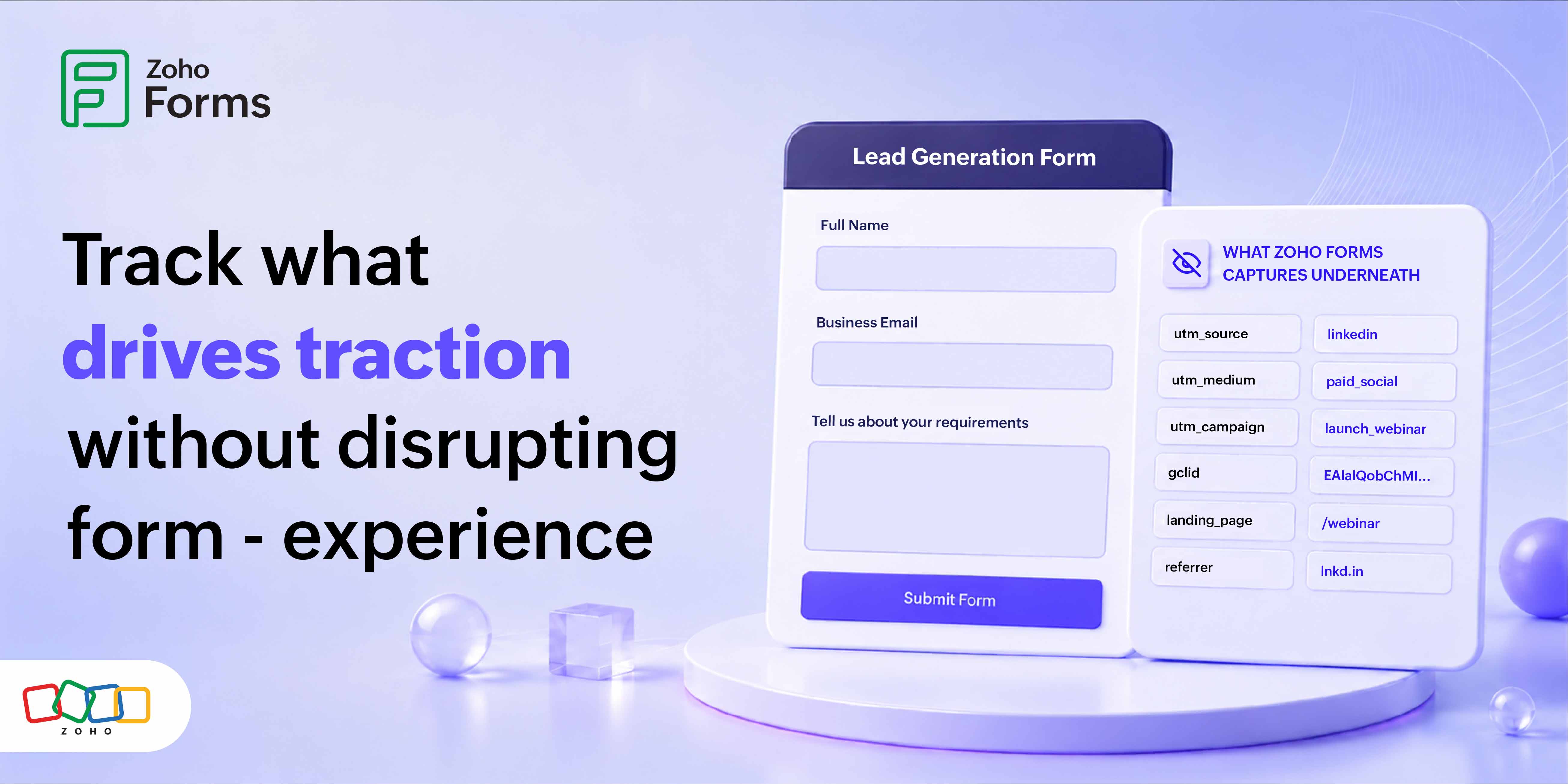
A hidden field answers that gap. Your respondents don't see the hidden field while it continues to do it's job in the background - it records each submission's origin, its source channel campaign, and the associated ad. Add hidden fields to your Zoho Forms and you can trace each submission from the first click through your CRM, to the deal it becomes - and see what each campaign is actually worth.
In short: Hidden fields capture campaign data (UTM parameters and ad click IDs) from the page URL the moment someone submits a form. Pass that data into your CRM and you can attribute revenue back to the campaign behind each lead. That link is what makes real form ROI possible.
What is a hidden field?
A hidden field stays invisible to the person filling out the form, yet it collects and submits a value in the background. This information may be something you already know but cannot otherwise keep a track of, like the campaign source or a customer ID.
Hidden fields are filled automatically, most often from the page URL, which makes it handy for context you want on record without asking for it: which ad or channel sent the visitor, which affiliate drove the lead, or which landing page the form sat on. Since the value is filled automatically, there is no response load on your respondent, and the data is uniform and clean.
What is campaign source tracking?
Campaign source tracking means tagging every inbound link with data that identifies the marketing effort behind it, so when someone acts on that link, you know which effort to credit. The standard method uses UTM parameters - small tags on the end of a URL:
https://zylker.com/webinar?utm_source=linkedin&utm_medium=paid&utm_campaign=q3_webinar
On their own, these tags tell your analytics tool where traffic came from. Along with a hidden field, they ride along with the form submission into your CRM, where the traffic data is translated into revenue attribution.
Why you can't calculate form ROI without source data
ROI is revenue minus cost, divided by cost. You always know what your campaigns cost. What you're missing, without source data on each lead, is a way to connect revenue back to the campaign that earned it.
It's a stubborn problem. In marketing ROI benchmarks compiled by Sender (2025–2026), only 36% of marketers said they can accurately measure ROI, and 47% said they struggle to measure it across channels. (Stat flagged for verification.) Hidden fields fix this by attaching the source to the lead at the moment of capture, and help you identify the source, and plan future campaigns using these insights.
How hidden fields capture campaign source
Here's how it plays out, from click to attributed revenue:
- Tag the link with UTM parameters (and any ad click IDs).
- The visitor clicks and lands on your page with the tags in the URL.
- Each hidden field, named to match a parameter, has its value set based on the URL.
- The respondent fills the visible fields.
- Data from both visible and hidden fields is saved and relevant details are sent to your CRM so the lead is tagged, and when it becomes a deal your CRM knows which campaign to credit.
None of this hinders the respondent's experience. They see the same short, clean form throughout.
Which parameters to capture
Capture the five standard UTMs for channel-level attribution, and add platform click IDs wherever you run paid ads.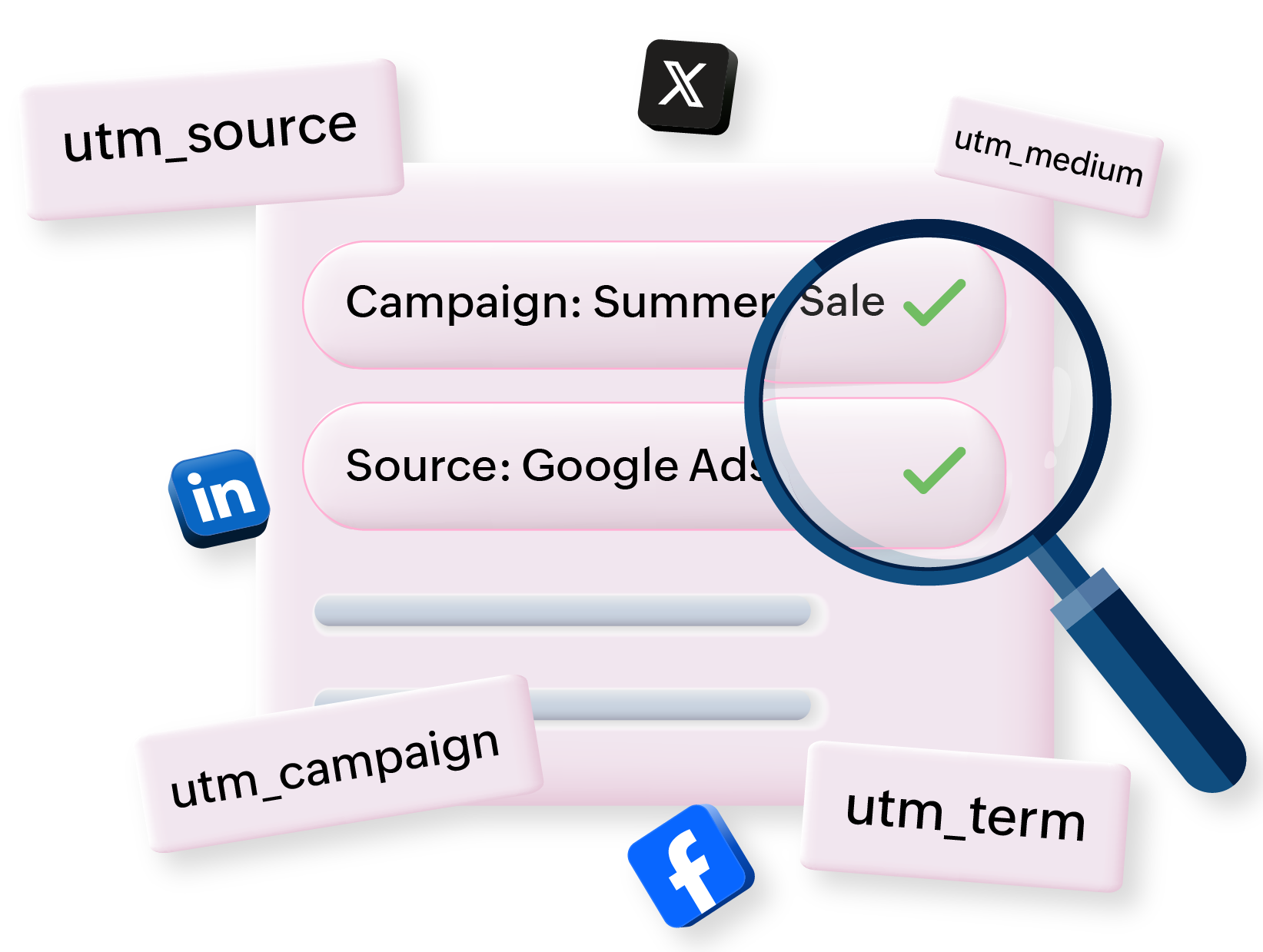
| Parameter | What it records | Priority |
| utm_source | Where traffic came from | Essential |
| utm_medium | The channel type | Essential |
| utm_campaign | The specific campaign | Essential |
| utm_term | Paid keyword (search) | Optional |
| utm_content | Ad or link variant (A/B) | Optional |
| gclid | Google Ads click ID | Paid search |
| fbclid | Meta click ID (Facebook and Instagram) | Paid search |
| msclkid | Microsoft Advertising click ID | Paid search |
Rule of thumb: UTMs answer "Which campaign?" for your reporting; click IDs answer "Which exact click?" for the ad platform. Capturing both gives you channel-level ROI in your CRM and accurate conversion signals back in Google Ads or Meta.
Step by step: set up hidden fields in Zoho Forms
To identify the source from which your respondents visited your website and submitted an entry through an embedded Zoho Form, define the tracking parameters, and then copy the code generated by Zoho Forms containing the tracking parameters defined by you and paste it in your website's footer before the </body> tag.
To define UTM tracking parameters,
- In your form builder, go to the Share tab.
- Click UTM Tracking in the left menu and click Start Tracking.
- When you enable tracking, the default UTM parameters utm_source, utm_medium, utm_channel, utm_name, and utm_term will be used for tracking.
You can even define custom UTM parameters to track your campaigns.
One common mistake to avoid: Adding hidden fields to one landing page but forgetting the others. Attribution only works if every form that receives campaign traffic carries the same fields.
Learn in detail about configuring UTM tracking in Zoho Forms
How to calculate true form ROI
True form ROI = (attributed revenue − campaign cost) ÷ campaign cost
Hidden fields supply the "attributed revenue" figure by tying each closed deal back to its source campaign. Other relevant metrics you can calculate include:
Cost per lead (CPL) = cost ÷ submissions
Cost per acquisition (CPA) = cost ÷ customers won
Example: A LinkedIn campaign promoting a webinar (tagged utm_source=linkedin and utm_campaign=q3_webinar) is driving prospects to a registration form on a landing page.
| Metric | Value |
| Campaign cost | $5,000 |
| Form submissions | 200 |
| Submissions that became customers | 25 |
| Revenue from those customers | $60,000 |
In this example, we can determine a CPL of $25, CPA of $200, and a form ROI of 1,100%. Without hidden fields, revenue driven by this highly successful campaign would blur in with other sources in one pile of "form leads."
Attribution model comparison
An attribution model decides how credit for a conversion is split across the campaigns a buyer touched. Hidden fields feed all of them, and capture the source no matter which one you run. Additionally, you can switch models later without losing data.
| Model | How it assigns credit | Best for |
| First-touch | 100% to the first campaign | Judging what generates awareness |
| Last-touch | 100% to the last campaign | Simple, short sales cycles |
| Linear | Equal credit to every touch | Fair, easy to explain |
| Time-decay | More credit to recent touches | Longer B2B cycles |
| Position-based | 40% first, 40% last, 20% middle | Balancing discovery and conversion |
Privacy and compliance
Reserve hidden fields for capturing campaign metadata: source, medium, campaign, click ID. Do not attach them to personal information a respondent hasn't knowingly given you. Disclose your tracking in your privacy policy, align capture with your consent practices, and follow the rules that apply to your respondents (GDPR, CCPA, India's DPDP Act).
Ready to measure what your campaigns actually earn?
Add hidden fields to your Zoho Forms, map them to Zoho CRM, and start attributing revenue to the campaigns that drive it in minutes, with no-code setup.
Frequently asked questions
1. What is a hidden field in a form?
A hidden field is a form field that respondents never see or type into, but that still records and submits a value. It's populated automatically-usually from the page URL with context you already know, such as the campaign source, a referral ID, or the product a landing page promotes. Because the value is filled for the respondent, the data is complete and consistent without adding any visible questions. Hidden fields are the standard way to attach marketing and routing context to a submission, and in Zoho Forms they can be mapped to CRM fields so that context travels with the lead into your revenue system.
2. How do hidden fields capture UTM parameters?
When you tag a link with UTM parameters, those tags sit in the page URL after someone clicks. A hidden field named to match a parameter for example, a field called `utm_source` reads its value from that URL when the page loads. The respondent fills out the visible fields as usual, and on submission the captured UTM values are saved alongside their answers. In Zoho Forms, you set this up by adding a hidden field, telling it to populate from the URL, then mapping it to the matching CRM field so the source lands on your lead record automatically.
3. What are UTM parameters?
UTM (Urchin Tracking Module) parameters are small tags added to the end of a URL to identify the marketing effort behind a click. The five standard tags are `utm_source` (where the traffic came from), `utm_medium` (the channel type), `utm_campaign` (the specific campaign), `utm_term` (a paid keyword), and `utm_content` (an ad or link variant). Analytics tools read these tags to group traffic by campaign. Paired with hidden fields, the same tags travel into your form entries and CRM, which is what lets you attribute revenue, not just visits, to each campaign.
4. Can Zoho Forms capture UTM parameters automatically?
Yes. Zoho Forms supports hidden fields that populate from URL parameters, so UTM values are captured automatically when a respondent lands on your page from a tagged link and submits the form. You add one hidden field per parameter, name each to match, and switch on prefill from the URL. Through the Zoho CRM integration, you then map each field to a CRM field so the source data flows through to the lead record. Confirm the exact field settings in your current builder version, since labels can vary, then test with a fully tagged link before you launch.
5. What is form ROI and how do you calculate it?
Form ROI measures the return on the marketing spend that drove submissions through a form. The formula is (attributed revenue − campaign cost) ÷ campaign cost, expressed as a percentage. The cost side is easy; you know what you spent. The revenue side requires knowing which campaign produced each lead and which of those leads became customers. Hidden fields supply that link by capturing the source at submission and passing it to your CRM, where closed-deal revenue lives. Cost per lead and cost per acquisition can be derived from the same data to round out the picture of a campaign's efficiency.
6. How do I track which campaign a form submission came from?
Tag every campaign link with UTM parameters and, for paid channels, click IDs. Then add hidden fields to your form, each named to match a parameter and set to read its value from the URL. When someone submits, those values are recorded with the submission and passed to your CRM. From there you can group submissions by source and, once deals close, tie revenue back to specific campaigns. The key is consistency: use a shared naming convention, apply the same hidden fields to every form that receives campaign traffic, and set default values so untagged submissions still record a source.
7. What is the difference between first-touch and last-touch attribution?
First-touch attribution gives all the credit for a conversion to the first campaign a buyer interacted with, which is useful for judging what generates awareness. Last-touch gives all the credit to the final interaction before conversion, which is simple but tends to over-credit bottom-of-funnel channels that merely closed a deal others warmed up. Neither tells the whole story for multi-step journeys. Hidden fields capture source data regardless of model, so you can start with a simple model and move to linear, time-decay, or position-based attribution later without losing the underlying data.
8. Do hidden fields affect form conversion rates?
No. Hidden fields are invisible and require no action from the respondent, so they add no friction, length, or complexity to the form. The person sees the same clean set of visible questions whether or not hidden fields are present. Because they're filled in automatically, they don't slow down completion or increase abandonment. In practice, hidden fields improve your data quality by providing accurate source information on every submission without changing the experience for the person filling out the form. That combination of better data and zero added friction is what makes them worth setting up.
9. Can I capture Google Ads gclid and Facebook fbclid with hidden fields?
Yes. `gclid` (Google Ads) and `fbclid` (Meta) are click IDs the platforms append to your landing page URL automatically when someone clicks a paid ad. Add a hidden field for each, named to match, and set it to read from the URL, just as you would for UTM parameters. Capturing click IDs lets you reconcile conversions inside the ad platforms and, where supported, match offline or CRM revenue back to specific clicks. Microsoft Advertising uses `msclkid` in the same way. For paid campaigns, capturing both UTMs and click IDs gives you channel-level ROI in your CRM and accurate conversion signals in the ad platform.
10. How do hidden fields connect to my CRM?
Through your form's CRM integration, each hidden field is mapped to a corresponding CRM field. In Zoho Forms, the Zoho CRM integration lets you map a hidden field such as `utm_campaign` to a lead-source field on the CRM record. When a form is submitted, the captured value is written to that CRM field, so the lead arrives already tagged with its campaign source. This is the step that carries attribution out of the form and into your revenue system. Without it, hidden fields still capture source data in the form entry, but that data never reaches the place where deals and revenue are tracked.
11. Are hidden fields bad for SEO or accessibility?
Used correctly, no. Hidden fields carry contextual data like campaign source and are not intended to hide content from search engines or mislead users, so they don't fall foul of SEO guidelines the way deceptive hidden text does. For accessibility, because respondents neither see nor interact with these fields, they don't affect keyboard navigation or screen-reader flow through the visible form. The guidance is straightforward: use hidden fields for legitimate metadata capture, keep the visible form clean and usable, and don't attempt to conceal information a user would reasonably need to see.
12. What UTM naming convention should I use?
Pick a convention and enforce it everywhere. Use lowercase consistently, separate words with underscores or hyphens (but pick one), and keep values short and descriptive. For example: `utm_source=linkedin`, `utm_medium=paid`, `utm_campaign=q3_webinar`. The most common failure is casing and spelling drift - `LinkedIn`, `linkedin`, and `Linked-In` register as three separate sources and break every report before you notice it. Document the allowed values for source and medium, share the document with everyone who builds links, and consider a link-building spreadsheet or tool so tags are generated consistently rather than typed by hand each time.
13. How do I keep UTM data across a multi-step or multi-page form?
If a visitor lands with UTMs but then clicks through several pages before reaching the form, the tags can drop out of the URL. To keep them, persist the values across the session, typically by storing them when the visitor first arrives and re-applying them to the form's hidden fields at submission. That way, the source you capture reflects the campaign that brought the visitor in, rather than wherever they happened to be when they finally submitted. Test the full journey with a tagged link, clicking through the same path a real visitor would, and confirm the values still arrive intact in your form entry and CRM.
14. Is capturing campaign data in hidden fields a privacy risk?
Campaign metadata-source, medium, campaign, click ID-describes where a click came from, not who the person is, so it carries less privacy risk than personal data. That said, handle it responsibly. Disclose your tracking in your privacy policy, align capture with your consent and cookie practices, and follow the regulations that apply to your respondents, such as the GDPR, CCPA, and India's DPDP Act. The safe rule is to keep hidden fields limited to campaign context and never use them to collect personal information a respondent hasn't knowingly provided. Attribution and privacy can coexist when you scope the data carefully.
15. What's the difference between hidden fields and prefill (pass-through) fields?
The terms overlap. A hidden field is defined by being invisible to the respondent. Prefill or pass-through refers to how a field gets its value-populated in advance, often from URL parameters. In practice, hidden fields for campaign tracking are prefilled from the URL, so they're both hidden and prefilled. You can also prefill visible fields (for example, filling in a known email so a returning respondent doesn't retype it). For UTM and click-ID capture, you want fields that are both hidden and populated from the URL, which is exactly what Zoho Forms hidden fields provide.