- HOME
- Data Management
- How to organize meeting minutes with Zoho Tables
How to organize meeting minutes with Zoho Tables
- Last Updated : January 27, 2026
- 184 Views
- 3 Min Read
Systematically organizing meeting minutes is crucial because they often become the next set of tasks for your team. What if you could manage your meeting minutes, assign action items from the meeting, and track them from start to finish, all in one place? If that sounds curious, keep reading to uncover how Zoho Tables helps you do that in style.
Meeting minutes
Meeting minutes are the notes taken during a meeting, which include everything from the agenda and discussion topics to action items and the individuals responsible for completing the tasks.
If you’re looking to understand what meeting minutes are and why they matter, you can explore that separately. Here, we’ll focus on how to organize meeting minutes effectively and use them to drive outcomes for your team.
Using Zoho Tables throughout the process
Zoho Tables can act as both your meeting planner and your meeting minutes manager. Let’s break down how it supports you at every stage of the meeting lifecycle.
Meeting prep
Even before a meeting begins, Zoho Tables can serve as a shared workspace for preparation and collaboration. Teams can use it to:
- Store and organize all files required for the meeting
- Create a clear agenda and assign discussion points to presenters
- Set up forms to collect data ahead of time
During the meeting
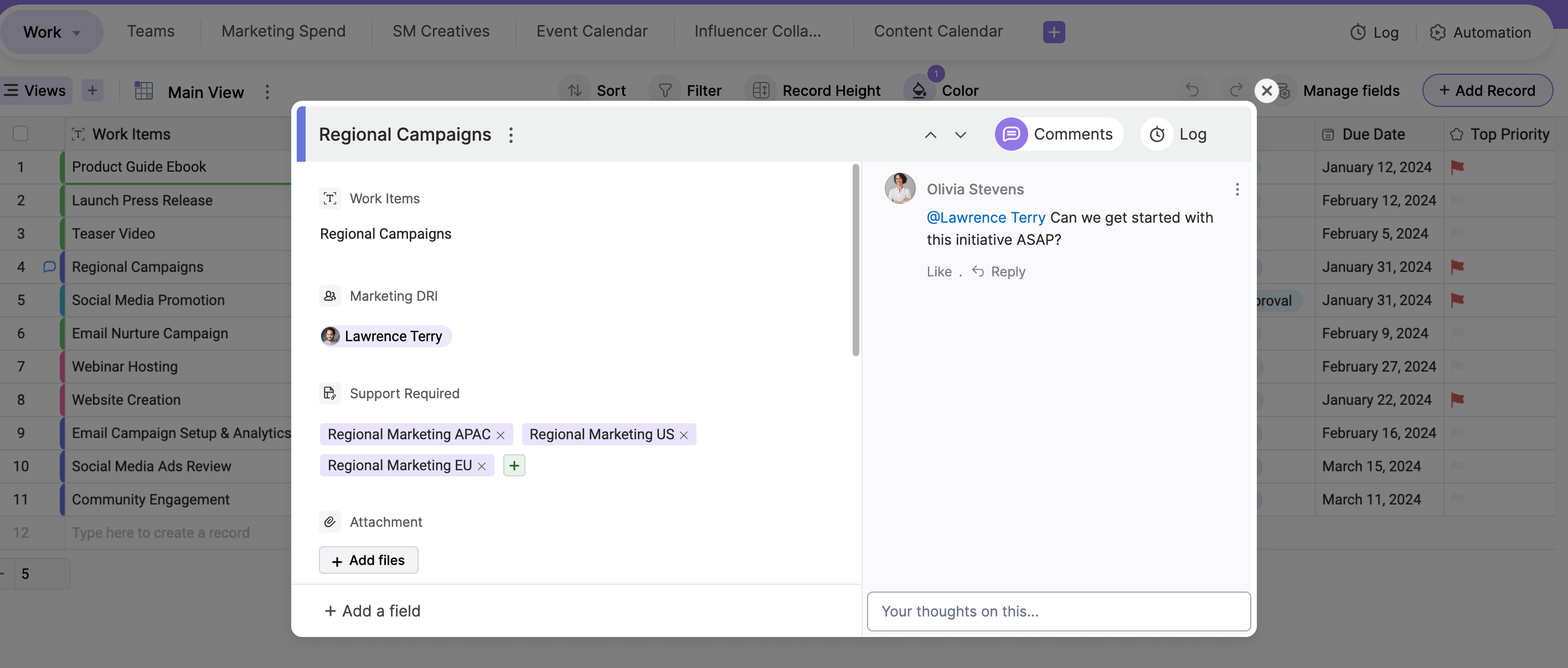
During the meeting, Zoho Tables can be used to add comments regarding each discussion point as conversations unfold.
After the meeting
Once the meeting concludes, all recorded comments can be consolidated into a structured meeting minutes document and attached directly to Zoho Tables. Anyone with access to the base can view the document instantly without switching apps. It doesn't stop here; the resulting action items can be assigned to individuals directly within the tool.
Benefits of using Zoho Tables to manage your meeting minutes
Centralized storage
All your meeting notes live in one place with Zoho Tables. The burden of preparing meeting minutes can be shared among team members by assigning the task to one attendee for each meeting. With the diverse set of field types available in Zoho Tables, you can store everything related to a meeting, including minutes, owners, dates, and responsibilities in a structured format.
Data | Field type |
Meeting minute document | Attachment |
Meeting date | Date and time |
Meeting owner | Collaborator |
Note taker | Collaborator |
Note: This list is an example and not exhaustive.
Dynamic views
Zoho Tables offers multiple ways to view your meeting data, including Grid, Gallery, Kanban, Calendar, and Form. This allows each team member to work in the format that suits them best.
- Grid: Enter and maintain data.
- Calendar: Stay on top of meeting schedules.
- Kanban: Track progress visually.
Assign tasks and collaborate in real time with your team
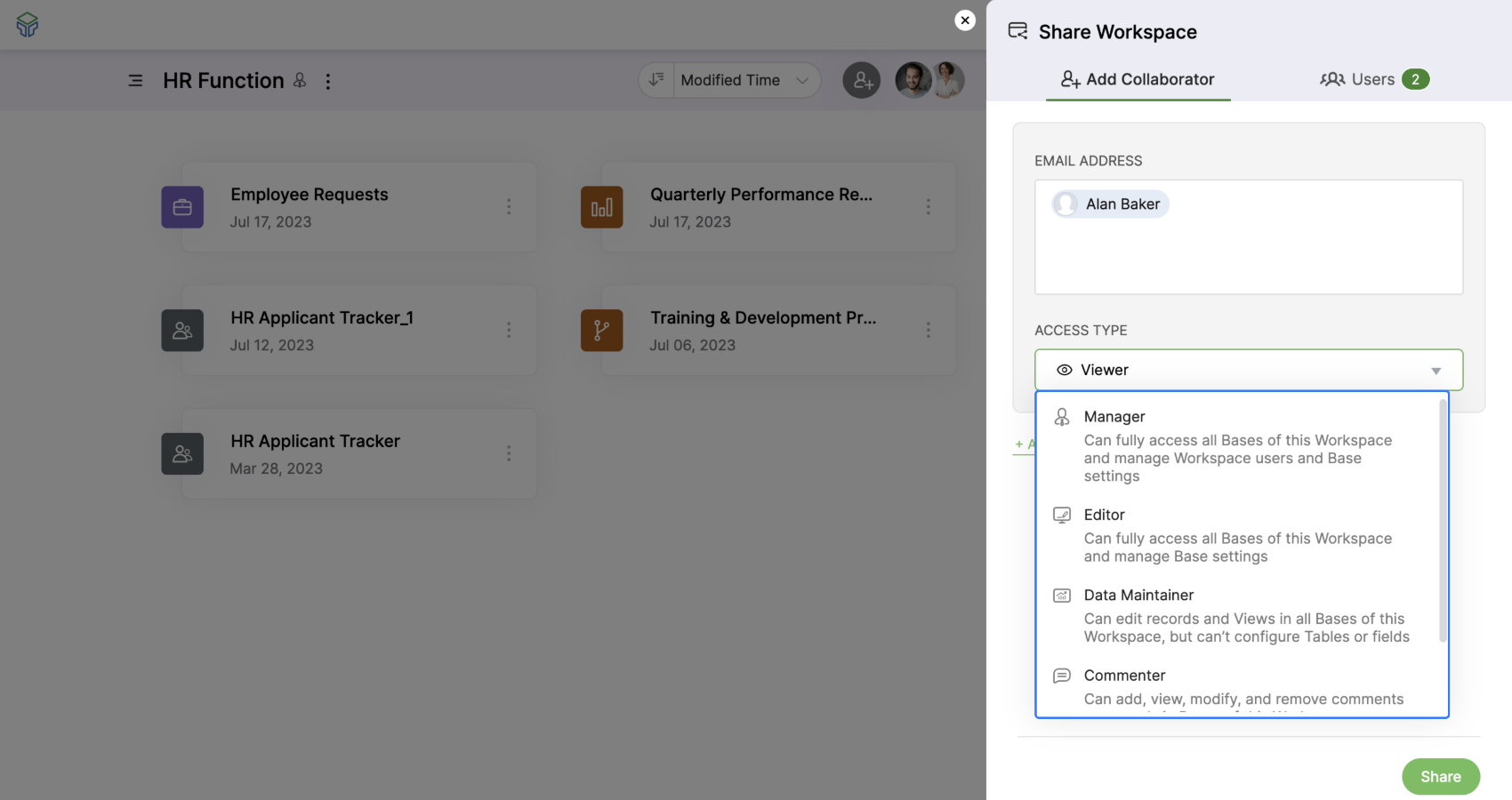
After every meeting, the resultant tasks can be created as records in Zoho Tables and assigned right away, fostering a sense of responsibility. Teams can collaborate using features such as record comments, live cursors, and activity logs. Custom access roles allow you to control who can view, edit, or comment, keeping information secure and relevant.
Collect input using the Zoho Tables form
Zoho Tables' forms make it easy to collect structured input from attendees without disrupting workflows. Forms can be shared before meetings to gather opinions, helping you run more informed and data-driven discussions.
Automate reminders and updates
Zoho Tables' automation works on simple trigger-and-action logic. You can automatically send reminders for pending meeting minutes and assigned tasks. This saves a lot of time that goes into manual follow-ups and ensures nothing is missed.
Use reports for an overall picture
You can create a visual dashboard with a simple drag-and-drop builder in no time. Highlight key insights, such as pending tasks from previous monthly meetings or the amount of work shared between teammates. These insights help you fine-tune discussions and make your overall work more productive.
Experience the advantages of mobile and tablet devices
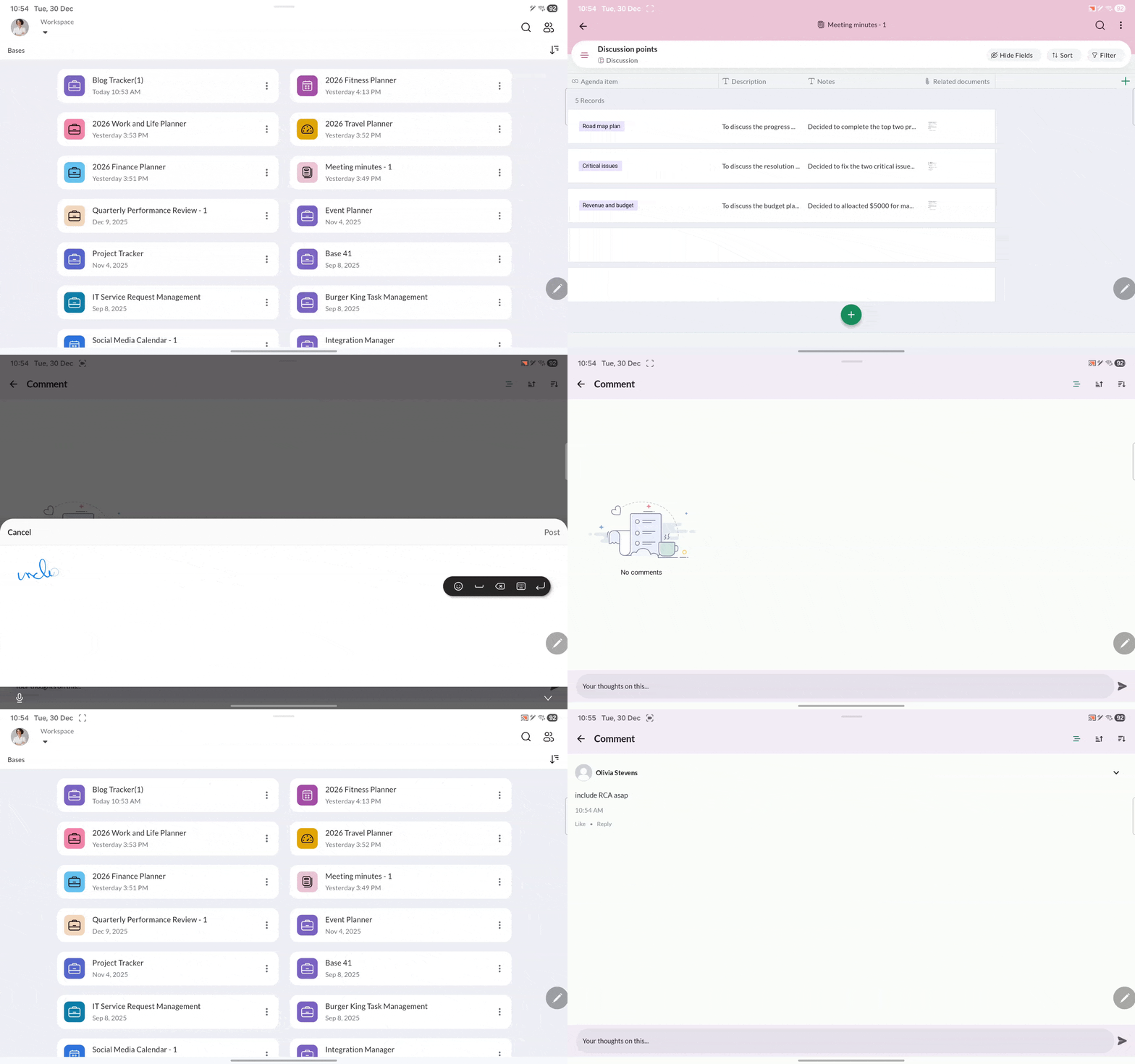
Zoho Tables offers both mobile and tablet versions. This enables you to update information on the go. During meetings, managers can capture notes live, and tablet users can handwrite directly into records using tools like the Apple Pencil or S Pen.
Every team is different, and so is every meeting. But Zoho Tables has got your back. Zoho Tables is highly flexible, allowing you to create a customized base that adapts to your specific meeting style and requirements.
Start organizing your meetings with Zoho Tables so nothing flies under the radar!
Get started
 Haripriya S
Developer turned marketer. Balancing parenting and marketing, and loving every bit of it.