Multichannel vs. Omnichannel Support: Key Differences
- Published : March 16, 2026
- Last Updated : March 16, 2026
- 163 Views
- 8 Min Read
Most teams start with good intentions, adding more ways for customers to get in touch (like email, WhatsApp, Instagram, live chat, and enhancing interactions) so that no message goes unanswered. At first, it feels like progress. Accessibility improves, customer engagement rises, satisfaction increases, and everything seems to move faster.
Until it doesn’t.
As conversations spread across different channels, they begin to fragment. Replies overlap, context disappears, and it becomes uncertain which queries have been resolved and which are still waiting. According to the CDP Institute, 68% of brands continue to struggle with siloed systems and fragmented communication that block a unified view of the customer data.
That leads to a crucial question: Are leaders truly delivering an omnichannel support, or just rebranding multichannel support with more touchpoints?
This article explores both models: What defines them, where each works best, and how teams can move toward connected communication without disrupting what already works.
What is multichannel customer support?
Multichannel communication happens when a business engages customers across several platforms, such as email, social media, live chat, or phone. However, businesses manage each channel separately with its own tools, customer data, and workflows.
For most businesses, this is the natural first step. You start with email using a multichannel approach, add a Facebook page when customer interactions increase there, and later set up WhatsApp Business as your audience becomes more active on messaging.
The advantages of multichannel communication
Reach your audience where they are. Whether it’s email, WhatsApp, or social media, you’re strengthening customer engagement by being present where your customers already spend their time.
Start small and scale naturally. Add multiple channels gradually as demand grows—no complex tech stack or heavy setup required.
Keep costs low. Each platform can run on basic tools or native apps, making it easy to expand without large upfront investments.
Optimize per channel. Your team can tailor their approach to each platform’s strengths. What works on Instagram will differ from what engages best over email.
The pros and cons of multichannel communication
Pros | Cons |
Customers reach you through their preferred channels | Teams can’t view past interactions across platforms |
Broader visibility and audience reach | Risk of duplicate or inconsistent replies |
Simple to set up and maintain | Difficult to track performance or accountability |
Flexibility to experiment with different channels | Limited conversation continuity |
Teams can focus and specialize by platform | Higher chance of missed or delayed responses |
When multichannel communication works best
For teams focused on responsiveness and visibility rather than full integration.
For businesses testing which channels drive the most engagement and customer response.
For early-stage or growing companies, building presence across platforms without adding complexity.
Several businesses operate here, and that's perfectly fine.
It works—until customers start repeating themselves, messages slip through, and being on every channel feels less like a strength and more like chaos, disrupting a consistent customer experience.
What is omnichannel customer service?
Omnichannel communication connects all of your customer data touchpoints into one unified system. Every interaction, whether it starts on Instagram, continues via email, or wraps up on WhatsApp, lives in a single conversation thread with complete context.
Instead of managing five separate inboxes, your team works from a central hub where customer data like history, preferences, and context flow across multiple channels automatically.
A customer who asks about pricing on Facebook Messenger and follows up via email three days later doesn't start from zero. Your team picks up exactly where the conversation left off, ensuring continuity through the entire customer journey.
The advantages of omnichannel communication
Complete customer context. Teams can view a customer’s entire history and preferences across channels to enable faster, more informed responses.
Seamless cross-channel customer experience. Teams can maintain one continuous conversation as customers switch between platforms.
Collaborative visibility. Teams share the same view of every conversation, avoiding duplicate replies and improving coordination.
Centralized insights. Shared data makes it easier to track trends, identify drop-off points, and measure performance across the full customer journey.
The pros and cons of omnichannel communication
Pros | Cons |
Consistent brand experience across channels | Higher setup and maintenance costs |
Full conversation history and context | Requires technical integration and ongoing upkeep |
Centralized data and analytics | May be complex for smaller teams to manage |
When omnichannel communication makes sense
For larger teams with established systems and CRMs that need better connections across tools.
For businesses focused on customer retention.
For companies ready to invest in unified platforms and the processes to support them.
Omnichannel extends beyond channel presence, uniting every touchpoint into a single, consistent customer journey. The trade-off? It requires investment, integration, and a willingness to rethink how your team works. You turn scattered touchpoints into one continuous conversation.
Multichannel vs. omnichannel communication: Seven key differences
Most support leaders already understand the basics of omnichannel vs. multichannel communication. The key differences lie not in the number of support channels, but in how those channels work together—and how much context travels with each customer interaction.
The table below breaks down the key differences between the two models. Here's how they compare:
Aspect | Multichannel | Omnichannel |
Focus | Multiple independent channels (email, chat, phone, social media) for communication | Unified and consistent customer experience across channels |
Channel relationship | Channels operate separately | Channels are integrated and synchronized |
Data flow | Data stored independently in each channel | Centralized and shared data |
Team collaboration | Teams manage per channel | Teams collaborate through shared data |
Performance measurement | Channel-specific metrics:
| Journey-wide metrics:
|
Setup complexity | Easier, independent setup | Complex, integrated setup |
Best suited for | Businesses focused on reach and responsiveness | Businesses focused on continuity and personalization |
It's not that a multichannel approach won't offer a customer-centric approach. Multichannel strategy builds presence. Omnichannel approach builds connection. The real opportunity lies in bridging the two.
Omnichannel vs. multichannel customer service: Which one is right for you?
Multichannel and omnichannel aren’t competing approaches. They simply reflect how your customers interact with your business. The right approach depends on how your customers communicate and how much connection your team needs to maintain context for a personalized customer experience.
If your customers typically reach out on one platform—say, through email, chat, or WhatsApp—a multichannel support setup works perfectly well. When customers choose to start switching between platforms and expect you to remember the context, omnichannel becomes more relevant.
Some brands, however, sit comfortably in the middle. Walmart, for example, with its brick and mortar store, is neither purely multichannel nor fully omnichannel. Its stores, website, and app function as distinct touchpoints but are closely coordinated. Customers can browse online, order through the app, and pick up in-store—an experience that feels connected even though the systems behind it aren’t fully unified.
Whether you operate on multiple separate platforms or a fully unified system, the goal remains the same: Make every interaction feel simple and connected
The bridge: Finding balance between reach and connection
Between omnichannel and multichannel, the gap isn’t as wide as it seems. You don't need to replace everything you've built to achieve a unified customer experience; you just need to connect it better.
This connection starts with a few foundational changes:
Connect all your channels in one inbox.
Give your team shared access.
Assign ownership clearly.
Collaborate internally.
Automate routine tasks.
Each step strengthens the connection without tearing down what already works. Over time, it naturally becomes a more connected customer experience for both your team and your customers.
Signs your team is ready to go omnichannel
Businesses don’t build an omnichannel support overnight. The shift builds gradually, through subtle gaps that begin to affect the customer expectations and make coordination harder than communication itself.
If these signs sound familiar, your multichannel customer support setup may have reached its limit.
Coordination is eating into response time.
You spend more time assigning messages than resolving them. Without a unified view, customer interactions spread across multiple touchpoints, leaving your team juggling tabs and inboxes instead of delivering consistent service.
Context keeps getting lost between channels
A customer follows up on WhatsApp about an earlier email, and your team has to piece together what happened. Each platform holds part of the story, so when your tools don’t integrate multiple communication channels, every handoff risks losing essential context.
Reports don’t reflect the real experience
Channel metrics look fine on paper, but they fail to show how smooth the journey feels from the customer’s side. A strong email CSAT can’t mask friction when customers switch platforms and repeat details. That’s when seamless customer experience becomes more than a buzzword; it’s a necessity.
Internal handoffs feel like starting over
As your team expands, conversations move between agents or departments. Without shared visibility, every transfer feels like a reset, breaking continuity in customer service and slowing resolutions.
You’re managing channels faster than you can connect them
What began with email now includes chat, WhatsApp, and DMs. Each new platform boosts your reach but fragments your omnichannel and multichannel workflow. The more you grow, the harder it becomes to maintain one coherent conversation across various support channels.
When coordination starts outweighing connection, it’s a clear signal your team has outgrown a multichannel customer service model. Moving toward omnichannel is more about simplifying than expanding. One workspace, shared visibility, and consistent customer preferences will be reflected across every channel.
How to implement omnichannel communication (step-by-step)
By now, your team has a presence across channels and knows what it takes to stay responsive. The next step is connecting those touchpoints so conversations feel seamless for both your customers and your agents.
The right customer data integration is essential for delivering a personalized experience that follows customers across all touchpoints.
Here's how that transition actually happens with Zoho TeamInbox.
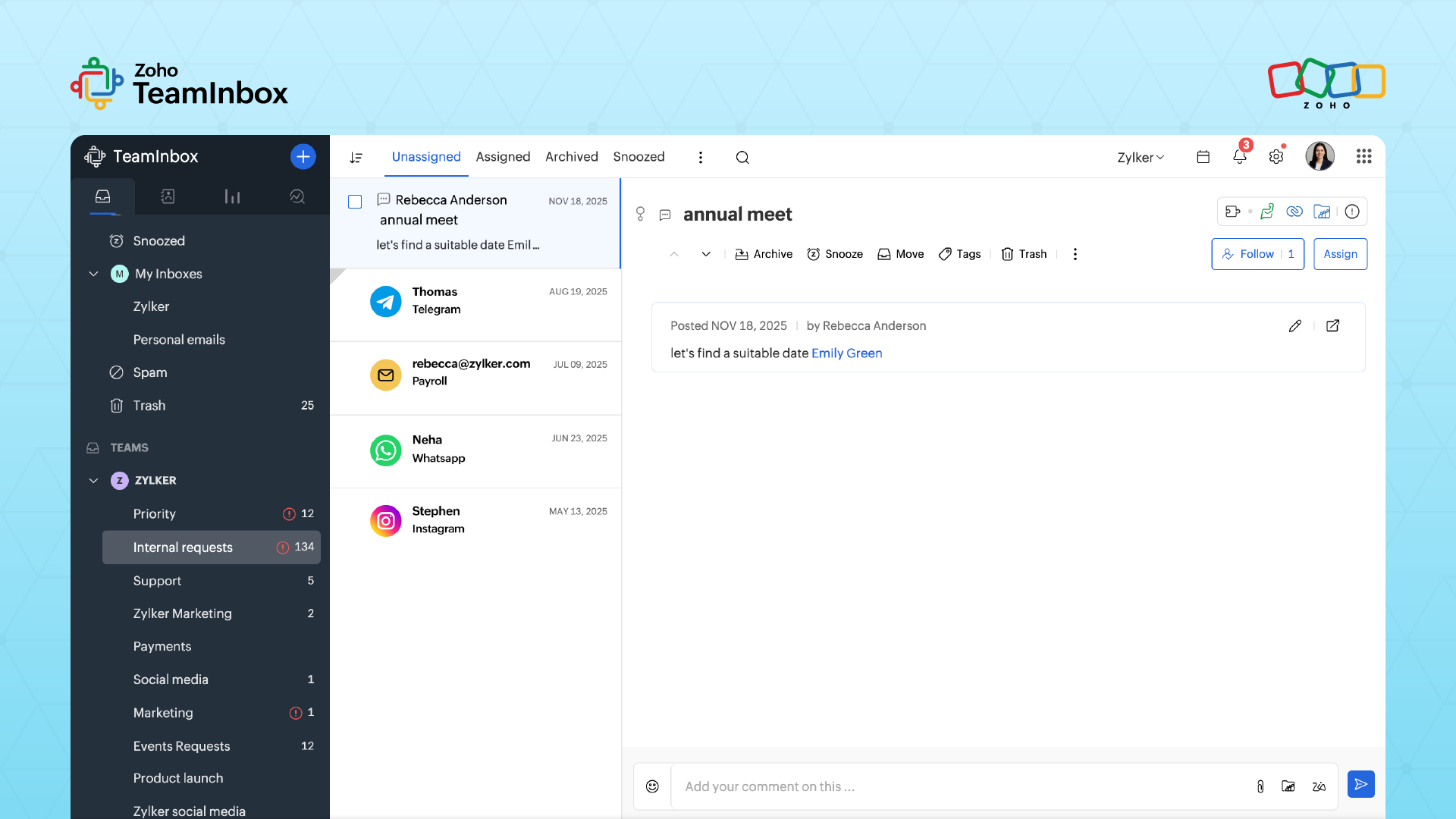
Step 1: Connect all channels to one workspace
Instead of checking Gmail, WhatsApp, Instagram, and Facebook separately, TeamInbox brings all of your business communication channels into one view through seamless integration. You can connect all your communication channels so every message—no matter where it starts—lands in one shared inbox.
Now, your team can respond from a unified workspace instead of bouncing between apps or devices.
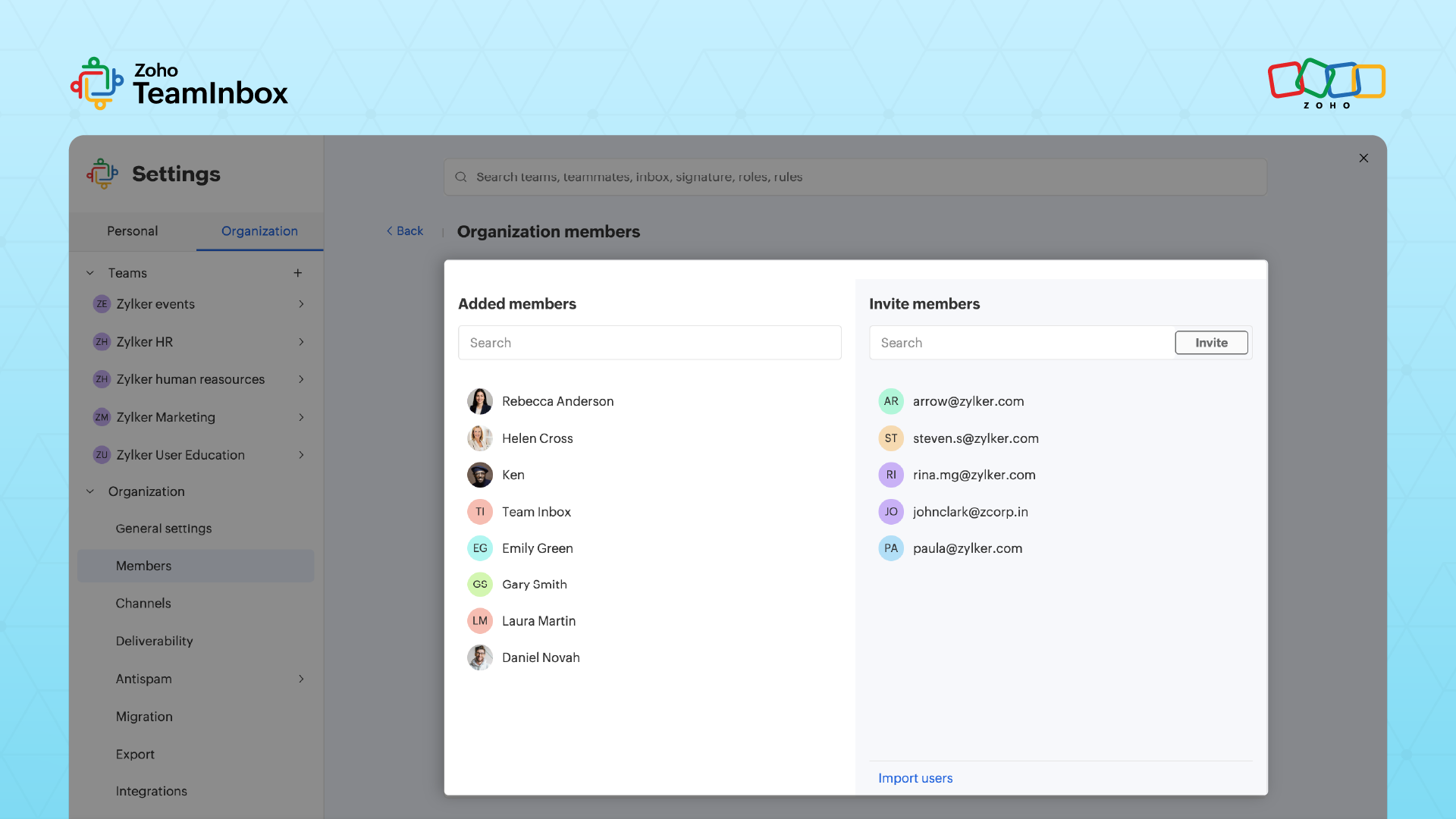
Step 2: Structure teams and distribute access
Once your channels are connected, you structure them around how your business operates: Support, Sales, Marketing, or Operations. Each team gets its own inboxes, so messages are organized by purpose, not platform.
For example:
The Support inbox handles customer queries from email and WhatsApp.
The Marketing inbox tracks incoming DMs and partnership requests.
Everyone sees what matters to them, receiving personalized service without logging into multiple accounts or missing updates.
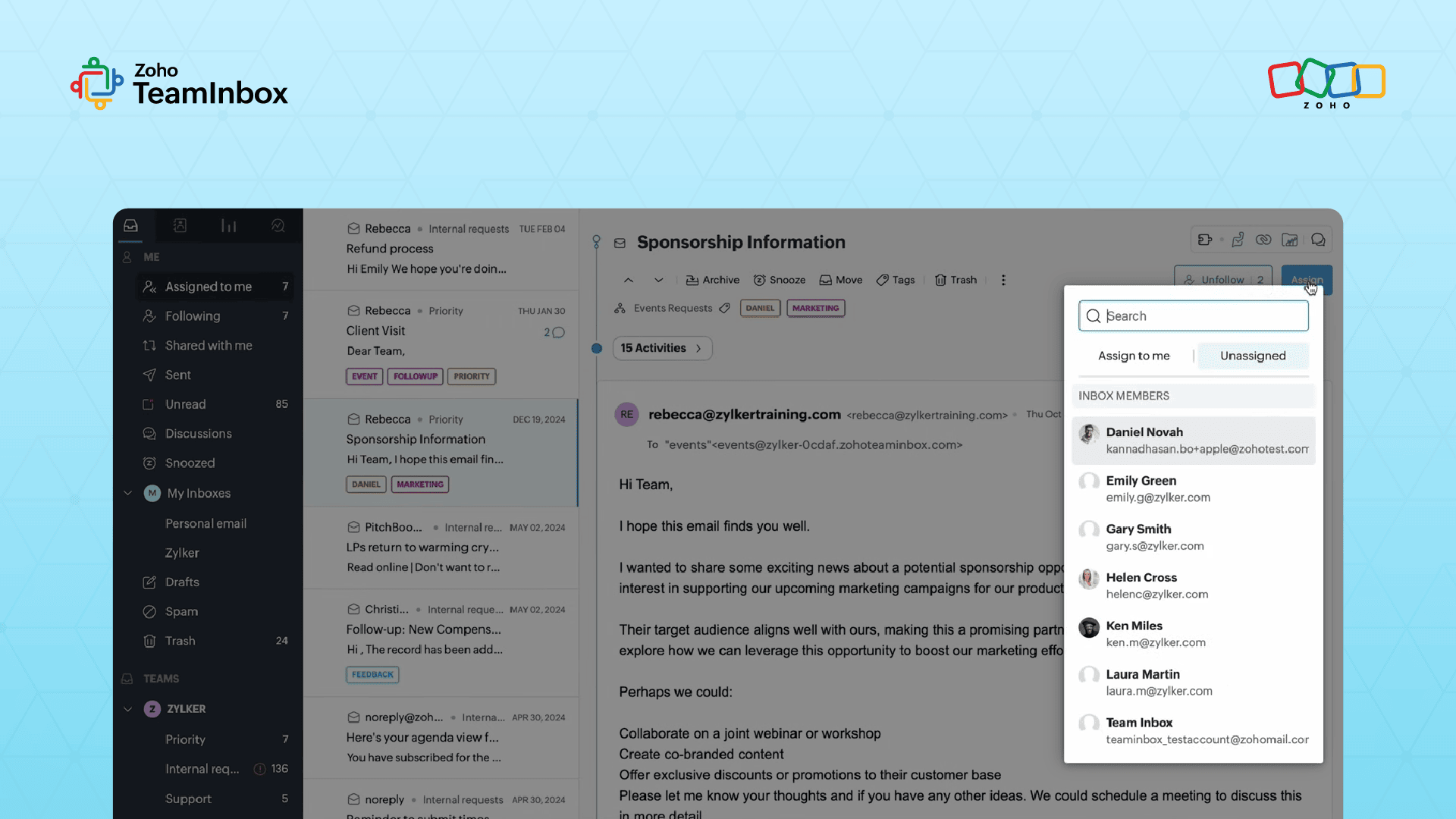
Step 3: Assign conversations and track ownership
Incoming messages appear in an unassigned view, ready to be claimed or delegated. Each conversation is assigned to a specific person, making ownership clear and preventing duplicate replies.
If someone’s unavailable, teammates can pick up where they left off without digging through personal inboxes.
You can follow threads, snooze less urgent ones, or archive resolved messages to keep the workspace focused. No more messages sit unanswered because everyone assumed someone else was handling it.
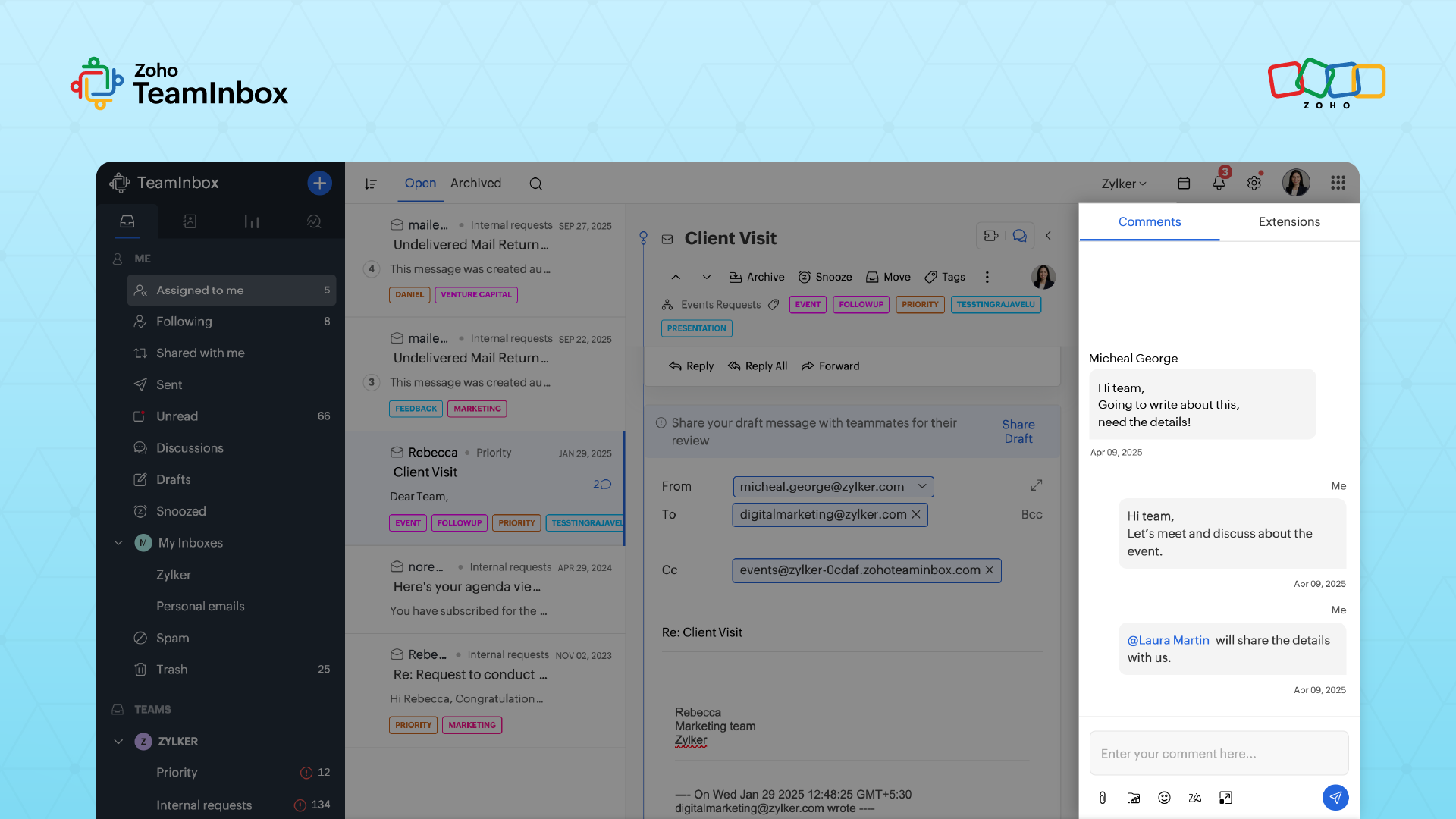
Step 4: Collaborate within conversations
Discussions about customer data queries happen right where they belong—inside the message thread.
Need approval before issuing a refund? @mention your manager.
Want feedback on a response? Tag a teammate before sending.
All internal comments stay linked to the conversation, so anyone revisiting it later sees the full history in one place.
Step 5: Automate routing and responses
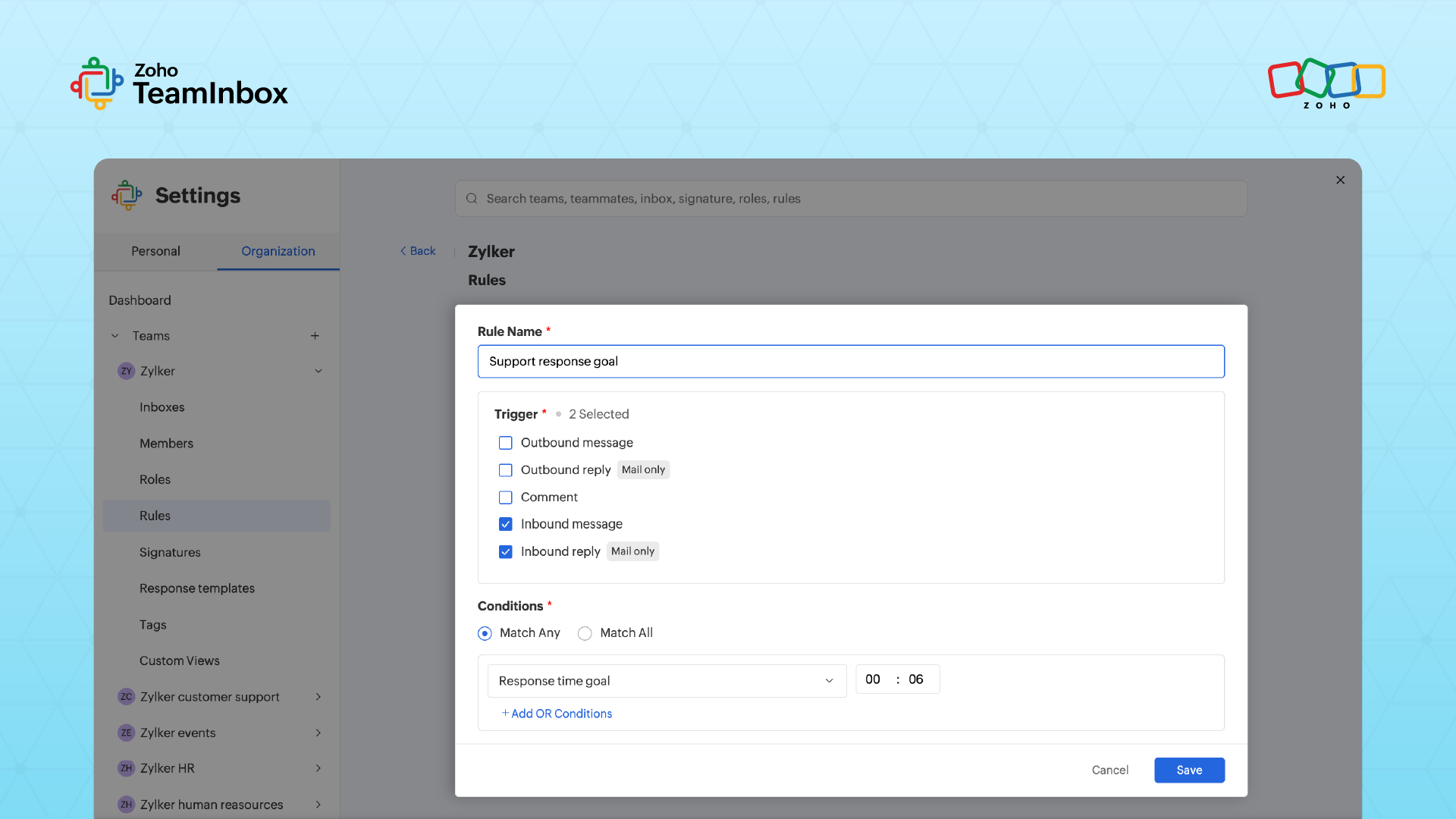
Once your inboxes are organized, automation takes over routine work. Set up simple rules so messages mentioning “refund” route to finance, “partnership” to marketing, or “urgent” to priority handling.
TeamInbox automatically assigns, tags, or replies based on keywords or senders, reducing manual sorting and improving response time as message volume grows.
Step 6: Track performance across channels
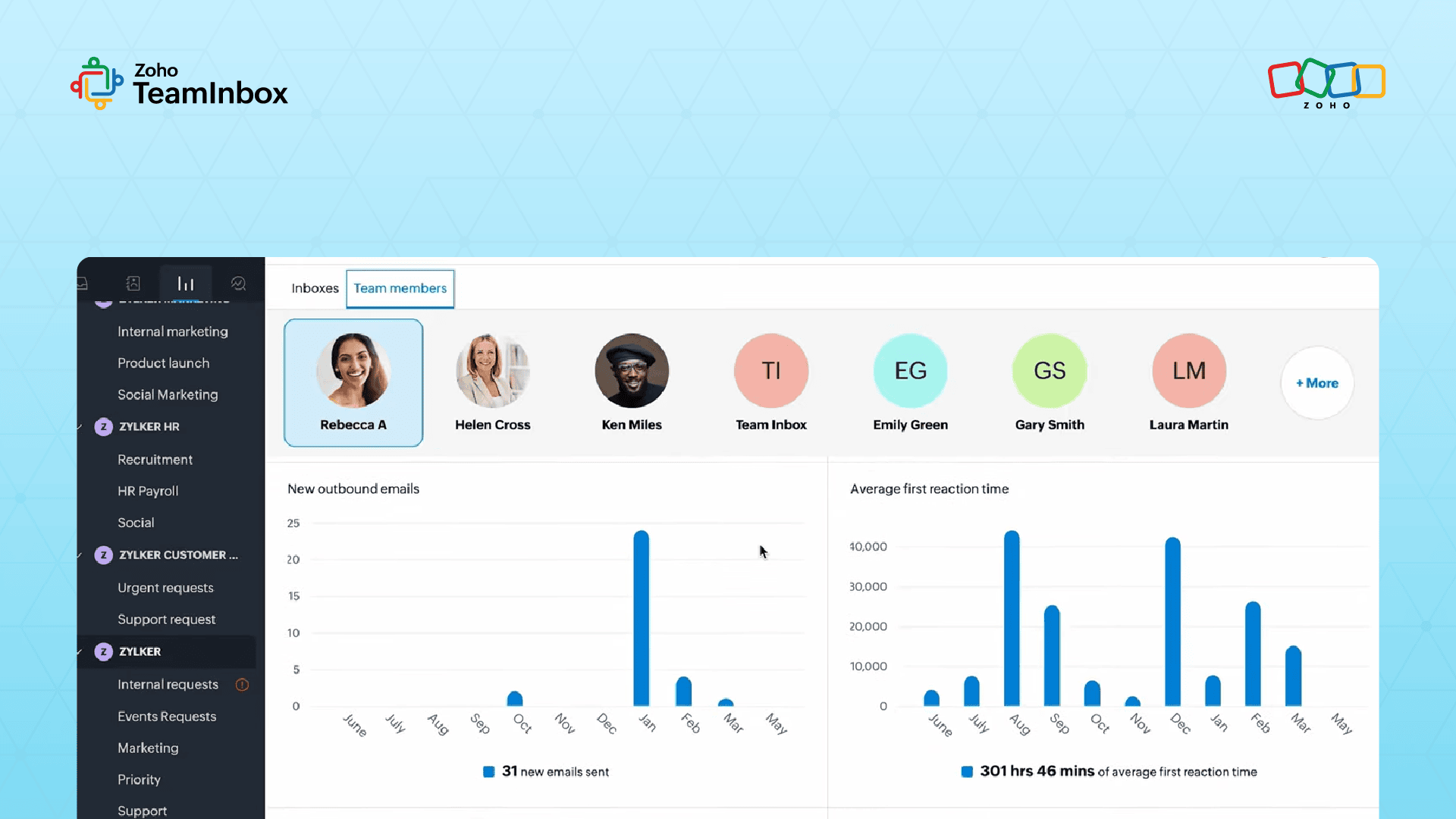
TeamInbox brings all channel metrics together, such as response times, resolution rates, and workload distributio to increase customer satisfaction.
You can see in one view how your team performs.
You start noticing clear patterns. Some channels take longer to resolve, while a few teammates consistently manage time-sensitive issues better. With all this insight in one view, it’s easier to refine staffing and improve response quality.
Step 7: Scale with deeper integrations when you’re ready
At this point, your communication runs smoothly across channels, with structure and visibility built into every interaction. That's omnichannel coordination without replacing your setup.
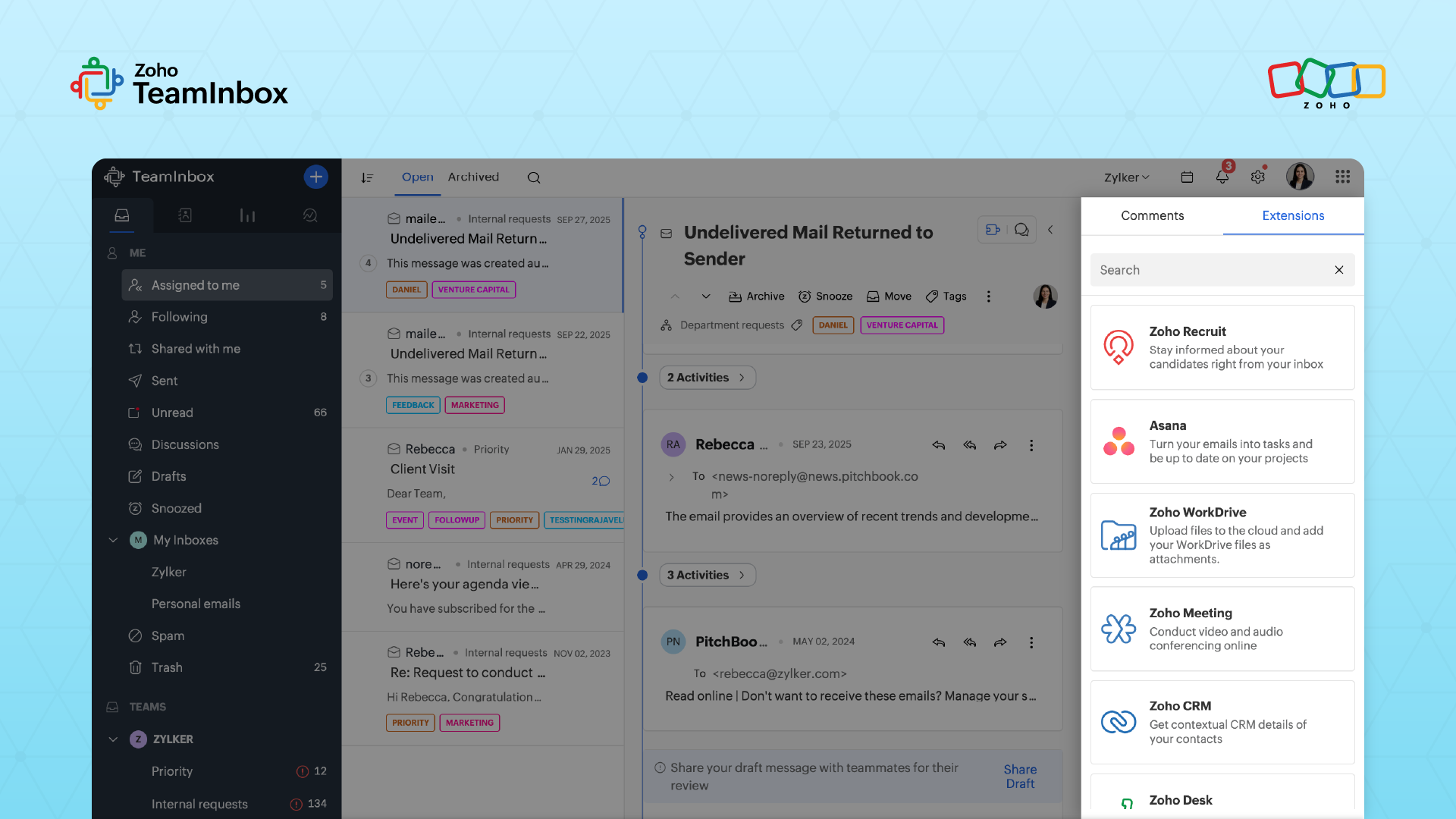
As your business grows and you need more advanced tools, like ticketing or detailed customer records, TeamInbox integrates seamlessly with Zoho Desk and Zoho CRM.
Your shared inbox remains the central entry point for every message, but now it’s linked to deeper customer context and stronger support workflows.
From multichannel to omnichannel: A progression, not an overhaul
The shift from multichannel to omnichannel is a gradual progression toward a unified customer experience; one that builds stronger customer loyalty through consistency and context. It starts with small, steady improvements: shared access, clearer visibility, and smoother coordination across your team, all of which make every interaction feel personal and connected.
Zoho TeamInbox supports that progression. You're not replacing your channels or rebuilding workflows. You're connecting what already works, bringing messages into one workspace, giving your team shared visibility, and enabling direct collaboration on conversations.
The channels stay. The scattered coordination disappears. And it starts with one shared workspace.
 Ganeshkiran Arasu
Ganeshkiran is a Growth and Digital Marketing manager at Zoho. He's passionate about writing content that actually helps — breaking down how products solve real, complex problems and what genuine collaboration looks like in practice. When he's not crafting strategies with his team, he's keeping tabs on the latest industry trends — always with a cup of tea in hand.