- HOME
- All Topics
- The 13 essential meeting types: A complete blueprint to run better meetings
The 13 essential meeting types: A complete blueprint to run better meetings
- Published : December 24, 2025
- Last Updated : December 24, 2025
- 2.1K Views
- 12 Min Read
Meetings. Can’t live without them, can’t always survive them.
They’re a necessary part of modern work. They bring teams together, align goals, and keep projects moving. But let’s be honest: far too many meetings are poorly run. Research suggests a lot of meetings are inefficient, with roughly 71% of meetings being seen as unproductive by employees.
The good news is that when you choose the right type of meeting for the task at hand, you save time, avoid frustration, and actually get things done.
This guide walks through the common meeting types, when to use each, practical templates and timings, plus modern meeting tips so your next meeting actually moves work forward.
Let’s break down the meeting types and how to run them right.
Why picking the right meeting type actually matters
We’ve all experienced the pain of attending a “brainstorm” that should have been a memo. The truth is, treating all meetings equally is a costly operational mistake.
Meetings are like tools; use the wrong one, and you’ll spend twice the time fixing what went wrong.
Choosing the wrong meeting format doesn’t just waste a few minutes; it actively drains collective energy. When you’re deliberate and select the precise meeting type for your objective, you gain several advantages:
- Get the right people in the room: No more “Why am I here?” faces. The right format ensures that only the people who need to be there… are there.
- Give participants the context they need to prepare: A clear agenda beats vague calendar invites every time. Preparation turns meetings from passive sessions into focused discussions.
- Create a clear outcome: You stop ambiguous discussions and create a crystal-clear result—be it a definitive decision, a robust plan of action, or a piece of finished, approved work.
- Reduce follow‑up meetings and rework: By achieving clarity the first time, you dramatically reduce the need for follow-up meetings and the inevitable rework that results from initial confusion.
The 13 essential types of meetings
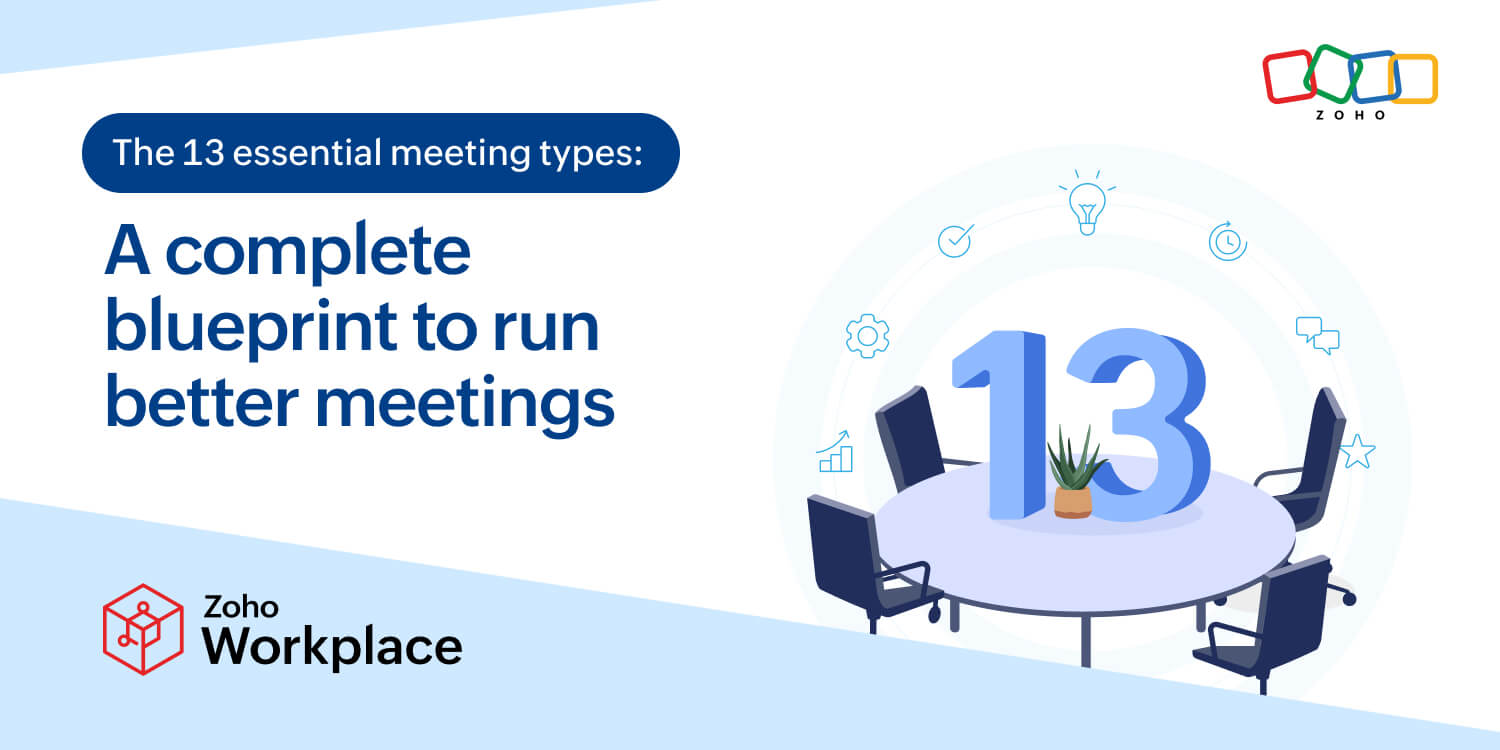
Below are 13 meeting types that cover most workplace needs.
1. The status update meeting
Let’s start with the classic: the status update. This meeting should be treated less like a casual chat and more like a Formula 1 pit stop; fast, precise, and focused only on what matters right now. If it requires a projector and comfortable seating, you’re doing it wrong.
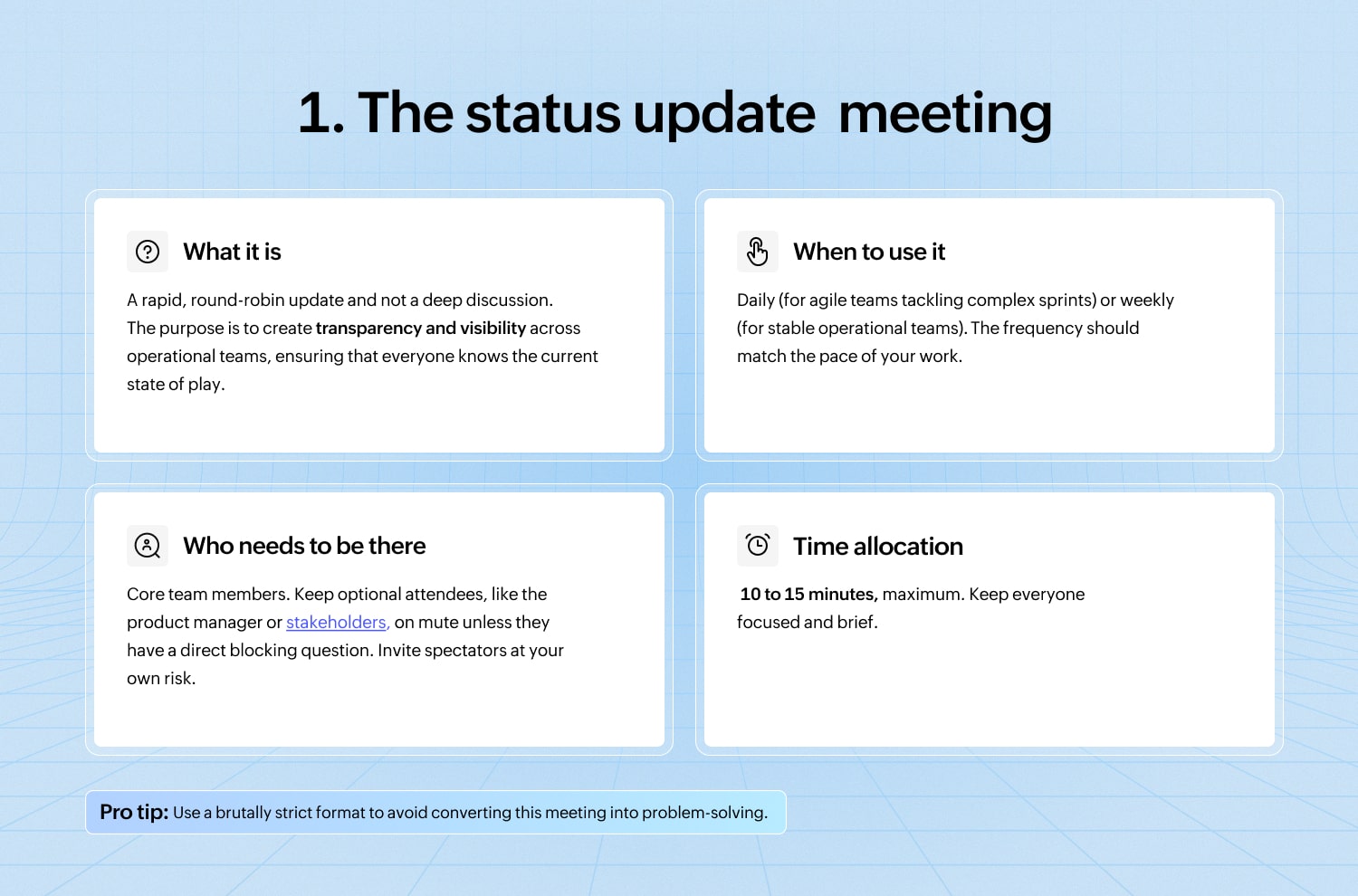
The agenda
Each team member answers only these three things:
- What did I accomplish since the last update? (The win.)
- What will I focus on today/next? (The commitment.)
- What are my blockers? (The problem I need help with.)
2. The planning and strategy meeting
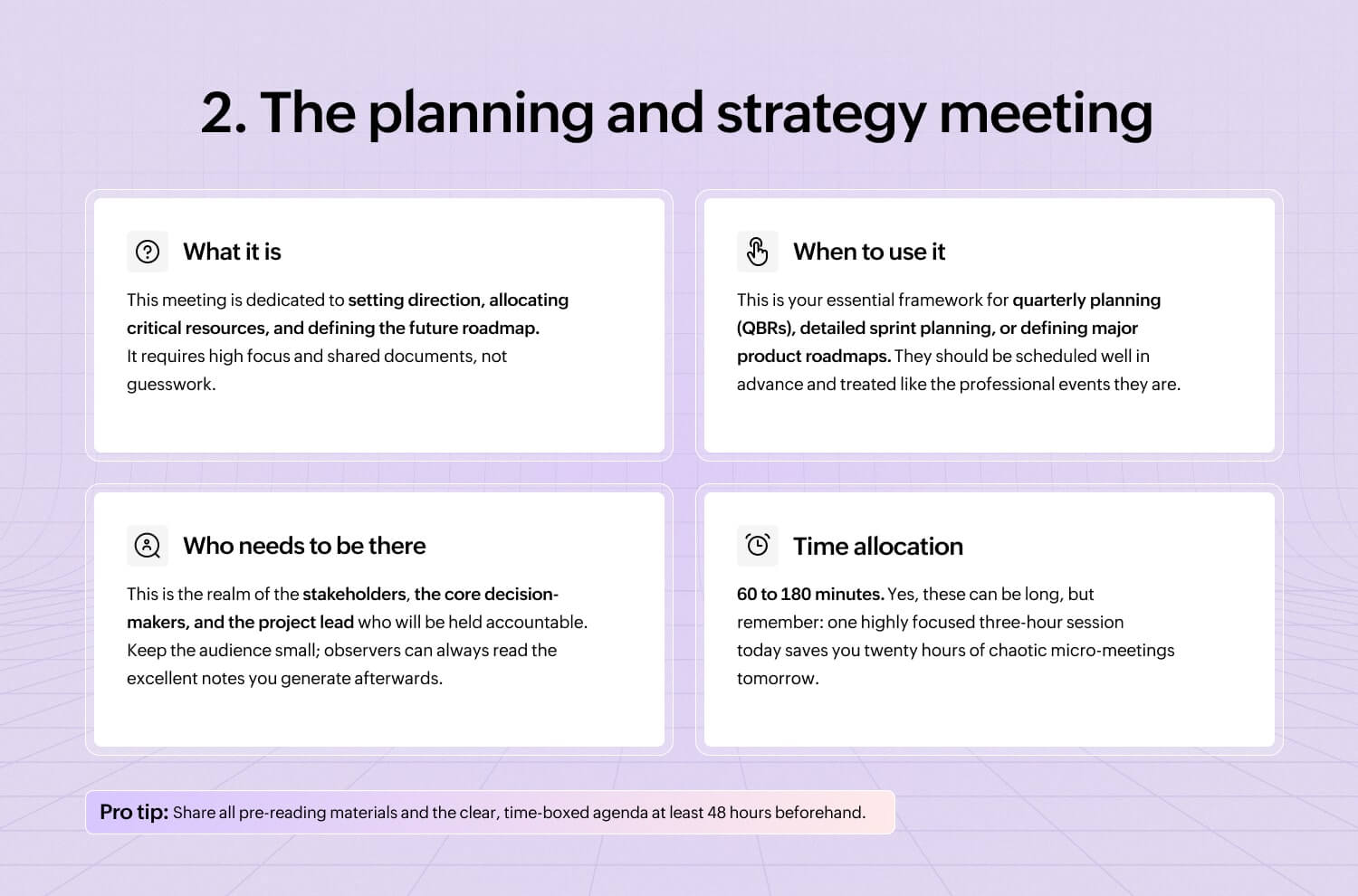
The planning and strategy meeting is where you lay the tracks before the train leaves the station. Fail here, and the entire team will spend the next quarter sprinting in beautifully coordinated, but ultimately wrong, directions.
3. The brainstorming/ideation meeting
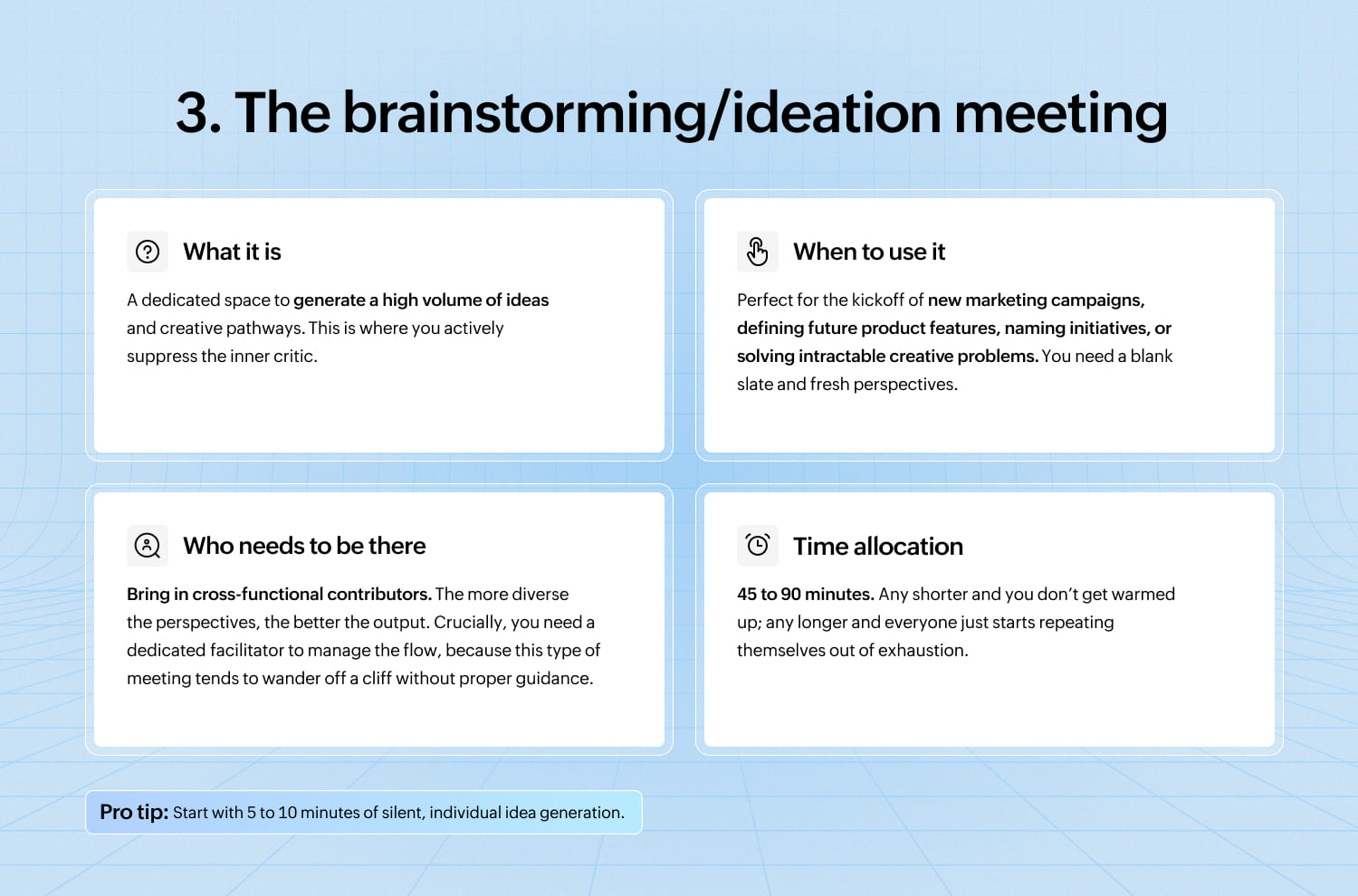
The brainstorming meeting is where the magic (and sometimes utter madness) happens. The goal here is simple: generate as many ideas as humanly possible, regardless of how ridiculous they initially sound.
4. The decision-making meeting
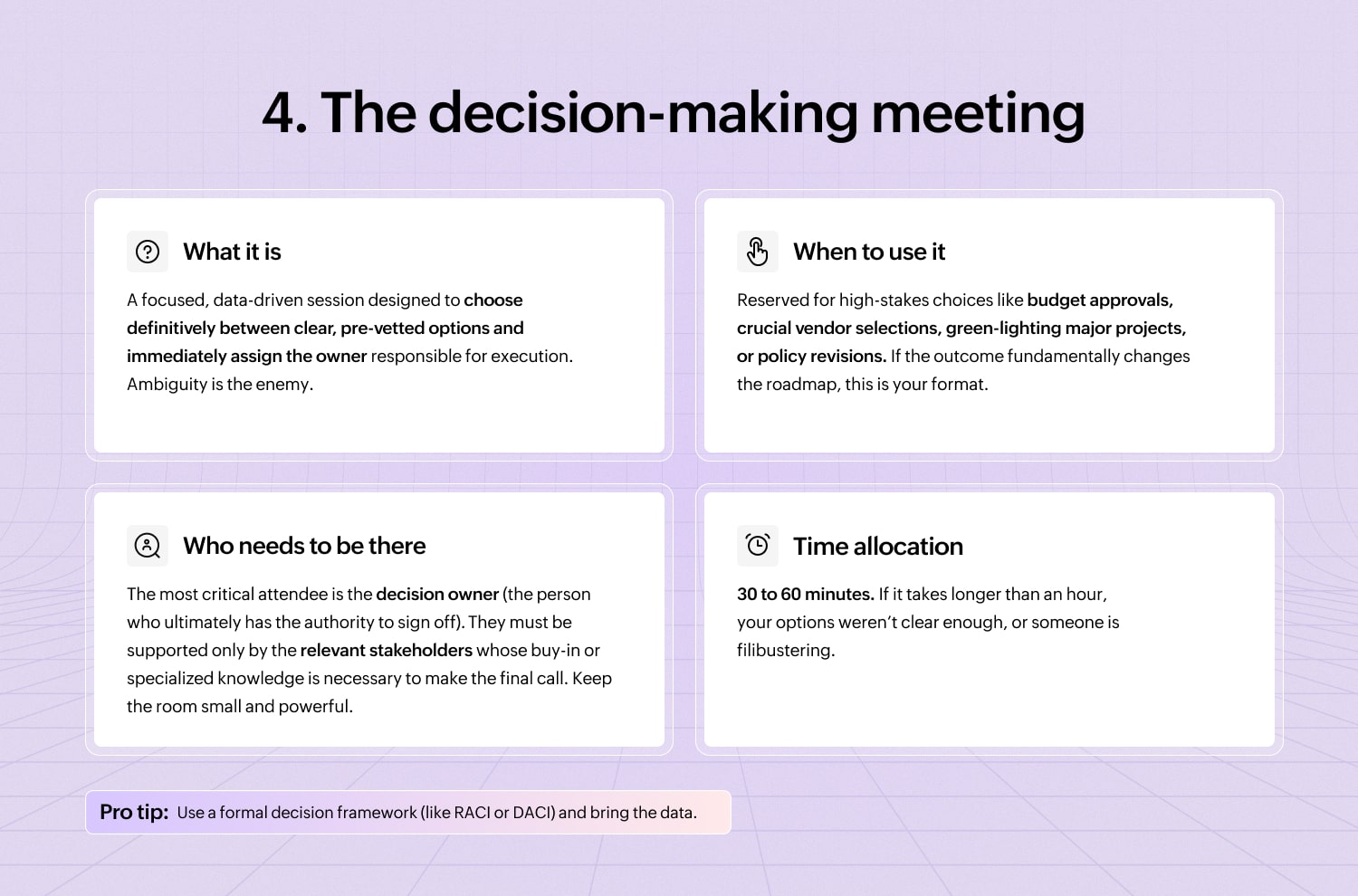
This meeting is where the talking ends and the action begins. The decision-making meeting isn’t the place to generate options; it’s the place to kill off the bad ones and commit to the best one.
5. The problem-solving meeting
When things have gone spectacularly wrong—a production outage, a massive customer escalation, or a process failure—you need the problem-solving meeting.
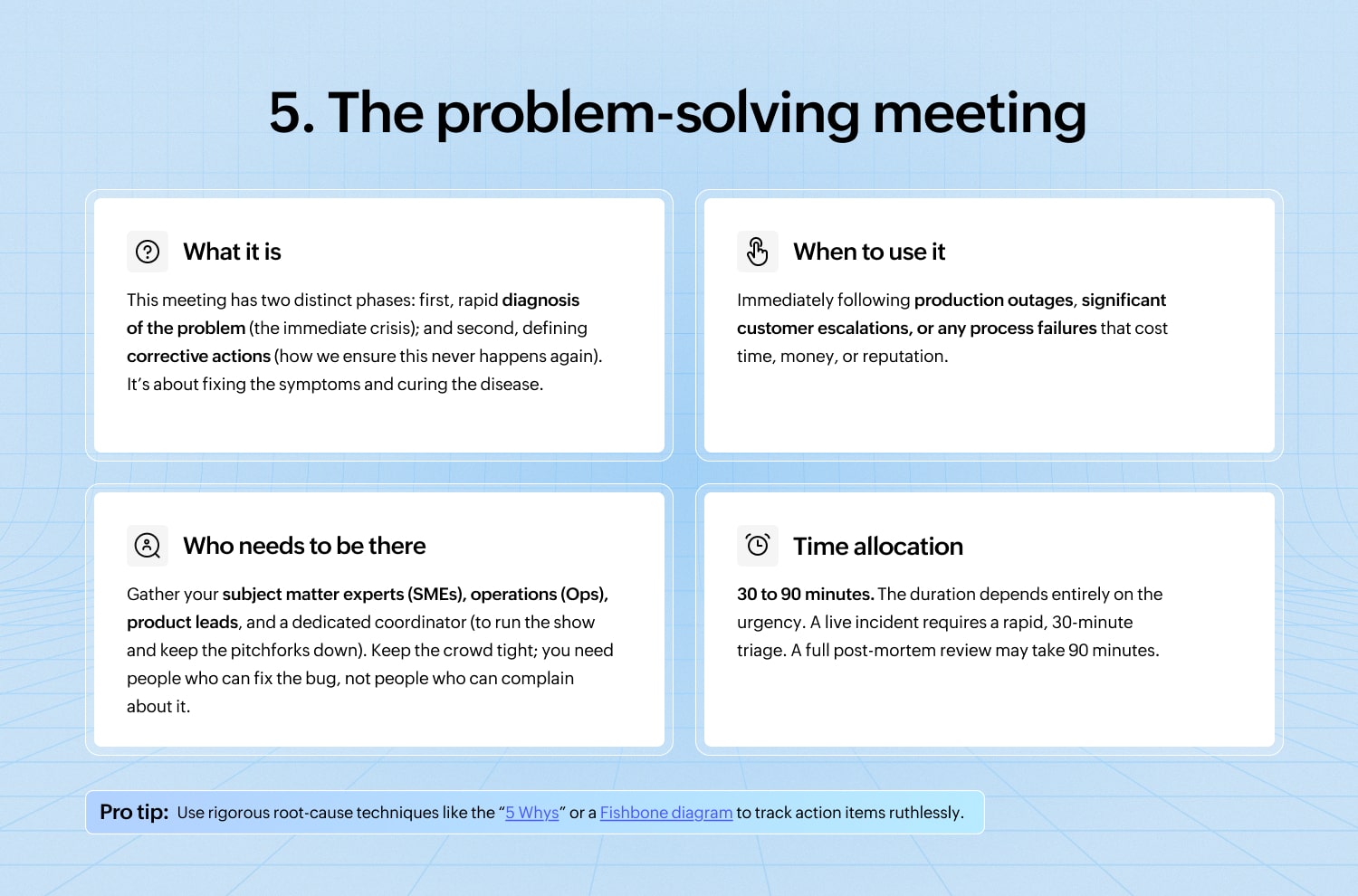
[Check out the “5 Whys” and Fishbone diagram methods.]
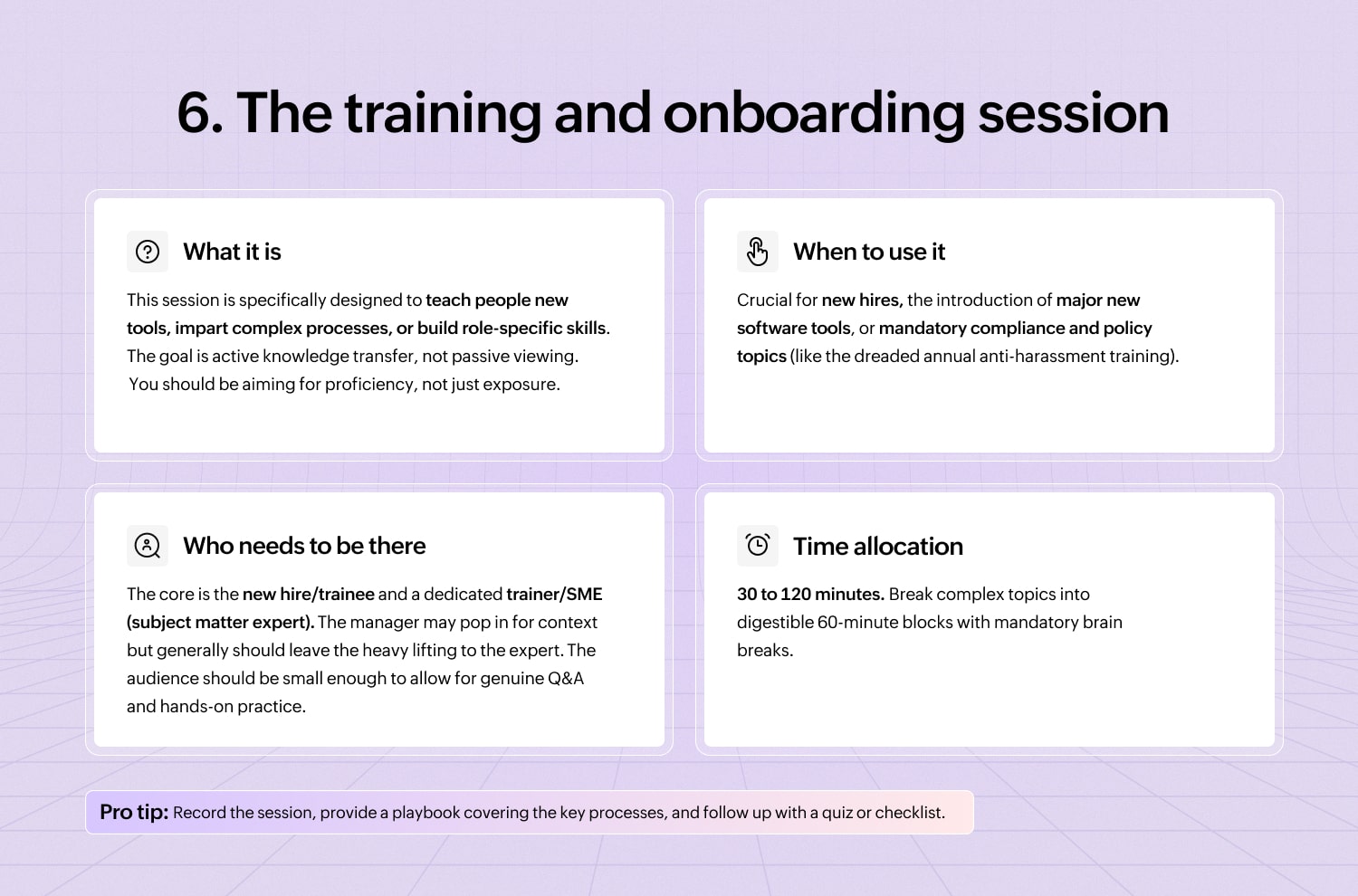
6. The training and onboarding session
This is where you officially transform a bright-eyed new hire into a competent member of the organization. If done poorly, you can end up overwhelming them until they quietly retreat to the comfort of their old job applications.
7. The one-on-one meeting
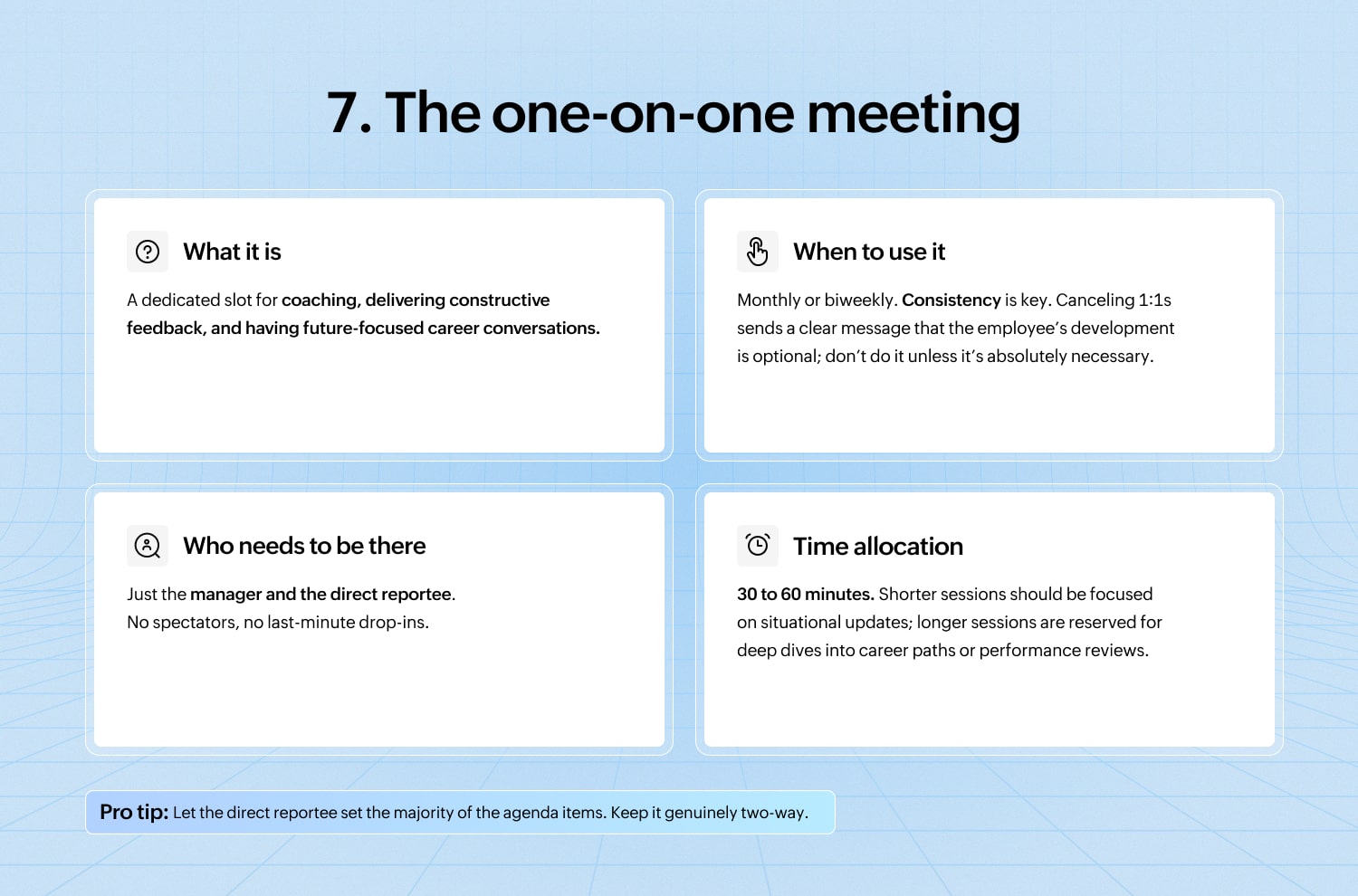
The 1:1 isn’t just an informal chat; it’s a dedicated investment in professional development, stress reduction, and crucial feedback exchange.
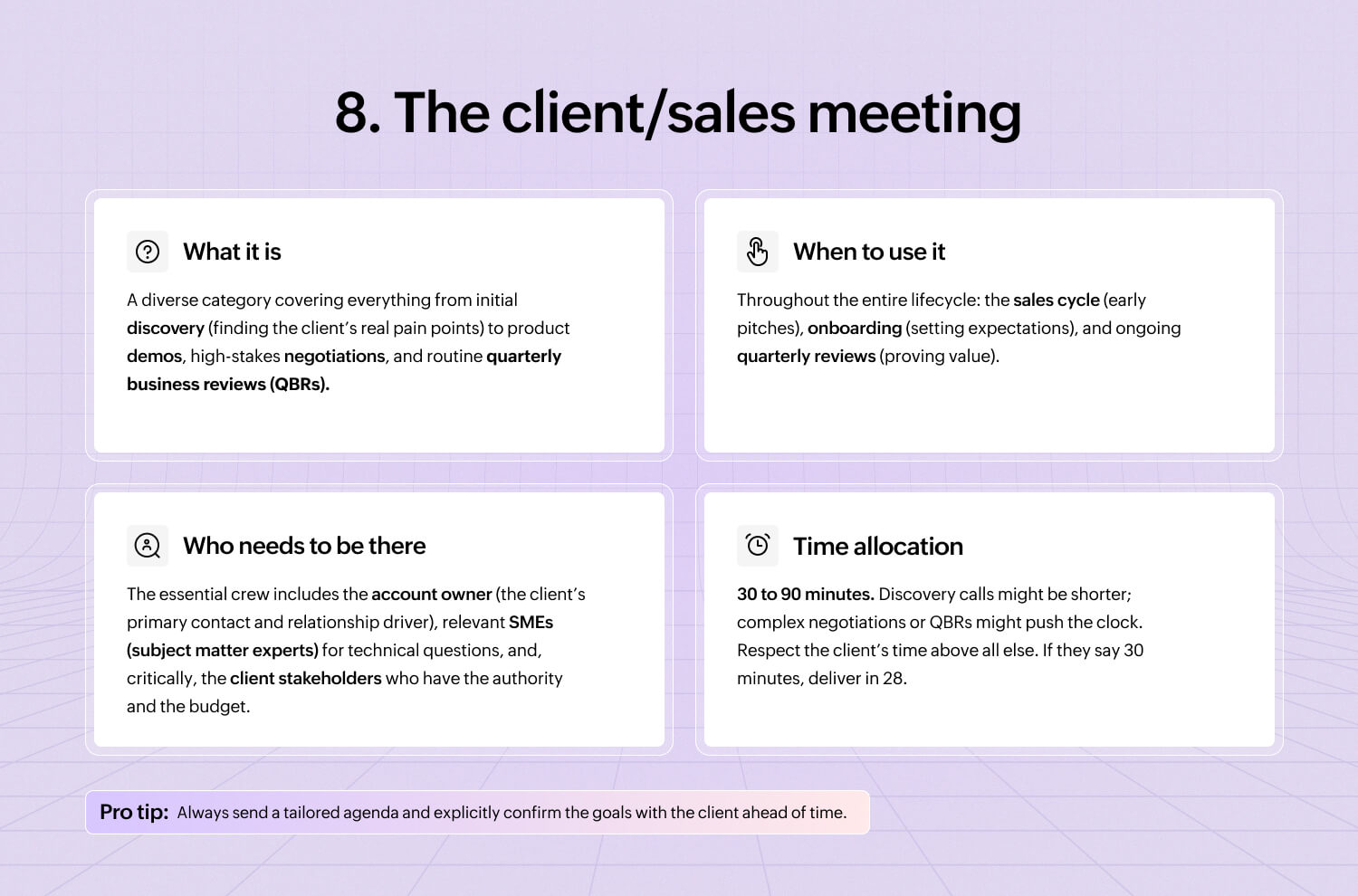
8. The client/sales meeting
Client and sales meetings require a delicate balance of professional polish, strategic preparation, and just enough charisma to seal the deal.
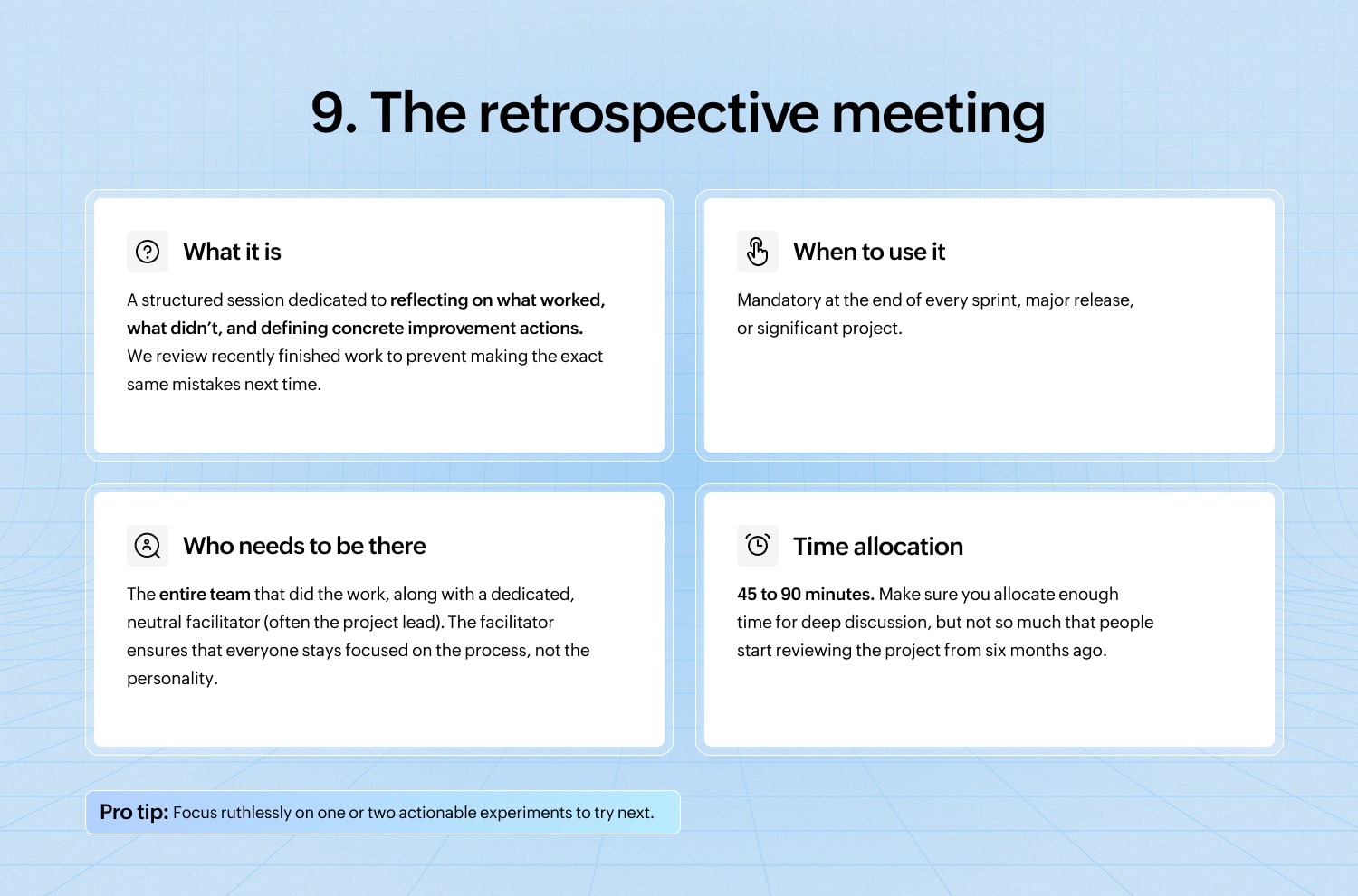
9. The retrospective meeting
The retrospective meeting is where we collectively stop, breathe, and confess our sins. The core purpose is to learn, not to point fingers.
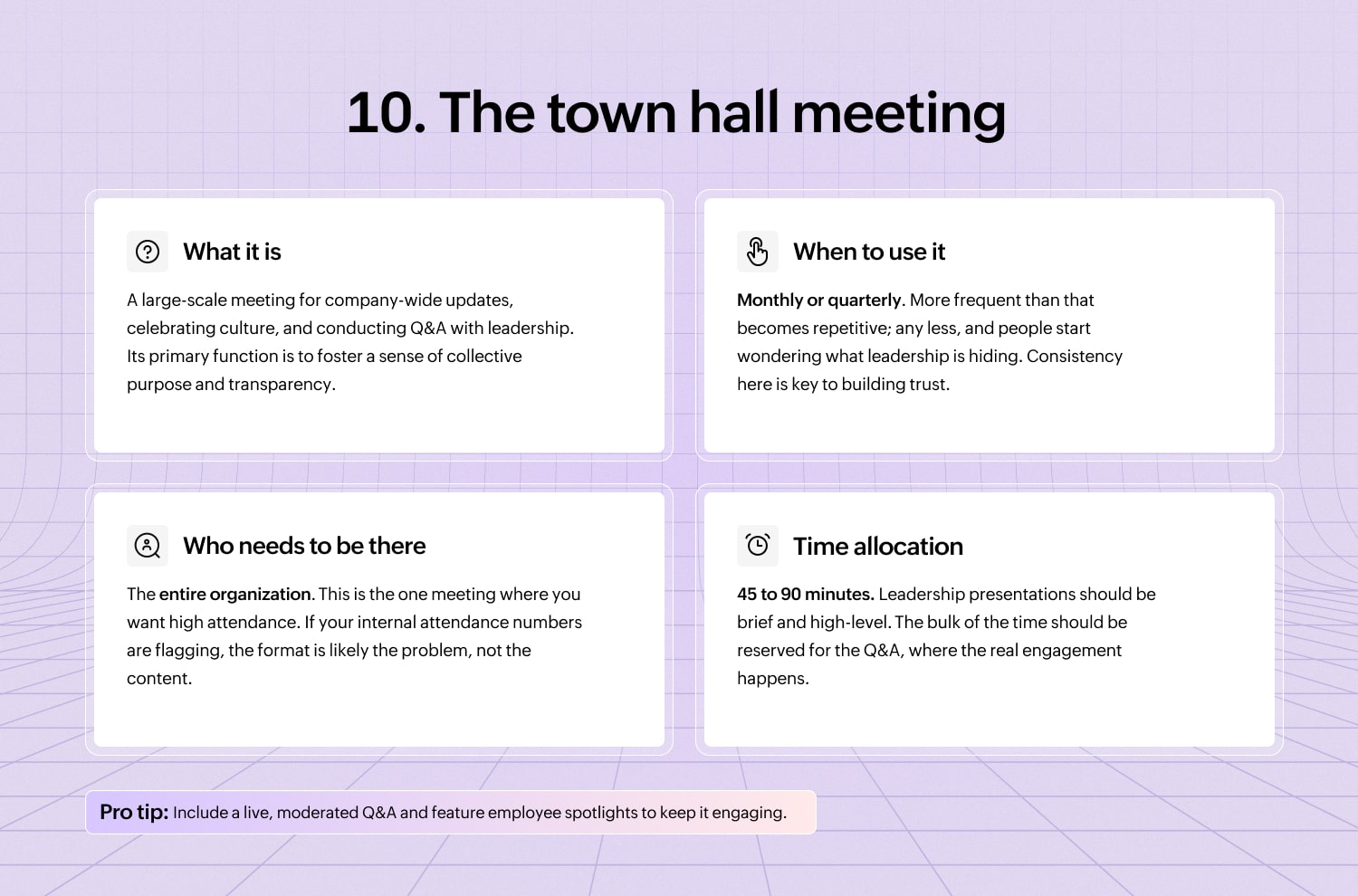
10. The town hall meeting
The town hall meeting is where the entire organization theoretically aligns on vision and celebrates success.
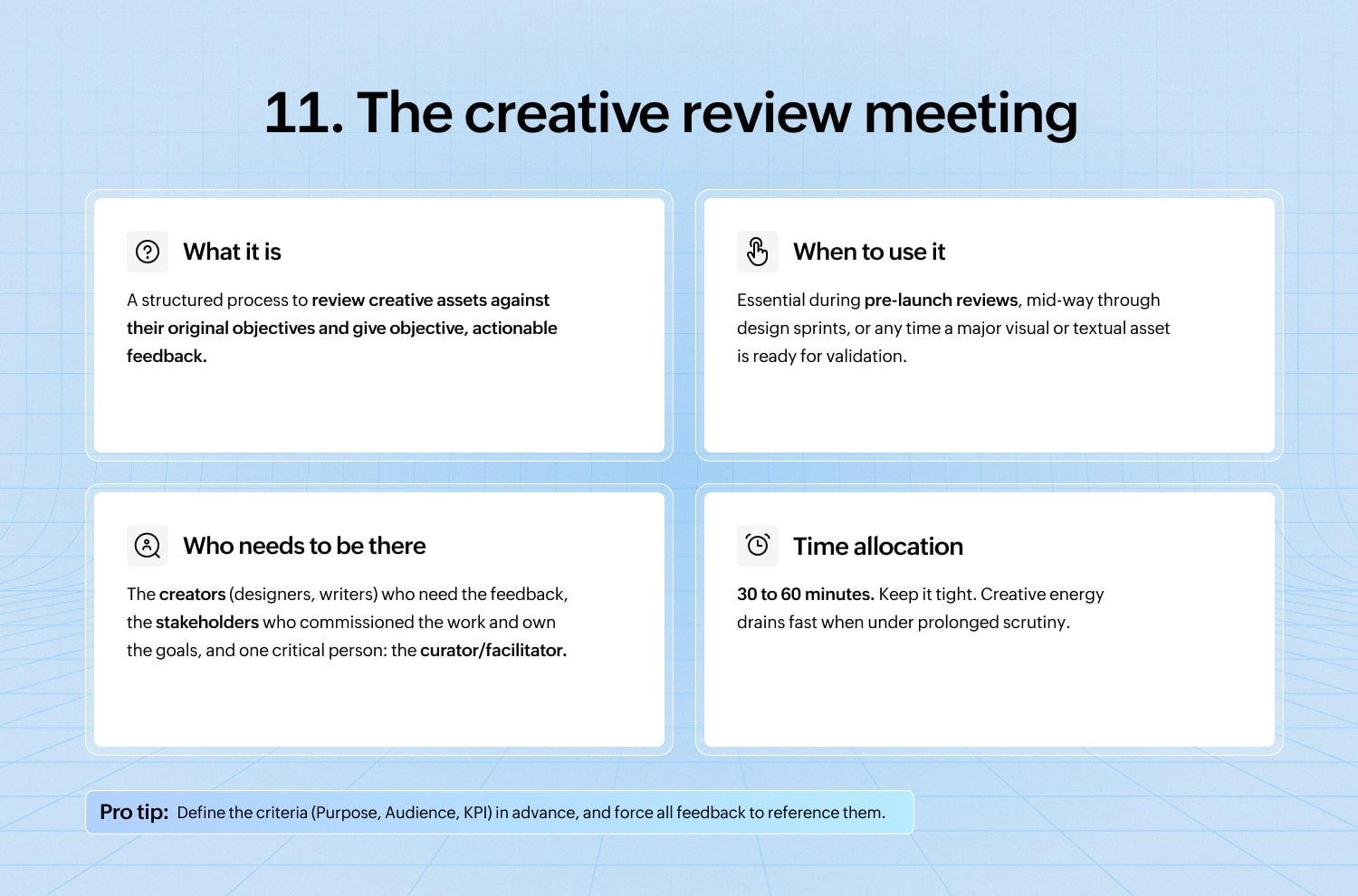
11. The creative review meeting
The creative review meeting must be a space for brutal honesty without becoming a personal attack. This is where creative work—be it a marketing campaign, a new UI design, or a complex data visualization—is put under the microscope.
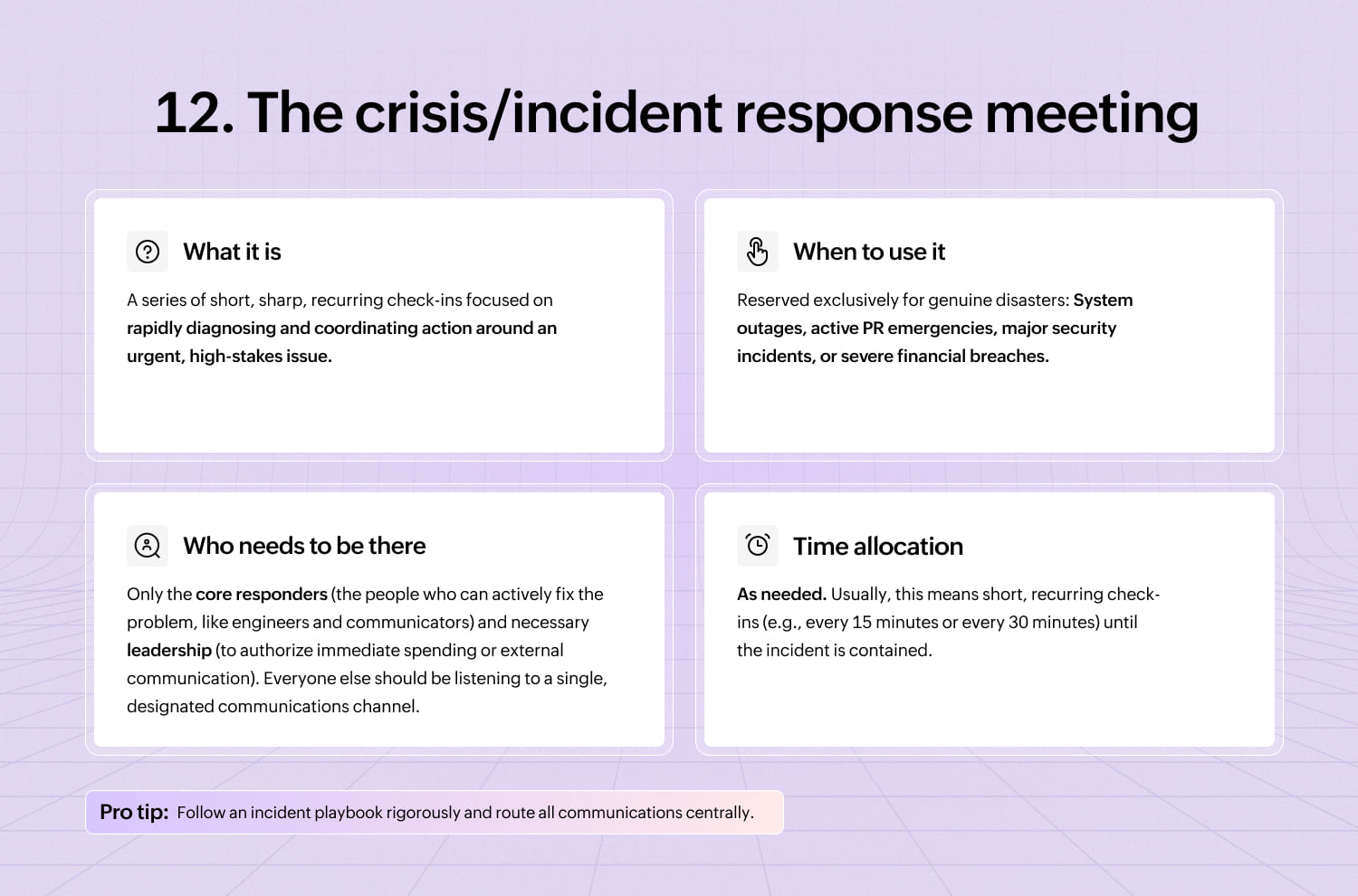
12. The crisis/incident response meeting
When the proverbial server is actively on fire, the client is on the phone screaming, or the CEO just sent an all-caps email, you enter the crisis response meeting, often affectionately called the “war room.” It’s a time for rapid coordination, clear command, and saving the day.
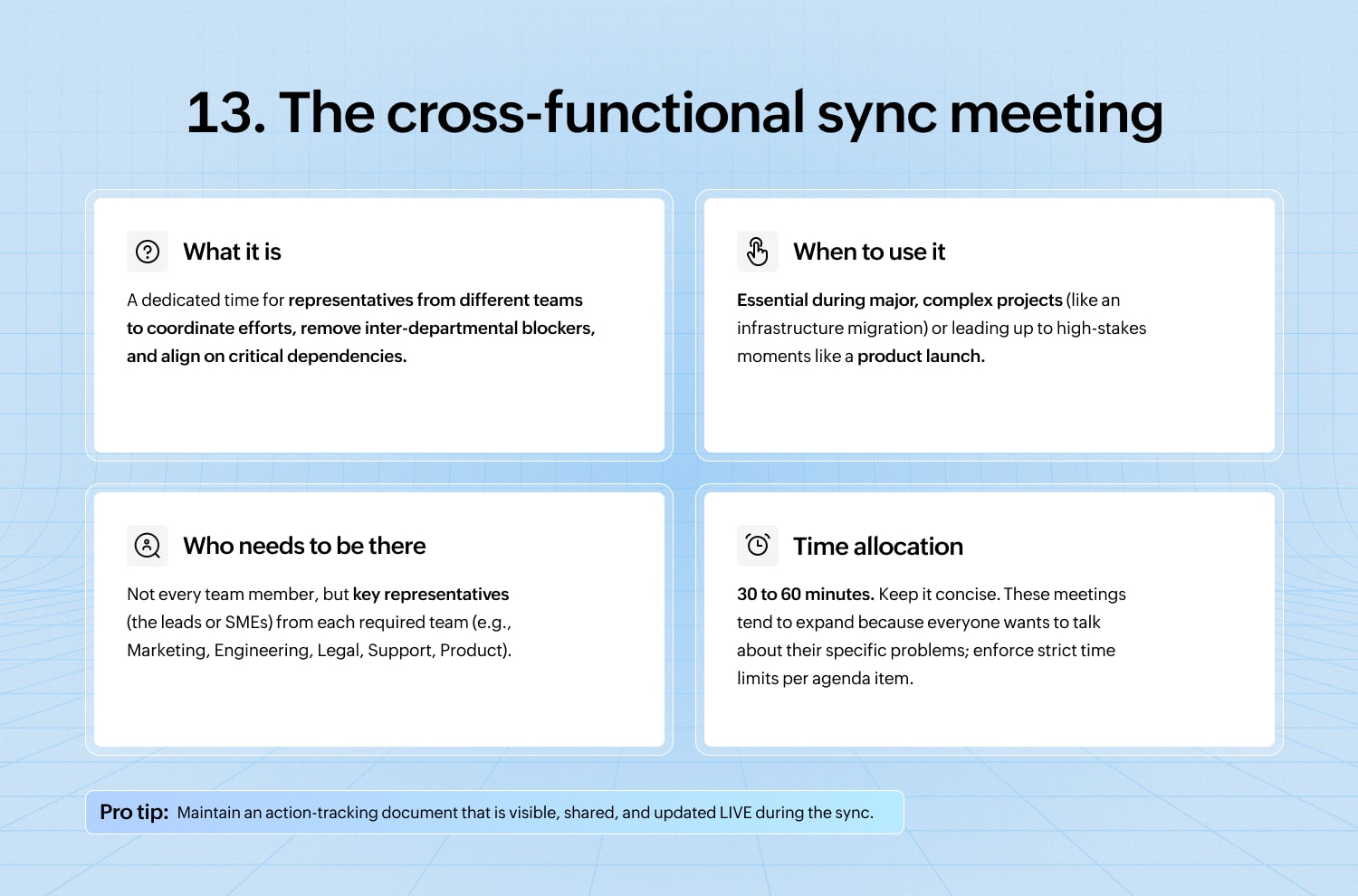
13. The cross-functional sync meeting
The cross-functional sync is the meeting dedicated to ensuring that the marketing team isn’t launching a product that the engineering team hasn’t actually finished, and that sales isn’t selling a feature the legal team hasn’t approved.
This meeting is crucial for large organizations; it’s the glue that prevents internal chaos.
How to choose the right meeting type
Before you hit “Send” on that calendar invite, use this rapid-fire checklist to determine the true purpose of your session. If you can’t match your goal to a format, you may just be creating work for others.
Your goal | The right meeting type | Why it works (and why it saves time) |
Do we need definitive, actionable decisions? | Decision-making meeting | If the outcome isn’t final, it’s just talk. Structure the meeting around voting and committing, not endless debate. |
Do we need fresh, unstructured ideas and solutions? | Brainstorming session | This is where free flow matters. Lock the doors, ban judgment, and encourage creative chatter (but only for a dedicated time block). |
Do we need high-level status or visibility across the team? | Stand-up or status update | Keep it short, focused, and iterative. This is about information triage, not deep problem-solving. (If you hear “Well, let me pull up the spreadsheet...”, you’ve failed.) |
Is this an urgent, unexpected, high-stakes issue? | Crisis/incident response | Drop everything, gather only the absolute essential personnel, and focus purely on mitigation and stabilization. Time is the enemy here. |
Is the core issue complex, sensitive, or interpersonal? | One-on-one session | These topics require psychological safety and focused attention. Do not attempt to resolve personal dynamics in a crowded forum. |
When to skip the meeting (and use asynchronous communication instead)
The sessions where information flows strictly one way—from speaker to audience—are the greatest perpetrators of calendar fatigue. The core truth is simple: Some meetings should absolutely, unequivocally, be an email, a document, or a thread.
The solution is embracing asynchronous communication (async). Async respects everyone’s focus and time by allowing them to consume information when they are ready, rather than when the calendar demands it.
Here are a few high-impact scenarios where you can confidently delete that meeting invite and use a smarter alternative.
1. Scenario: The weekly status update
Instead of: A Monday morning status call where everyone reports their weekend activities and their task lists.
Use async: Written weekly summaries. Let people read and react when it suits them. This is faster to create, easier to search later, and avoids 30 minutes of monotonous voice reports.
2. Scenario: The product demo or feature walkthrough
Instead of: Scheduling 50 people across multiple time zones to watch one screen share.
Use async: Recorded demos + dedicated Q&A threads. Record the demo once, distribute the video, and open a dedicated discussion thread for questions. This allows global teams to view it at their peak time and prevents the demo from being interrupted by the same question five times.
3. Scenario: The design or document review
Instead of: An hour of watching someone scroll through a document while everyone waits their turn to offer a single comment.
Use async: Shared documents with contextual comments. Use tools that allow in-line markup, suggesting edits or leaving specific feedback directly on the text or design elements. This is efficient, traceable, and much less painful than group silence punctuated by awkward scrolling.
In short, if you only need their eyes, don’t demand their time. Reserve the resource of a synchronous meeting for actual dialogue, decision-making, and debate.
Modern meeting trends to apply now
Still running meetings like it’s 2020?
If your meetings haven’t changed in five years, chances are you’re losing both productivity and sanity. The digital workplace has rewritten the rules, and old habits just don’t cut it anymore.
Here are a few essential modern trends (or rather, consider them as essential productivity mandates), that you should adopt today.
1. Hybrid-first design
The modern meeting must be designed so that remote participants are never treated as second-class citizens.
- The problem: The global shift means across-time-zone meetings have exploded, and late-evening ones are increasingly common. If a meeting starts at 7 PM for one person, it had better be worth it.
- The fix: Make hybrid meetings fair for everyone. Set clear camera rules; either all on or all off. Have a strong facilitator to guide the discussion, and make sure remote participants are invited to speak. If the people in the room are hogging the whiteboard while the remote team stays silent, that’s a clear fail on the hybrid test.
2. Async-first wherever possible
The core principle of “async-first” is simple: Shift status updates, information sharing, and small, non-urgent decisions to documents, threads, and memos.
Save precious live, synchronous time exclusively for conversations that genuinely require real-time dialogue, debate, creative sparring, or immediate consensus. If you can solve it by adding a comment in a doc, do not book a meeting.
3. AI-assisted notes and summaries
Finally, a use case for AI that makes everyone happy. Modern tools can now automate the least engaging parts of the meeting process: note-taking and follow-up.
Implement tools that can automatically generate concise meeting notes, highlight decisions made, and suggest action items complete with due dates. This means that humans can focus entirely on the discussion and strategic input, rather than frantically trying to transcribe everything.
4. Shorter, sharper meetings
If you have seven to eight hours per week dedicated to meetings—a common figure for heavy users—you’re spending a full workday just talking about work. This must stop.
People consistently report that meetings are unproductive. The solution is trimming the fat. The default meeting length should be 25 minutes, not 30; 50 minutes, not 60.
By narrowing the scope and trimming the time, you force focus, encouraging everyone to get straight to the point.
Be intentional about every minute, or risk being eternally booked.
5 practical templates that you can copy
Ok, enough theory. The fastest way to improve your meetings is to adopt a tight, time-boxed structure. Think of these templates as your meeting blueprints; they ensure that you always have a sturdy frame before you start building.
1. The status update (10 to 15 minutes maximum)
The goal is rapid visibility, not deep problem-solving.
Format: Round-robin, strictly time-boxed.
Structure:
- What I did (yesterday/since last sync)
- What I’ll do (today)
- What’s stopping me right now?
Owner: A rotating facilitator (prevents one person from always being the note-taker/enforcer).
The golden rule: Absolutely no problem-solving allowed. If a problem requires more than a two-sentence solution, the facilitator must immediately stop the discussion and mandate a separate follow-up meeting between the necessary parties. Save the main group from the details.
2. The decision meeting (60 minutes of clarity)
This meeting is a success only if a clear choice is made and assigned. The clock is your boss.
Structure:
- 10 minutes: Context and data review. Get everyone aligned on the problem, the goal, and the data informing the options. (If people are still arguing about the background, the meeting failed before it started.)
- 20 minutes: Discuss options. Rigorously debate the pros and cons of two or three prepared options.
- 20 minutes: Choose and assign an owner. Make the final choice (via consensus, vote, or final decider). Immediately assign one person the responsibility for the decision’s execution.
- 10 minutes: Confirm next steps. Review the assigned actions, deadlines, and communication plan. If no one knows what they have to do next, you wasted the hour.
3. The brainstorm (60 minutes of creative chaos)
Structure is the secret ingredient for a successful brainstorm. Without it, you just get the loudest person talking the whole time.
Structure:
- 10 minutes: Framing and constraints: Clearly define the goal and the limitations (budget, timeline, scope). Don’t waste time on ideas that are physically impossible.
- 15 minutes: Silent idea generation: Everyone writes ideas individually and silently. This is mandatory and ensures that introverts’ brilliant ideas don’t get drowned out by extroverts’ stream of consciousness.
- 20 minutes: Share and cluster ideas: Share the ideas (anonymously or round-robin), cluster similar themes together, and dismiss any obvious dead ends.
- 15 minutes: Vote and next steps: Use a simple voting system to highlight the best ideas, and assign a task owner to formalize the top concept.
4. The one-on-one (30 minutes of focused growth)
This meeting is sacred and should be owned primarily by the employee, not the manager.
Structure:
- 5 minutes: Quick wins: Rapidly cover administrative tasks, minor wins, or brief status updates.
- 15 minutes: Employee topics (career, blockers, mentorship): The bulk of the time is dedicated to the employee’s development, career goals, major roadblocks, or general stress management. The manager is there to listen and coach.
- 10 minutes: Feedback and action items: The manager gives targeted feedback, and both parties align on one or two firm action items before the clock runs out.
5. The retrospective (60 minutes of learning)
This meeting is vital for growth; it’s about process improvement, not assigning blame.
Structure:
- 10 minutes: Set the stage. Review the project/period being discussed. Establish ground rules (what happens in the retrospective stays in the retrospective).
- 20 minutes: What went well/what didn’t. Collect feedback neutrally. Focus on the process and the system, not the individuals.
- 20 minutes: Root cause and solutions. Analyze the biggest pain points. Instead of complaining, actively generate solutions.
- 10 minutes: Decide on one or two actions. This is the most crucial step. Choose only one or two high-impact, achievable actions, and immediately assign an owner to ensure that the team actually implements the learned lesson.
A quick checklist for meeting hosts
Congratulations! You’re about to summon your colleagues from their focused work. As the meeting host, you bear the sacred responsibility of ensuring that their time isn’t wasted. Think of this checklist as your pre-flight safety routine.
1. Is this the right format?
Does this truly require synchronous conversation, or is this a one-way update that belongs in an email? If it’s an update, hit delete. If it’s a decision, ensure that you have the data ready. Choose the structure that matches the outcome.
2. Who absolutely, physically must attend? Keep invites tight.
If the meeting requires more than seven core participants, rethink the format, the goal, or the scope. Invite participants, not spectators.
3. Share the agenda and materials 24 to 48 hours beforehand.
Never surprise your team. Distribute any required pre-reading, documents, or data well in advance.
4. Set a clear outcome.
What specific, tangible thing must exist when the meeting ends? Write this goal at the top of the agenda. If the outcome is “alignment”, make it more concrete, like “agreement on the final budget figure” or “list of three approved vendors.”
5. Assign a facilitator and a note-taker. (And yes, they can be different people.)
The host should primarily manage the content, but you need dedicated roles. The facilitator keeps the discussion on track. The note-taker captures the decisions and actions, not the entire transcript.
6. Start on time. End on time (or early).
If you start late, you penalize the punctual. If you end late, you destroy someone’s next meeting or their focus time. Be ruthless with the clock.
Wrapping up: Meetings are a tool. Use them well.
The truth is, meetings aren’t the problem; it’s how they’re managed. With the right structure, clear purpose, and a dash of discipline, meetings can transform from dreaded calendar blocks into productive power sessions.
Until then, we’ll keep joking that “this meeting could’ve been an email”… and secretly wishing someone had hit end call five minutes earlier.
So, be deliberate. Pick the right meeting type, and you’ll save time, protect energy, and maybe even earn the rare compliment: “That was a good meeting."
 Prashanth
Prashanth is a Senior Product Marketer in the Zoho Workplace team who focuses more on Workplace productivity and how teams can work better. He loves bringing a creative element to his work. He enjoys traveling, writing, reading, and playing badminton.