Zoho Writer expands automation capabilities to boost personalization and user productivity
- Last Updated : September 4, 2026
- 2.1K Views
- 3 Min Read

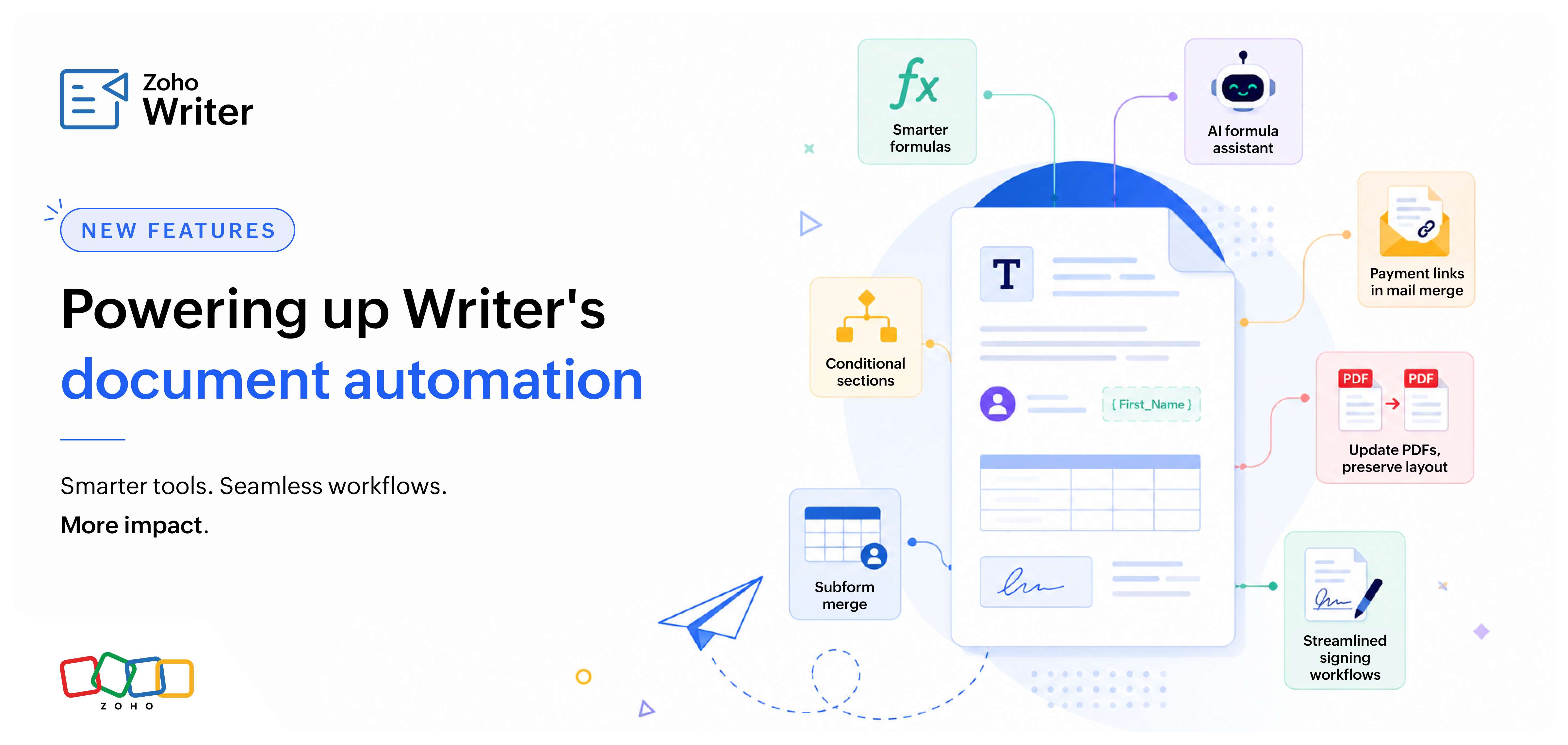
From smarter formulas and dynamic content to more flexible forms and streamlined signing workflows, this release brings powerful new capabilities to Zoho Writer. These enhancements make it easier to create personalized documents, automate repetitive tasks, adapt templates to changing business needs, and manage end-to-end document workflows—all while reducing manual effort and simplifying everyday work.
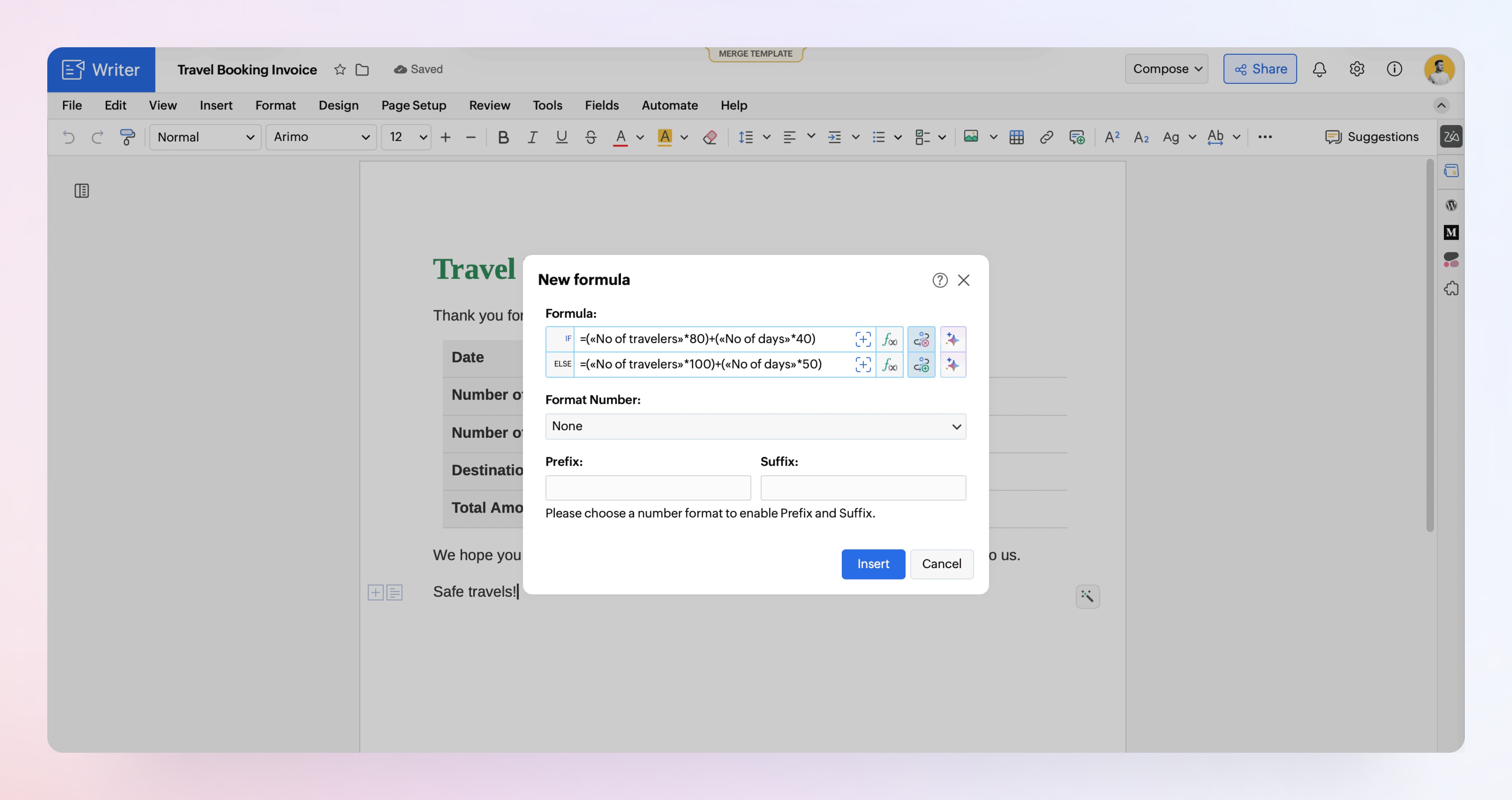
Make formulas more powerful with new string functions and conditional formulas
This release introduces 12 new string functions to help you manipulate and format text, along with conditional formulas that let you define rules for how values are calculated.
Describe your formula, let AI build it
The new AI-powered formula assistant helps you generate, fix, and refine formulas based on what you're trying to achieve.
Whether you're formatting customer names, combining address fields, cleaning CRM data, or extracting parts of text, you can spend less time writing formulas and more time building your workflow. Learn more.
Conditional sections for personalized content
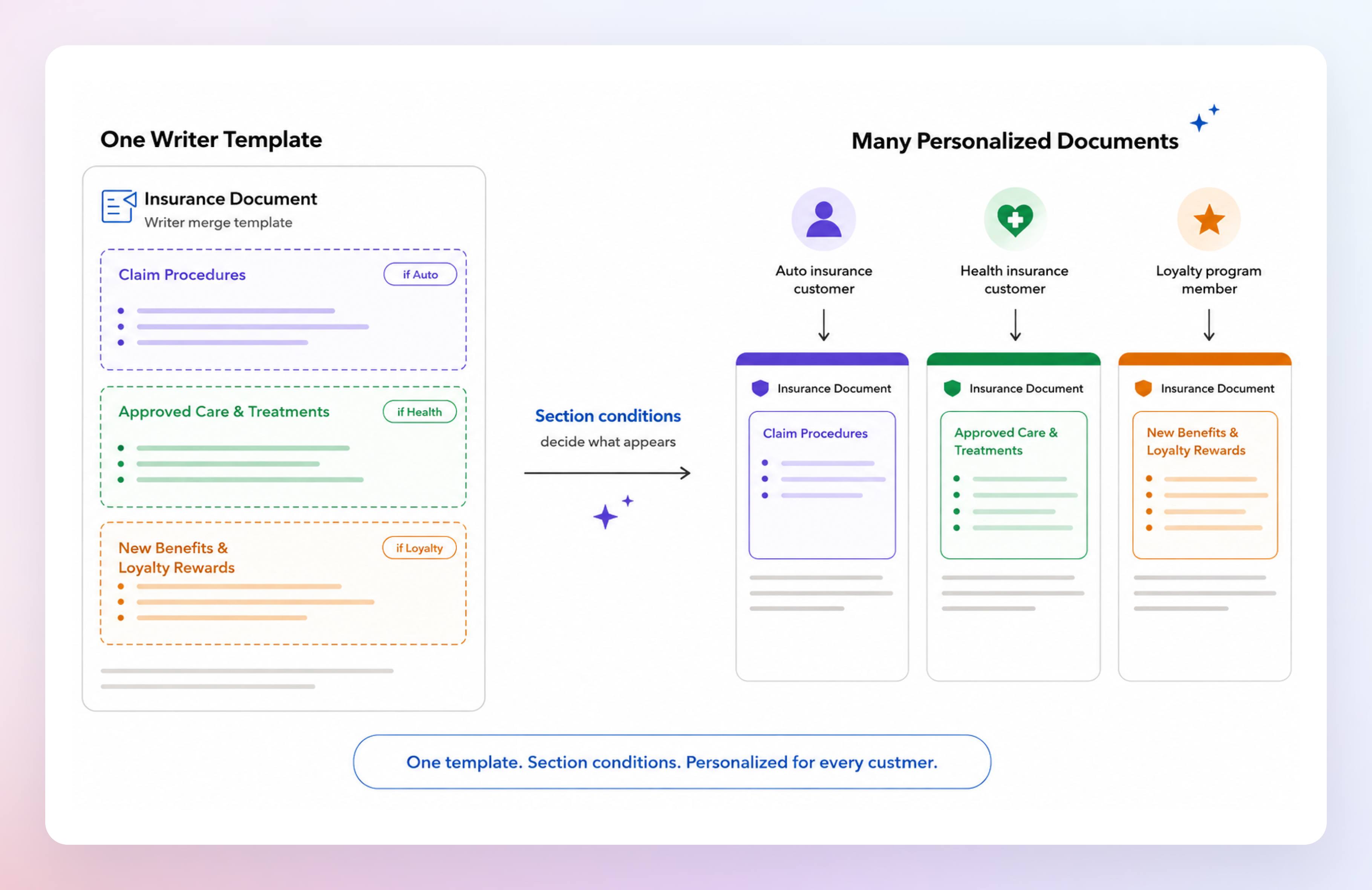
Not all recipients need to see the same content in a document. An insurance policy may include different coverage details based on the selected plan. An offer letter may contain clauses that apply only to certain employees. Without conditional content, maintaining separate templates for every scenario quickly becomes difficult.
Conditional sections let you build one template and decide which sections appear based on your merge data. During merge, Writer automatically includes only the relevant content for each recipient, helping you simplify template management while delivering personalized documents. Learn more.
Rich text field support in CRM mail merge
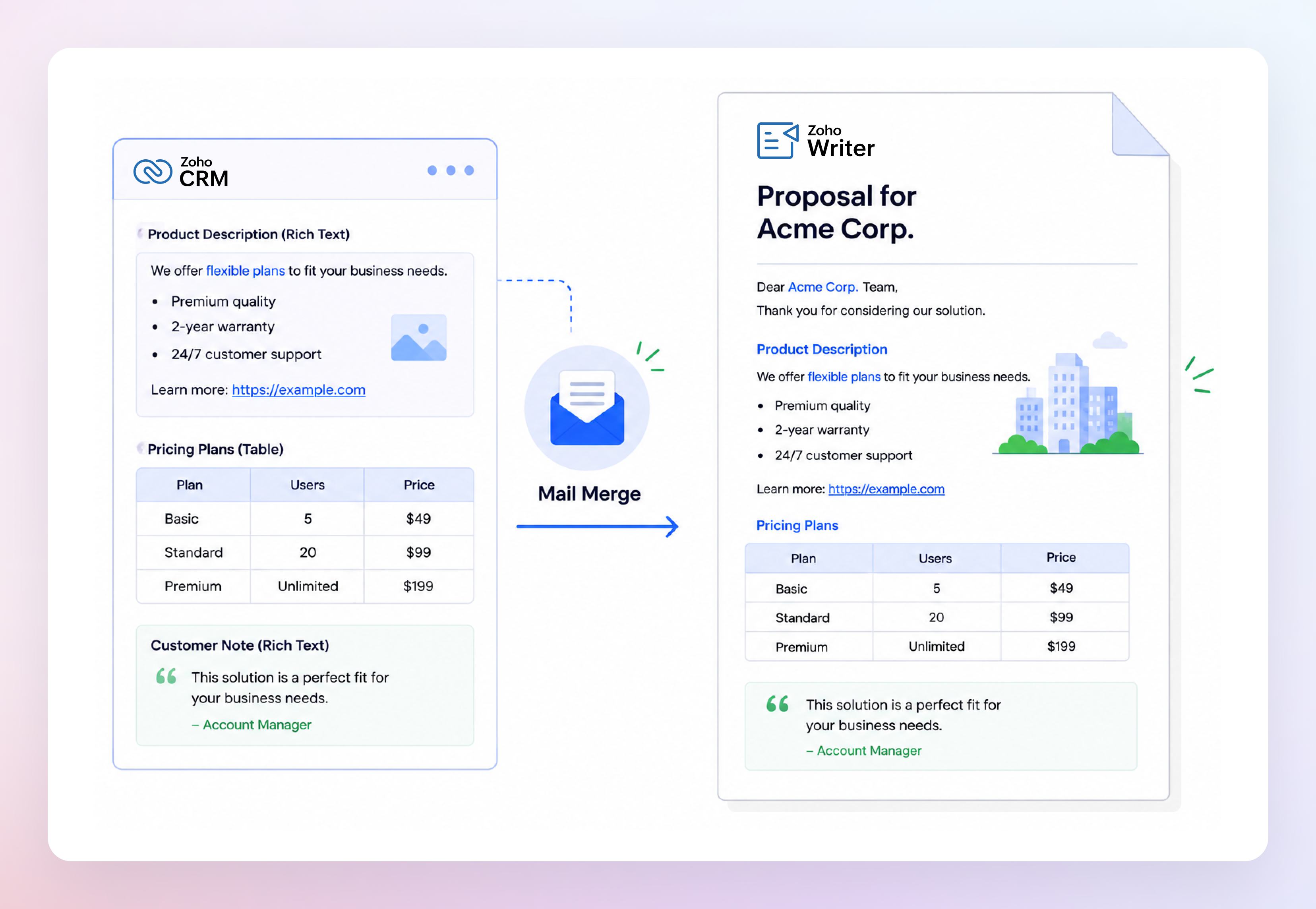
Writer now preserves rich text formatting automatically during mail merge. Lists remain lists, hyperlinks stay clickable, tables retain their structure, and formatted content carries over just as it appears in CRM.
Whether you're merging product descriptions, proposals, customer notes, or other rich text content, your documents stay polished and ready to use—without extra formatting work.
Personalized documents from subform entries
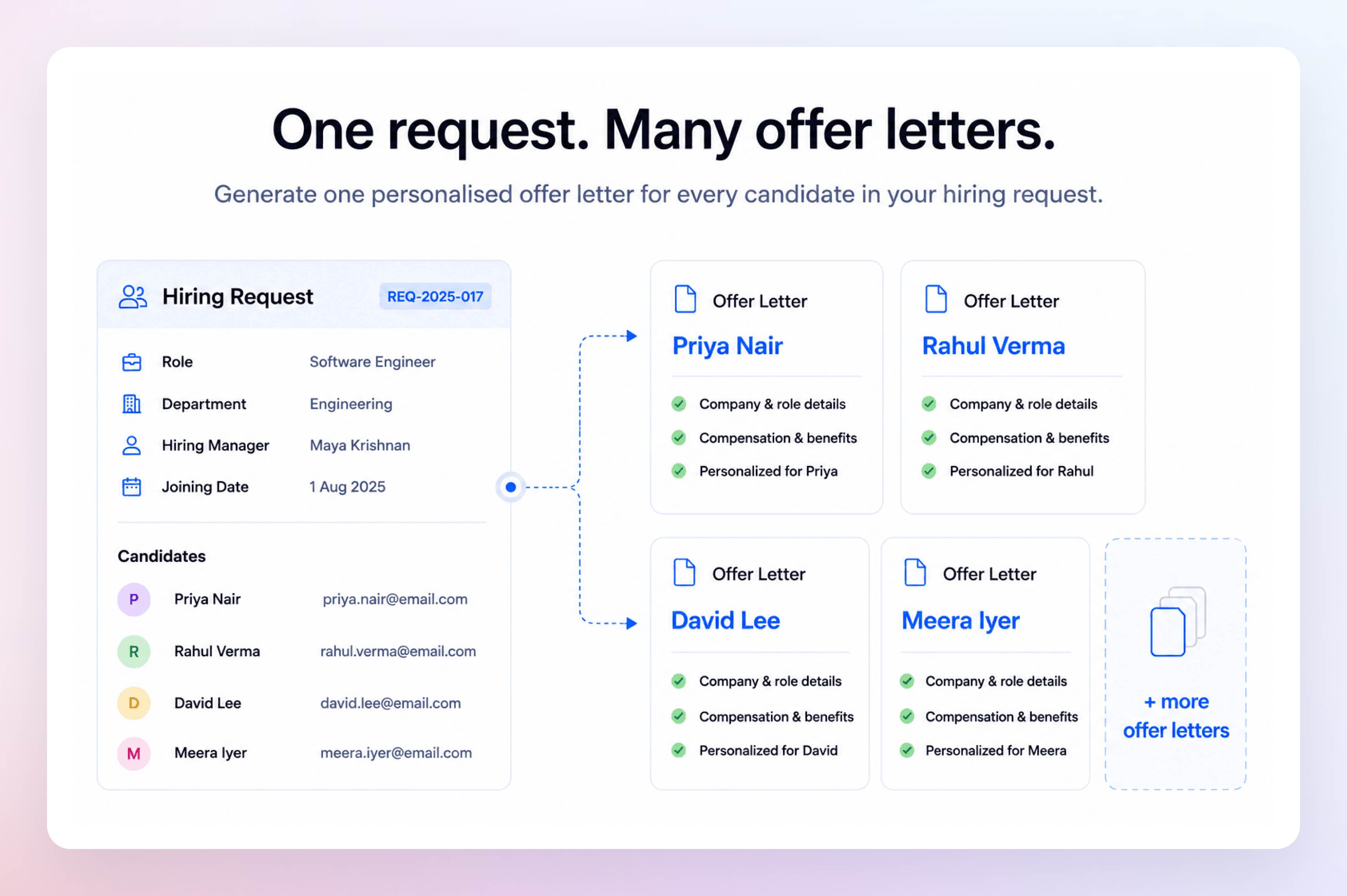
Sometimes you need one document for every item on a list, not one document containing the entire list. Think admission letters for students, certificates for event participants, onboarding documents for employees, or invoices for individual order items.
With Subform Merge, Writer can now generate a separate personalized document for every record in a subform while still using information from the parent record. A single template can automatically create multiple personalized documents, eliminating repetitive manual work. Learn more.
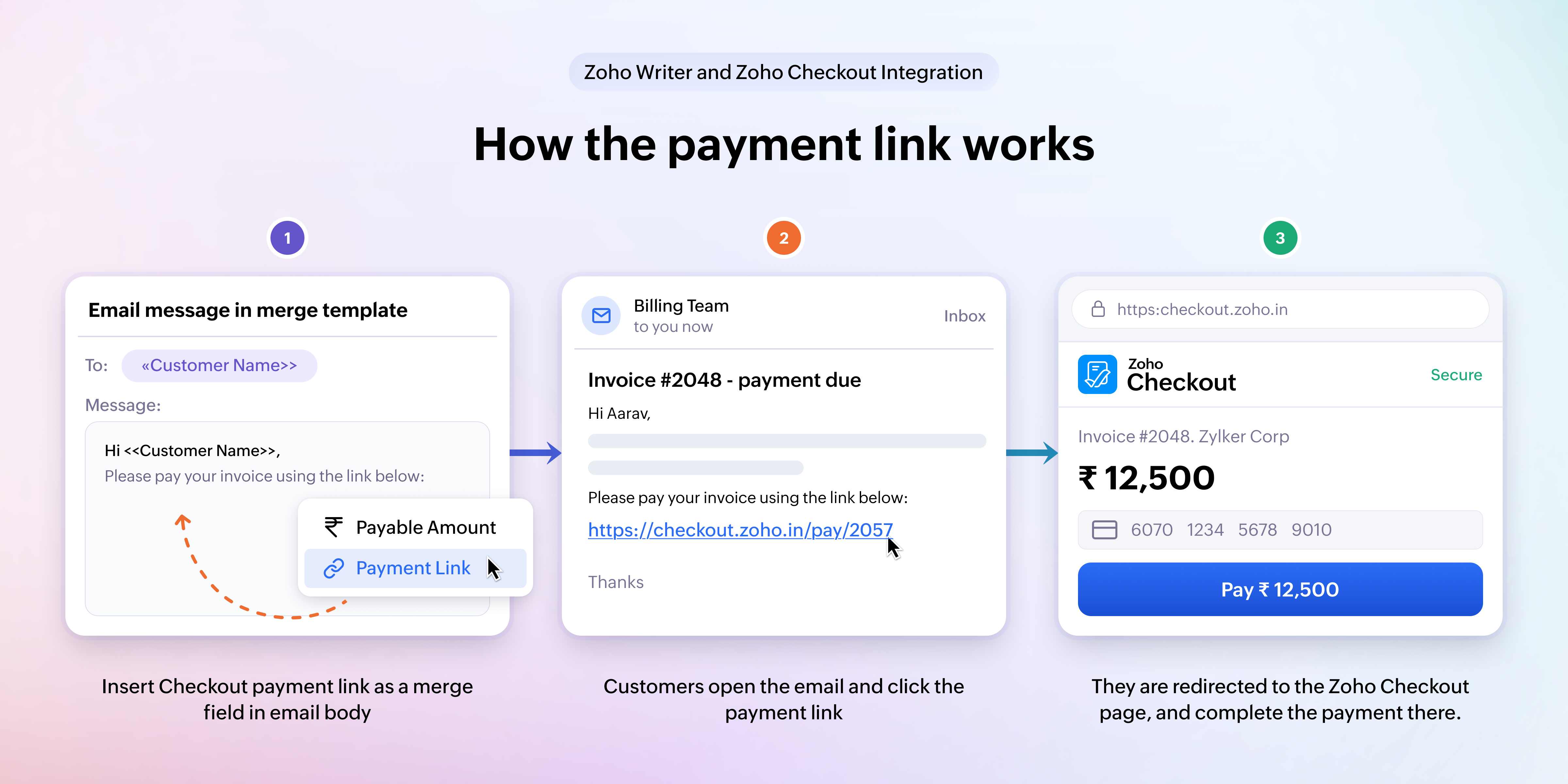
Personalized payment links in mail merge
Collecting payments often means sending a document first and following up later with a separate payment link. That extra step can slow down the entire process and create unnecessary back-and-forth.
With Zoho Checkout integration, you can now include a personalized payment link directly in your mail merge emails. Whether you're sending invoices, registration confirmations, subscription renewals, or donation requests, recipients receive both the document and the payment link in a single email, making it easier for them to proceed with the payment when they're ready. Learn more.
Update PDFs. Preserve field layout
Need to update your company branding, redesign a form, or switch to a newer version of a document? Previously, that often meant recreating your template from scratch.
You can now replace the PDF behind an existing fillable form, mail merge, or sign template while keeping all your field mappings and signature fields intact. Update the look of your documents without rebuilding the workflow. Learn more.
Whether you're creating personalized documents, collecting payments, gathering information, or managing approvals, these enhancements help you automate more of your document workflows with Zoho Writer.
Explore the features above, and let us know what you think in the comments. If you have questions or feedback, write to us at support@zohowriter.com or support@eu.zohowriter.com. We'd love to hear from you.