
Settings
Before you begin working with bugs, you must initially set up information such as portal owner, personal profile, email notifications, ZSC keys and so on.
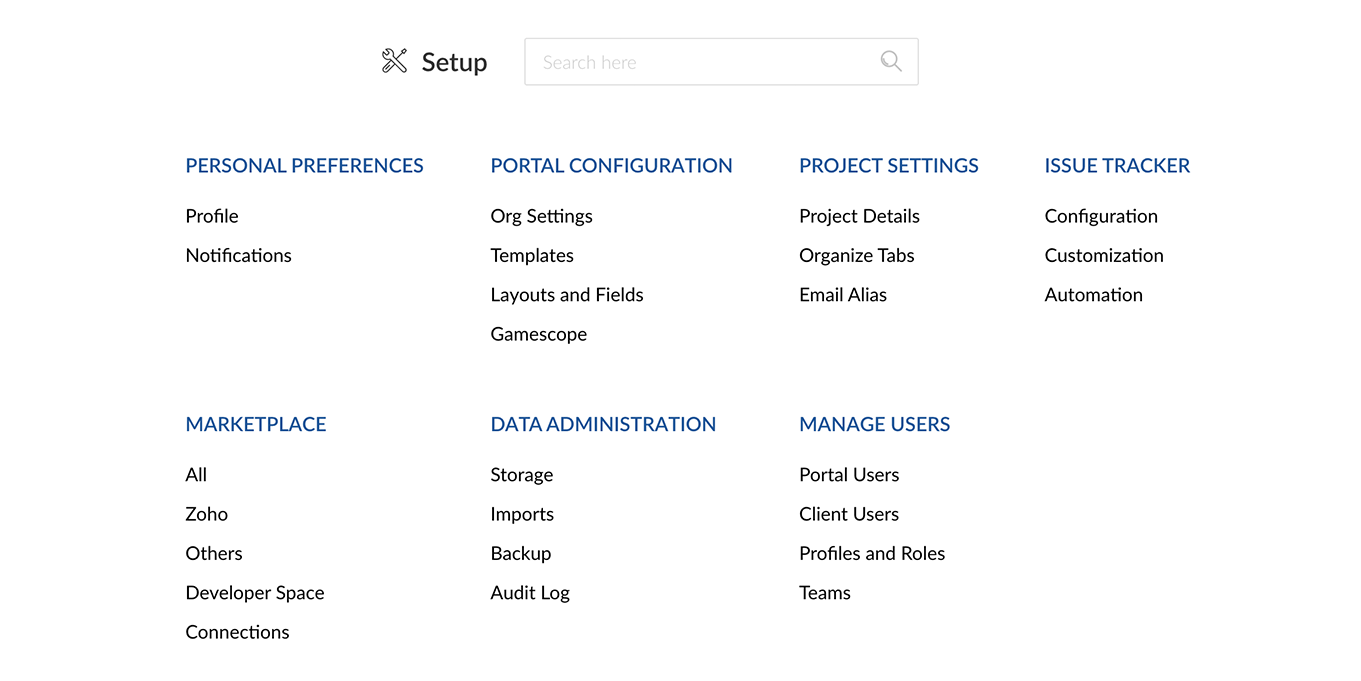
Personal Preferences
Set up your personal profile information, email notifications and regenerate ZSC keys.
User Profile | Notifications
Portal Configuration
Edit details about your Organization, Portal URL and Owner.
Org Settings | Project Layouts & Fields | Templates | Bug Layouts & Fields
Project Settings
Configure your project information, customize the tabs, and manage the project Email aliases to access Zoho Projects through your personal Email addresses in the Project Settings section.
Project Settings | Organize Tabs | Email Alias
Zoho Apps Integration
Integrate Zoho BugTracker with the other Zoho services in the Zoho Apps integration section.
Zoho Desk | Zoho Invoice/Books | Zoho People | Zoho Analytics | Developer Space | Zoho Expense
Other Apps Integration
Integrate Zoho BugTracker with third-party services like Bitbucket, GitHub, and Crashlytics in the Other Apps integration section.
GitHub | Gitlab | Gitea | Crashlytics | Bitbucket
Build Extensions for Zoho BugTracker
Create extensions, integrate with third-party services, and increase your productivity using Zoho BugTracker.
Extensions User Guide | Extensions Developer Guide | Google Drive | Zendesk | Checklist | Adobe Sign | DocuSign | Google Calendar | Zendesk Sell | HubSpot | Dropbox | Box
Data Administration
Import data from Jira, check your storage, take a backup of your portal and view audit logs.
Import from Jira | Data Administration
Manage Users
Manage portal and client users and set access privileges from this section.
Manage Users | Profiles and Roles