

Obtaining takeaways from contacts
Find out how you can obtain key insights about your customers and vendors.
- Transactions log in contacts
- Sales by Customer report
- Customer Balance report
- Purchases by Vendor report
- Payments Made report
Transactions log in contacts
Before striking a deal, be it a sales transaction or purchase transaction with a contact, it is always wise to do a little historic background check unless he/she is your arch nemesis(in this case, you are bound to be on your toes all the time and tread lightly).
You can easily fetch all the historic & current transactions associated with a contact using the Transactions section of a contact and narrow down into the details by using module filters and real time status filters.
Application Scenario
Lets take a case, lets say a customer called Aaron Clark places a new purchase order with you. You may or may not have done business with him in the past, but with so many customers piling up, it is often hard to remember each and every one of them and check out their genuineness.
Hence before you draft a sales order, let’s see how we checkout the status of the historic & current transactions with this customer. To do so:
- Navigate to the Contacts module.
- Apply the appropriate filter - customer or vendor depending on the case.
- Select the preferred contact(customer/vendro depending on whether its a sale or purchase).
- Open the Transactions section of the contact from the contact details page by selecting on it.
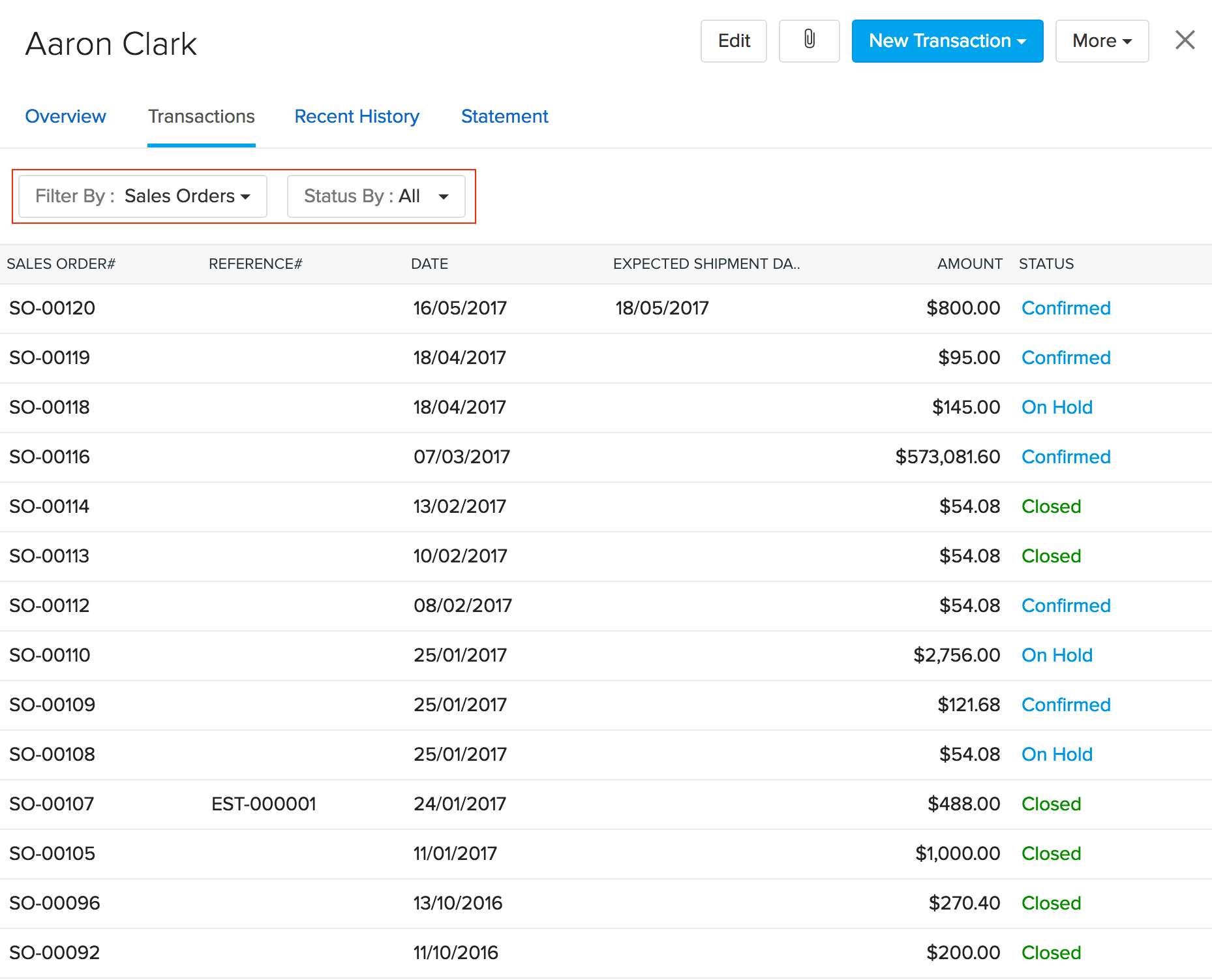
- Using the module filter, select the type of transaction that you wish to check.(For a customer it can be sales orders, invoices etc. Likewise for a vendor, it can be purchase orders, bills, etc.)
- Using the module status filter, you will be able to view the all those transactions associated with this contact that are present at that particular state.(Statuses are dependent on the module selected. For a sales order, it can be Draft, Confirmed, Partially shipped, etc.)
- On applying the appropriate module filter and module status filter, you will be able to find the details of the required transactions along with their real time status.
- You will also be to check out a particular transaction from the log by clicking on their transaction number.
Using this, you will be able to do a historic data check before you proceed to do more with this contact.