
Dashboard
Get the complete overview of your organization at a glance with our smart dashboard, that gives you the synopsis of your items, sales and purchases.
Guide Layout:
Overview of dashboard sections
The dashboard is divided into 6 sections:
- Sales Activity - this section displays the number of items that need packaging, shipping, delivery and invoicing.
- Inventory Summary - this section displays the total quantity of items you have on hand and the total quantity of ordered items that are yet to reach your warehouse.
- Product Details - this section lets you know the number of items that are below their reorder points(Low Stock items), total number of item groups and the total number of items in your inventory. This section will also let you know the percentage of active items on your inventory and 7 top selling items by volume(top selling items alone can be viewed for a time period of your choice).
- Purchase Order - this section with tell you the total quantity of items ordered from vendors and their value.
- Sales Orders - this section will list the number of sales orders from direct sales and each of your e-commerce channels for a timeperiod of your choice.
- Sales Order Summary graph - this section will display a graph that displays the value of sales across different channels for a time period of your choice.
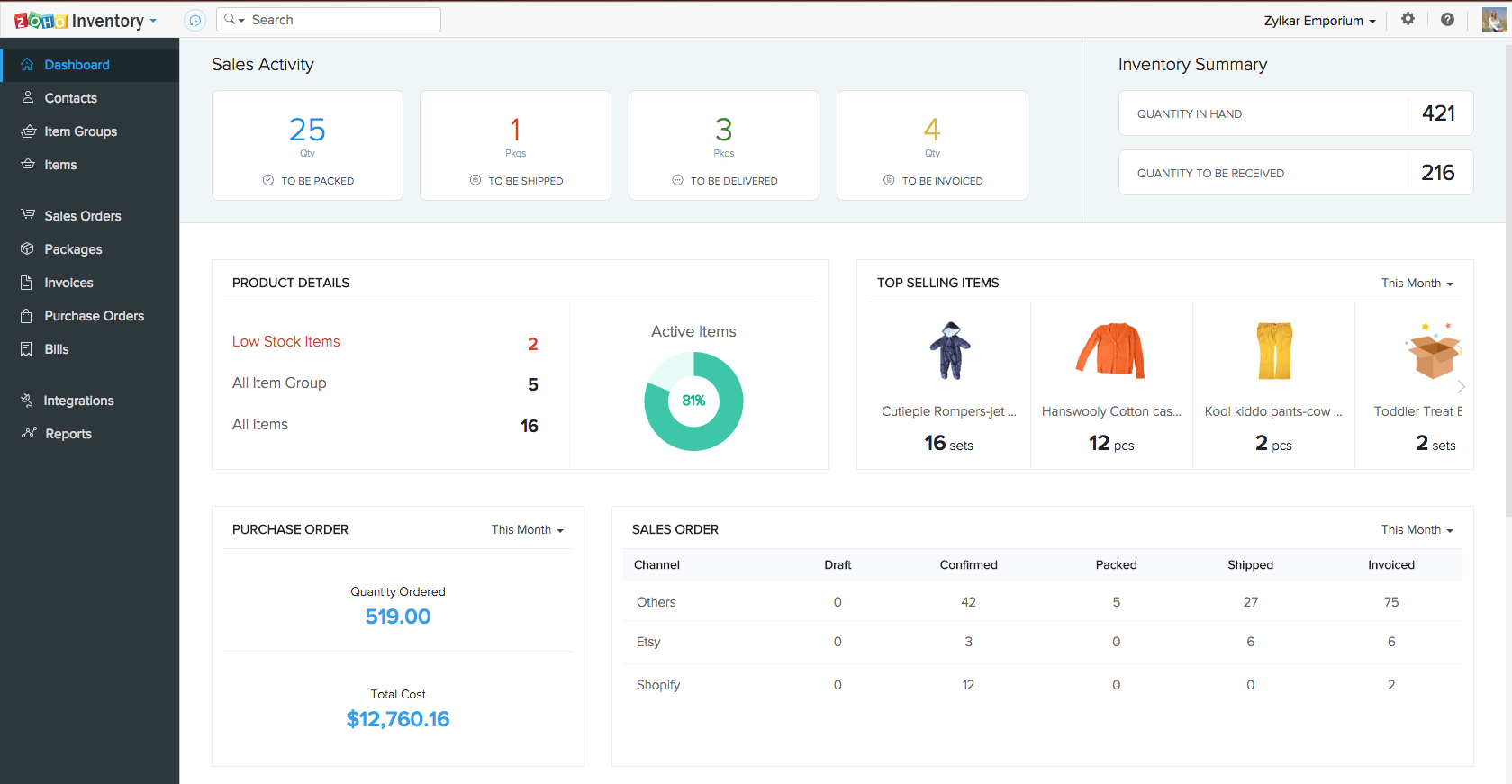
Note: The numeric data available under the first 3 sections of the dashboard are actually linked to their respective modules. For example, when you click on the number displayed against Low Stock Items under Product Details, the system will redirect you to the items module containing only a list of your low stock items.
Things to remember
- Many of the parameters across the dashboard are hotwired to their respective modules for a closer look.
- The certain sections of the dashboard data can be generated for time periods of your choice.
- If you have integrated Zoho Inventory with Zoho Books, then the data present in the dashboard of Zoho Inventory will include the data from Zoho Books as well(just like the reports module).